Web Development With AI: How AI Coding Assistants Change the Workflow
AI coding assistants don't replace web development skills, they change where you spend your time. Here's how the workflow shifts, step by step.
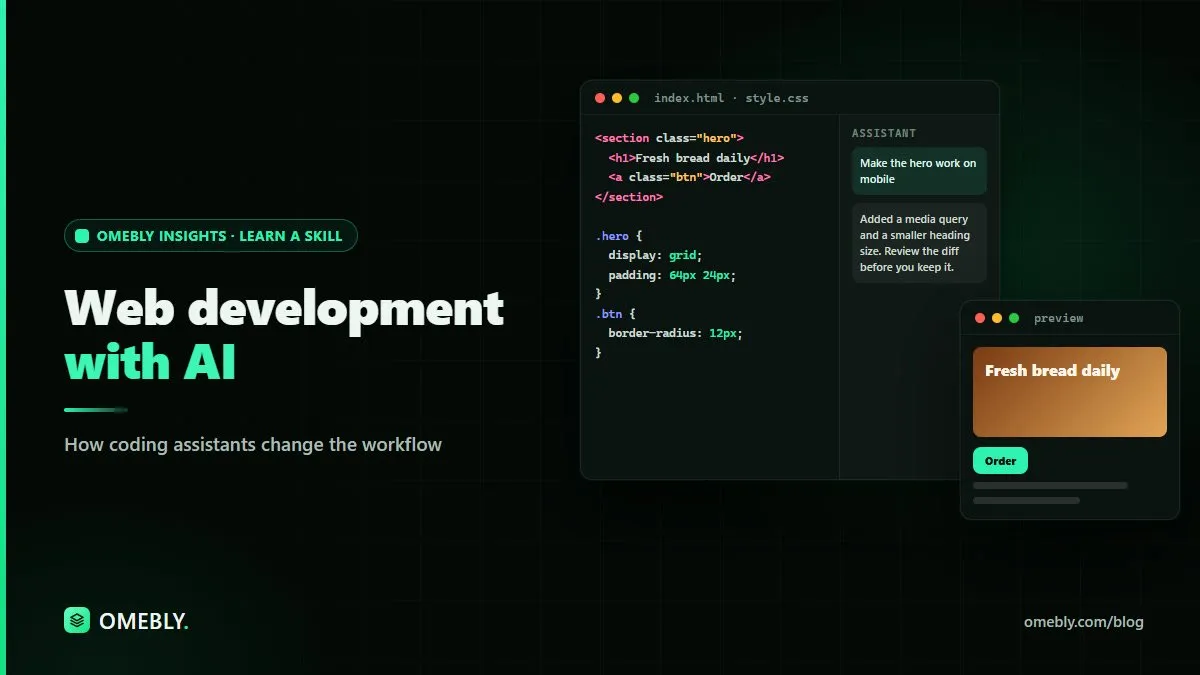
A few years ago, building a web page meant writing every line yourself or copying snippets from forums and documentation. Today, AI coding assistants sit inside the editor, suggesting whole functions, explaining errors and drafting tests. That changes how web development with AI feels day to day, but it doesn’t remove the need to understand what you’re building.
This guide walks through a typical web project and shows where AI assistants genuinely help, where they get in the way, and which habits keep your code correct and secure.
Quick answer: AI coding assistants speed up web development by drafting boilerplate, explaining unfamiliar code, suggesting fixes and writing first-pass tests. The developer’s work shifts towards planning, giving clear context, reviewing every change and testing properly. You still need solid HTML, CSS, JavaScript and backend basics to judge what the assistant produces.
What an AI coding assistant actually does
An AI coding assistant is a tool, usually built into your editor or available as a chat, that predicts and generates code from your instructions and the files it can see. AI tools like Claude can also explain code, suggest refactors and answer questions about frameworks.
It helps to remember two things:
- It predicts likely code, it doesn’t run your project in its head. Output can look right and still fail on real data.
- It only knows what you show it. Without context about your project’s structure, conventions and constraints, it will guess.
So the quality of what you get depends heavily on how you work with it.
The old workflow vs the AI-assisted workflow
| Stage | Traditional approach | With an AI coding assistant |
|---|---|---|
| Planning | Sketch structure, list features | Same, plus ask AI to challenge the plan or list edge cases |
| Setup | Copy starter templates, configure tools | AI drafts config and folder structure for you to review |
| Building | Write each component by hand | AI drafts components; you refine and integrate |
| Debugging | Search errors, read docs | AI explains the error and suggests likely causes |
| Testing | Write tests after features (or skip them) | AI drafts test cases; you check they test the right things |
| Review | Peer review, if available | AI gives a first-pass review; humans still review |
The big change is that typing code becomes cheaper, while reading and judging code becomes the core skill.
Step 1: Plan before you prompt
The fastest way to get messy code is to open a chat and type “build me a booking website”. Start with a short written plan instead:
- What pages and features are in scope?
- What stack are you using? (for example, a front-end framework, a backend language, a database)
- What are the data models: users, bookings, services?
- What are the rules: who can see or edit what?
Then share that plan with the assistant and ask it to point out gaps or risks. This uses AI for what it’s good at, spotting missing pieces, while keeping you in charge of decisions. If you’re unsure which stack suits your project, our full-stack web development roadmap explains how the layers fit together.
Step 2: Scaffold, then read everything
AI is very good at boilerplate: project setup, routing files, form markup, basic API endpoints. Let it draft these, but read every file before you commit it.
Look for:
- Unfamiliar packages. Check that any library it adds is real, maintained and needed.
- Outdated patterns. Assistants sometimes suggest older ways of doing things. Compare with the framework’s current documentation.
- Hard-coded values. Secrets, URLs and settings belong in environment configuration, not in code.
If you can’t explain what a file does, ask the assistant to explain it line by line. If you still can’t, don’t ship it yet.
Step 3: Build in small, clear steps
Large requests produce large, hard-to-review changes. Small requests produce code you can actually check.
Instead of “create the whole dashboard”, try:
- “Create a responsive card component that shows a booking’s date, service and status. Use our existing button styles.”
- “Add a filter that shows only upcoming bookings.”
- “Handle the empty state when there are no bookings.”
Give context each time: the relevant file, naming conventions, and what not to change. Our guide to prompt writing basics covers how to structure these instructions so you get usable output first time.
Step 4: Debug with AI, but understand the fix
Pasting an error message into an assistant is one of the most useful habits in modern web development. It will usually explain what the error means and suggest likely causes.
Good practice:
- Share the error, the relevant code and what you expected to happen.
- Ask why the fix works, not just what to change.
- Apply one change at a time and retest.
- If the assistant keeps suggesting fixes that don’t work, step back. Read the documentation, add logging, or simplify the problem.
Technical documentation is often long. If a library’s guide or an API specification comes as a PDF, our free chat with PDF tool lets you ask direct questions about it, though you should still confirm answers against the source.
Step 5: Let AI draft tests, then check them
Testing is where AI assistants can save real effort, because many developers skip tests when they’re short on time. Ask for unit tests for a function, or a list of edge cases for a form.
Then check:
- Do the tests actually fail when the code is broken? Temporarily break the code to find out.
- Do they cover edge cases: empty inputs, very long text, invalid dates, slow networks?
- Are they testing behaviour, or just repeating the implementation?
A test suite that always passes isn’t proof of anything.
Step 6: Review, security and accessibility
Before anything goes live, slow down. AI-generated code needs the same review as human code, and sometimes more.
Security checks:
- Validate and sanitise all user input on the server, not only in the browser.
- Use parameterised queries for database access.
- Check authentication and permission logic carefully, because assistants often miss project-specific rules.
- Make sure no keys or secrets appear in front-end code or commits.
Accessibility checks:
- Use proper headings, labels and alt text.
- Make sure every action works with a keyboard.
- Check colour contrast.
Performance checks:
- Look for unnecessary packages and oversized images.
- Watch for repeated database calls inside loops.
Using AI coding assistants responsibly
A few rules protect you, your clients and your users:
- Keep secrets out. Never paste API keys, passwords, environment files or customer data into an AI tool.
- Follow the rules. Check your organisation’s or client’s policy on AI tools and code sharing.
- Check licences. Be cautious if generated code closely resembles a specific library or project.
- Verify facts. Assistants can invent functions, options or package names that don’t exist. Confirm against official documentation.
- Stay accountable. If your name is on the commit, you’re responsible for what it does.
Skills that matter more now, not less
With AI handling more of the typing, these skills become more valuable:
- Fundamentals: HTML, CSS, JavaScript, HTTP, and how databases work.
- Reading code: quickly understanding code you didn’t write.
- Breaking down problems: turning a feature into small, testable steps.
- Communicating clearly: writing precise instructions for people and tools alike.
- Testing and debugging: proving that something works.
If you’re deciding where to focus, it helps to compare frontend, backend and full-stack roles before you commit to one.
Learn the workflow with live guidance
Learning alone with an AI assistant can lead to code that works today but that you can’t maintain tomorrow. Omebly Academy’s Web Development With AI course teaches the fundamentals and the AI-assisted workflow together. It runs for 8 weeks with 16 live classes, costs USD 280, and is taught live by Nazmul Hussain’s team. Nazmul Hussain is Omebly’s Managing Director and Technical Head, with 10+ years of experience building digital products.
Prefer to start without the AI focus? There’s also a Web Development course. You can compare every option on the Omebly Academy training page.
Ready to build with AI the right way? See the Web Development With AI course.
Frequently asked questions
Can AI coding assistants build a website for me?
They can generate a lot of working code quickly, especially for common patterns. But someone still needs to plan the structure, check the code, fix edge cases, handle security and make sure the site actually meets its goals.
Do I still need to learn HTML, CSS and JavaScript?
Yes. You need the fundamentals to judge whether AI-generated code is correct, readable and safe. Without them you can't spot mistakes or fix problems the assistant can't solve.
What are AI coding assistants best at in web development?
They're strong at boilerplate, explaining unfamiliar code, suggesting fixes for error messages, writing first drafts of tests, and converting code between formats. They're weaker at architecture decisions and project-specific business rules.
Is it safe to paste my project code into an AI tool?
Only if your organisation or client allows it and the tool's data settings suit the project. Never paste API keys, passwords, environment files or customer data into an AI tool.
How should beginners use AI while learning web development?
Use it to explain concepts and errors, then write the code yourself where you can. Ask it to review your work rather than produce everything for you, so you build real understanding.

Written by
Nazmul Hussain, Managing Director & Technical Head, Omebly. 10+ years building websites and apps for clients in India, the Gulf, the UK and the US, and mentoring at Omebly Academy. LinkedIn · GitHub
Follow Omebly
New guides, work and launches on every channel.