Dream City Jobs Panel: Keeping Work and Homes in Balance
The Jobs panel is the quiet heart of Dream City. It shows whether you have enough work for your people, and both happiness and tax follow that balance. Here's how to read it and act on it.
Roads and skylines get the attention, but one small panel decides whether your city thrives. In Omebly Dream City, the Jobs panel shows the balance between jobs and workers, and happiness follows that balance. This Dream City Jobs panel guide explains how to read it, why it matters for your money, and what to do when it tips too far either way.
If you’re new, read our main Dream City guide first. Our budget guide covers tax and upkeep; this post focuses on the jobs side.
Quick answer: The Jobs panel shows whether your city has enough jobs for its workers. Happiness follows that balance, and so does your income, because homes pay only a small house tax while most tax comes from residents with jobs and businesses filling their jobs. Too many workers? Zone shops, industry or offices. Too many jobs? Zone homes. Check the panel every time you zone, and grow in small, balanced steps.
Why the Jobs panel matters
Happiness follows the balance
Dream City links how people feel to whether the jobs and workers line up. A city where everyone who wants work can find it is a happier place.
Income follows it too
The tax rules make jobs central:
- Homes pay a small house tax, plus income tax from residents who have jobs.
- Businesses pay only on the jobs they fill.
So an unemployed resident pays little, and an empty job pays nothing. A balanced city collects from both sides.
It’s an early warning
When the panel drifts out of balance, problems follow: unhappy residents, slower income and, if you push tax up to compensate, more unhappiness. Spotting the drift early saves you from chasing it later.
Reading the panel
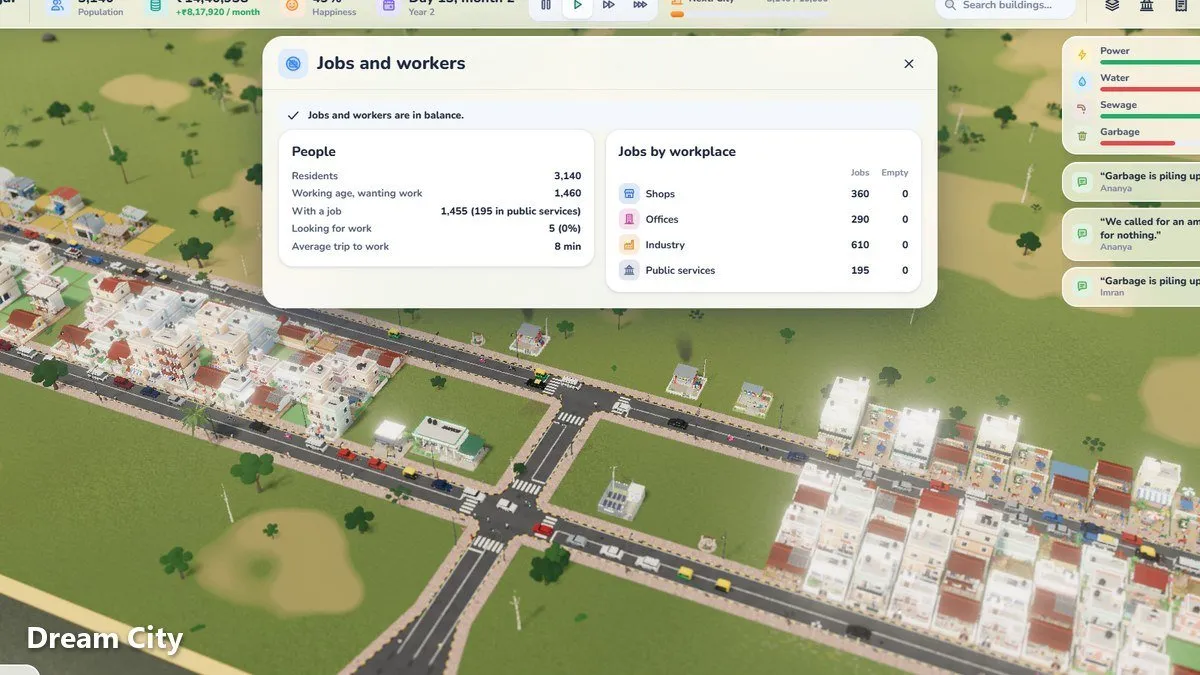
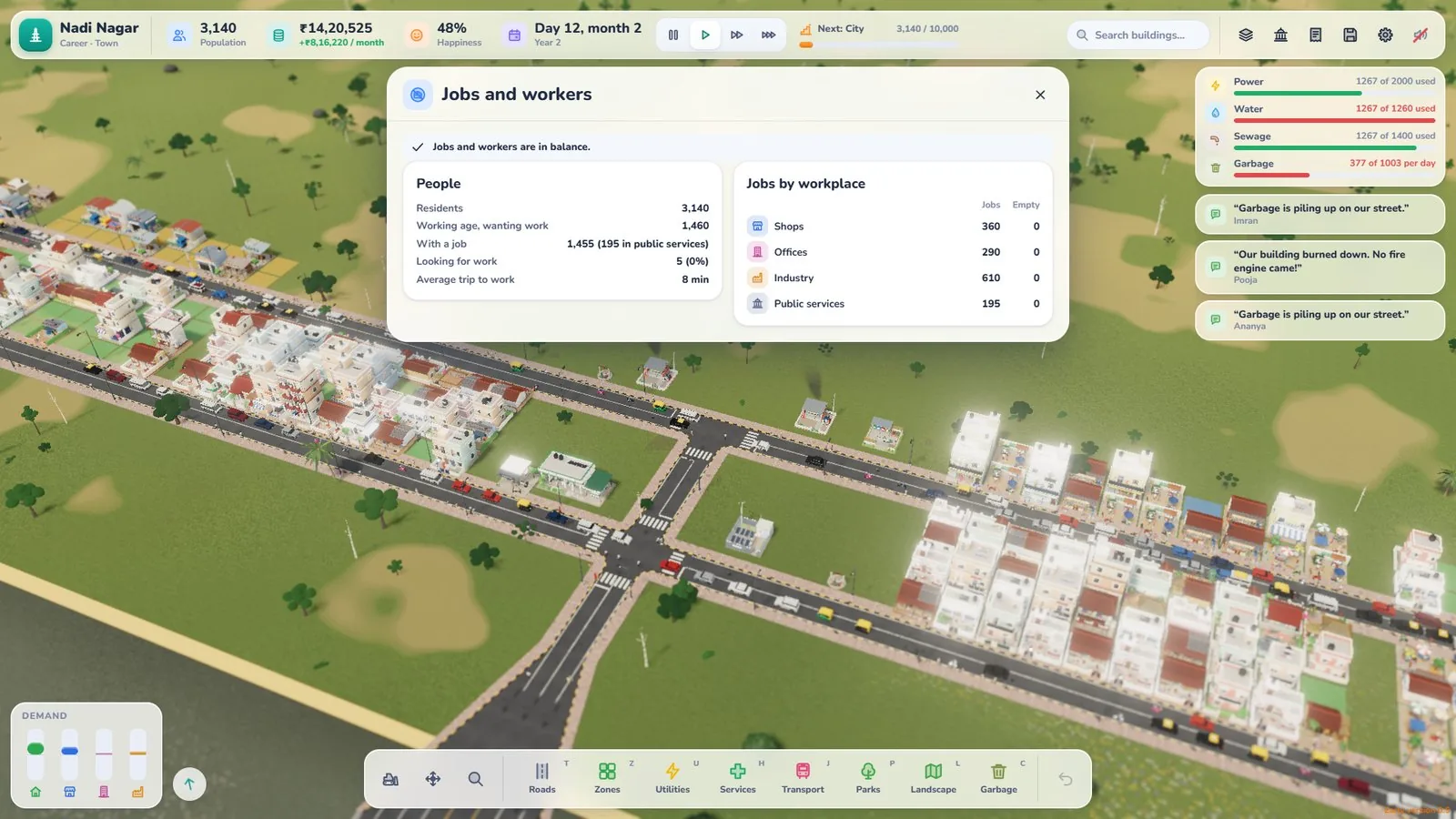
Open the Jobs panel by tapping your population number. At the top is an advice line: “N people need work…”, “N jobs are empty…”, or “Jobs and workers are in balance.” Below it you’ll see residents, working age, with a job, looking for work and the average trip to work, then a table of jobs and empty posts for shops, offices, industry and public services.
Think of the Jobs panel as a scale with workers on one side and jobs on the other. There are three situations to recognise.
| What you see | What it means | What to do |
|---|---|---|
| More workers than jobs | People can’t find work | Zone shops, industry or offices |
| More jobs than workers | Workplaces sit empty | Zone homes |
| Roughly even | Healthy city | Grow both together |
You don’t need a perfect match. Aim for roughly even and keep it there as you grow.
Too many workers: how to fix it
This is the most common problem for new players, because homes are exciting to zone and fill up fast.
Step by step
- Stop zoning homes for a moment.
- Zone shops, industry or offices near the homes that need jobs. Offices unlock at Village.
- Make sure they’re connected by road, so people can reach them.
- Give it time for businesses to open and fill jobs.
- Check the Jobs panel again.
Placement tips
- Put shops close to homes so people don’t travel far.
- Keep workplaces a short trip away, with good roads or a bus line between them.
- Remember that pollution drifts with the wind, so keep polluting buildings such as diesel generators away from where people live.
Too many jobs: how to fix it
This usually happens after a burst of zoning work, or when homes are slow to grow. Businesses with many empty jobs for a couple of months will close, so don’t leave them waiting.
Step by step
- Pause on new work zones.
- Zone homes close to the empty jobs.
- Check homes have what they need: new homes only appear when their road is connected to power and water with spare supply, and garbage should be handled. Residents in homes without power or water don’t count as workers.
- Wait for people to move in.
- Check the panel again.
As homes level up, each building holds more people (about 8, then 20, then 45 residents), so a neighbourhood can house far more people later than it does at first. That growth can swing the balance back towards too many workers, which is one more reason to keep checking.
Growing in balanced steps
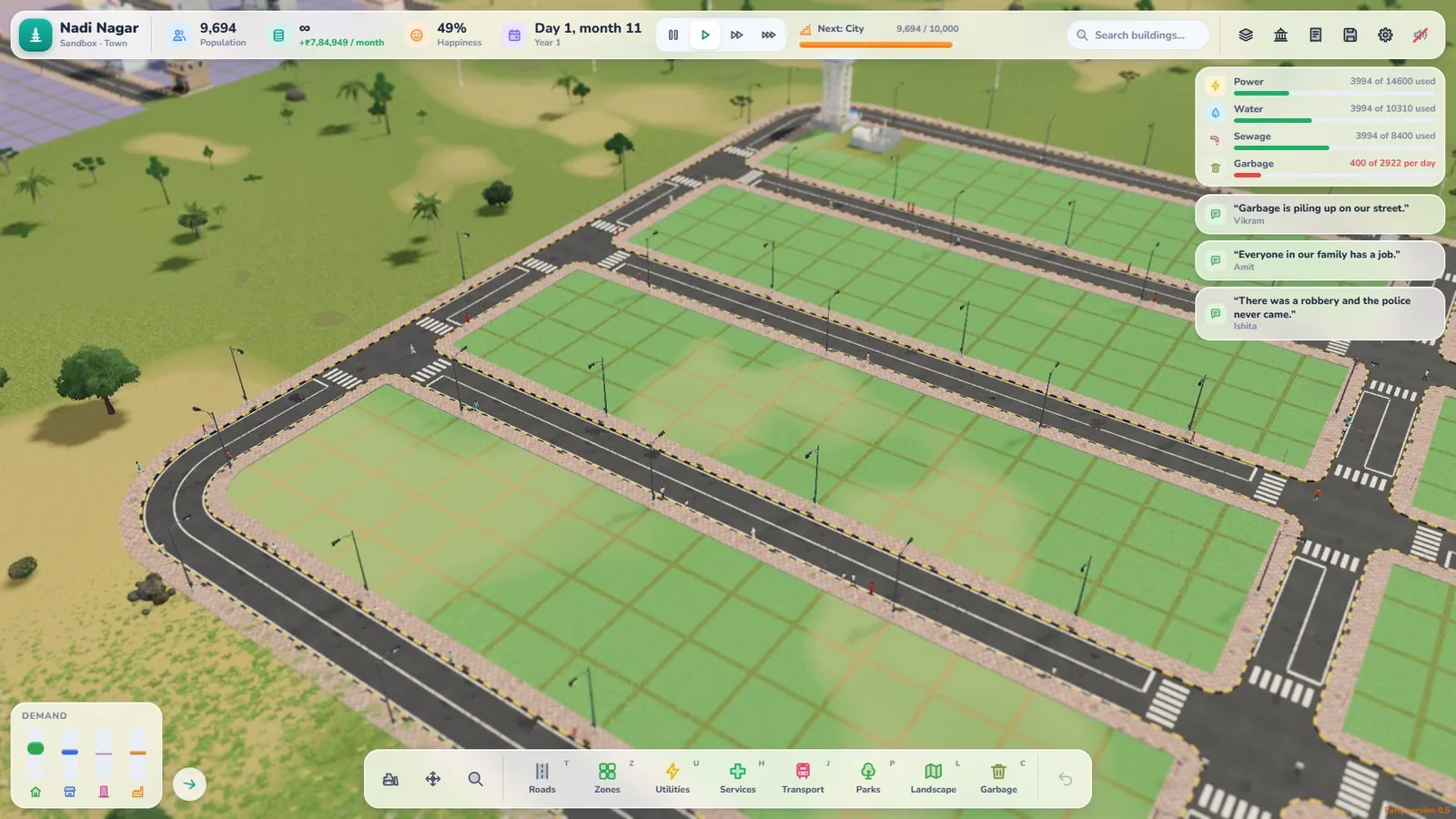
The safest way to grow is in small pairs: a block of homes, then a block of work, then check.
A simple zoning rhythm
- Zone a small block of homes.
- Zone a small block of shops or workplaces nearby.
- Connect them with a sensible road.
- Add power, water and garbage.
- Open the Jobs panel.
- Adjust the next block based on what you see.
This rhythm works at every stage, from Settlement to Metropolis.
The jobs balance and tax
When money is short, raising tax looks tempting. Up to 12% feels fair to residents. Above 12% happiness drops, and above 22% people leave.
If your city is out of balance, a higher tax makes things worse: people are already less happy, and pushing tax up adds to it. Fix the jobs balance first. It brings in more tax without touching the rate.
Jobs as your town grows
Wages rise
Wages rise as the town grows, so a bigger city costs more to run. A healthy jobs balance keeps tax income growing alongside those costs.
Services cost more as they get busier
A bigger, busier city leans harder on its services, and they cost more as they get busier. Steady tax from a balanced workforce is what pays for them.
New land in Career mode
When you buy more land in Career mode, plan homes and work for it together. A new plot full of homes with no jobs can tip your whole city out of balance.
Listen to residents
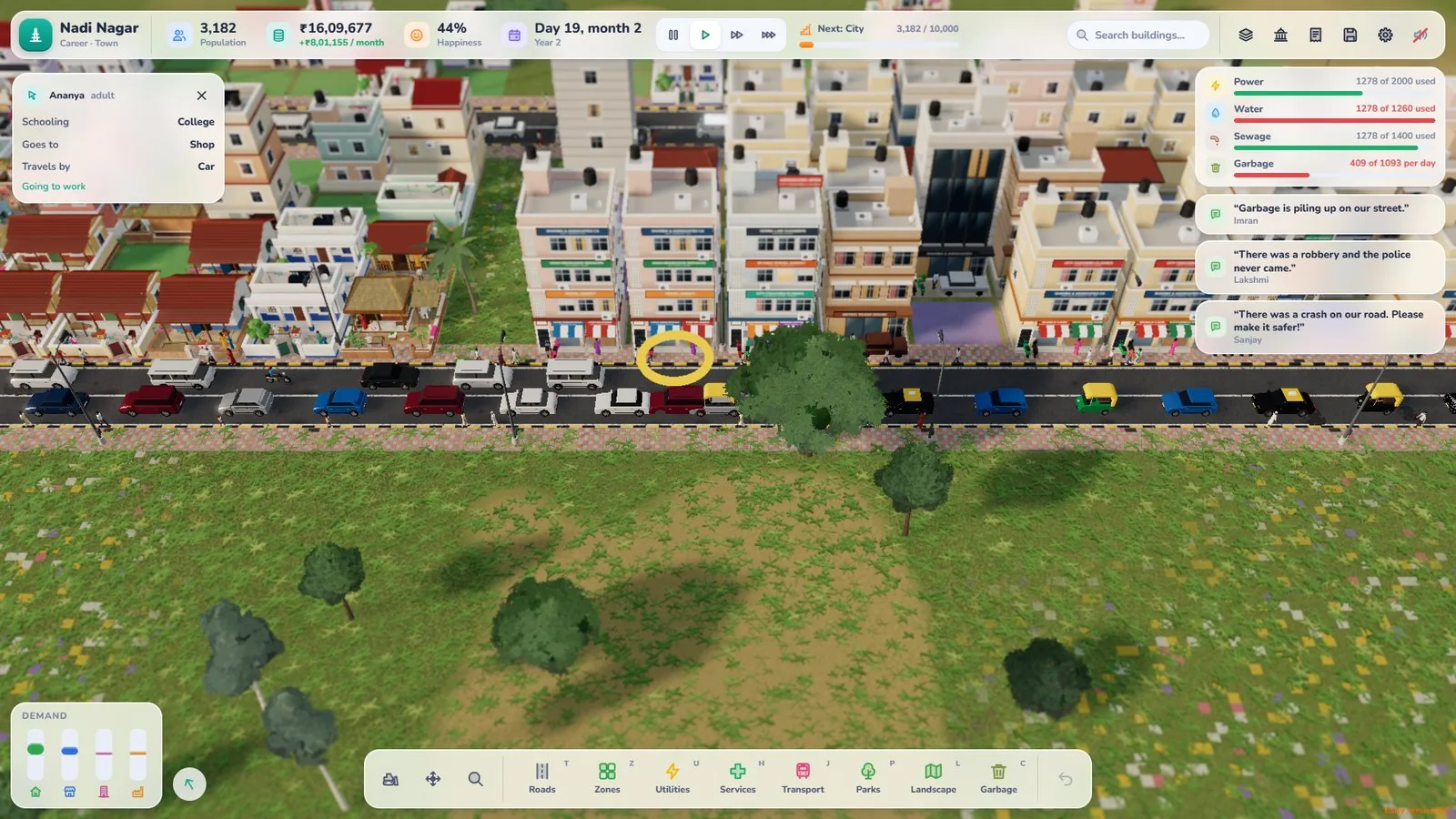
Residents speak their mind, and you can follow a resident’s day. If someone has no job or a long trip to work, you’ll often hear about it. Following one person from home to work is a great way to see whether your jobs and homes are really connected.
Common jobs mistakes
- Zoning lots of homes with no work nearby
- Fixing a money problem with tax instead of jobs
- Zoning work far from homes with poor roads in between
- Forgetting to check the panel after homes upgrade
- Buying new land and filling it with only one kind of zone
Your Jobs panel checklist
- Panel checked after every zoning block
- Jobs and workers roughly even
- Shops near homes, workplaces a short trip away
- Tax at or below 12%
- New land planned with homes and work together
Growing from Hamlet to Village? Our Hamlet to Village guide puts the jobs balance at the centre of every step.
Open Dream City, check your Jobs panel and keep your city working.
Frequently asked questions
What does the Jobs panel show in Dream City?
It shows the balance between jobs and workers in your city. Happiness follows that balance, so it's one of the most useful panels to check.
Why does the jobs balance affect my income?
Homes pay only a small house tax. Most income comes from income tax on residents with jobs, and businesses pay only on the jobs they fill. Balanced jobs and workers means more of both.
What should I do if I have too many workers?
Zone more shops, industry or offices (offices unlock at Village) so residents can find jobs, then check the Jobs panel again.
What should I do if I have too many jobs?
Zone more homes so people can move in and fill those jobs. Empty jobs pay no tax.
How often should I check the Jobs panel?
Every time you add a block of homes or work. Small, balanced steps are easier to manage than big swings.

Written by
Nazmul Hussain, Managing Director & Technical Head, Omebly. 10+ years building websites and apps for clients in India, the Gulf, the UK and the US, and mentoring at Omebly Academy. LinkedIn · GitHub
Follow Omebly
New guides, work and launches on every channel.