Omebly Dream City: A Free City-Building Game You Play in Your Browser
Dream City is Omebly's free browser city builder. Start with a few huts, lay roads, add water, power and schools, run buses and balance a real budget as your settlement grows into a metropolis.
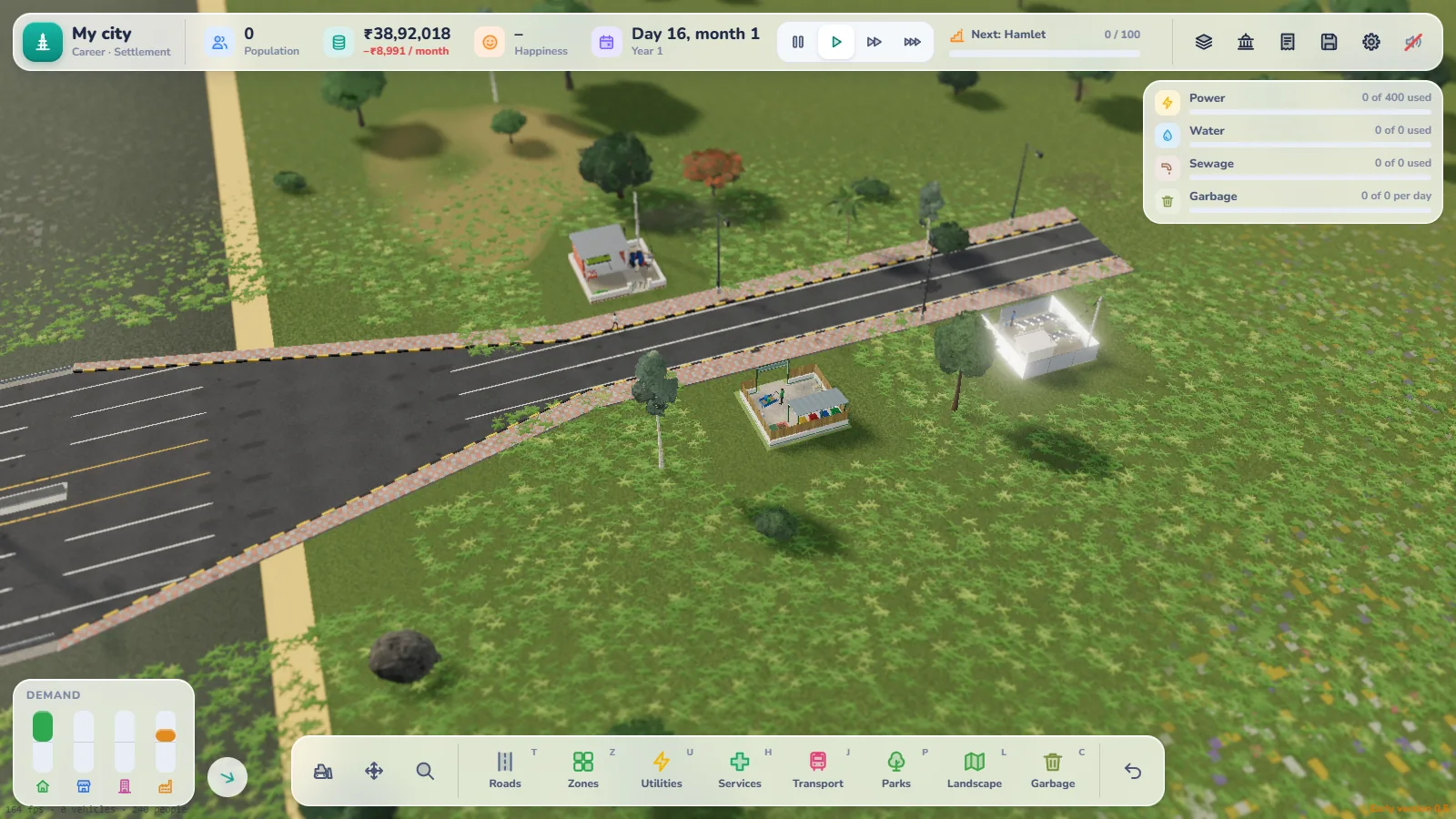
Most city-building games ask you to download a big install, make an account, or buy the game first. Omebly Dream City skips all of that. Open a link, and you’re looking at an empty piece of land with a river nearby, ready for your first road.
Dream City is a free city building game you play in your browser. You start with a small settlement and grow it, one decision at a time, into a busy metropolis. The towns feel Indian: an Anganwadi next to the school, a panchayat office in the village square, buses stopping at a stand, and zebra crossings outside the market.
This guide walks through everything in the game, so you know what to expect before you lay your first road.
Quick answer: Dream City is a free browser city builder from Omebly. There’s nothing to download, no account and no ads. Shape the land, draw roads, zone homes and shops, add power, water and services, run buses, and keep the budget healthy as your settlement grows into a city and then a metropolis. It runs on PC and phone, and saves stay in your browser. Play it here.
What is Dream City?
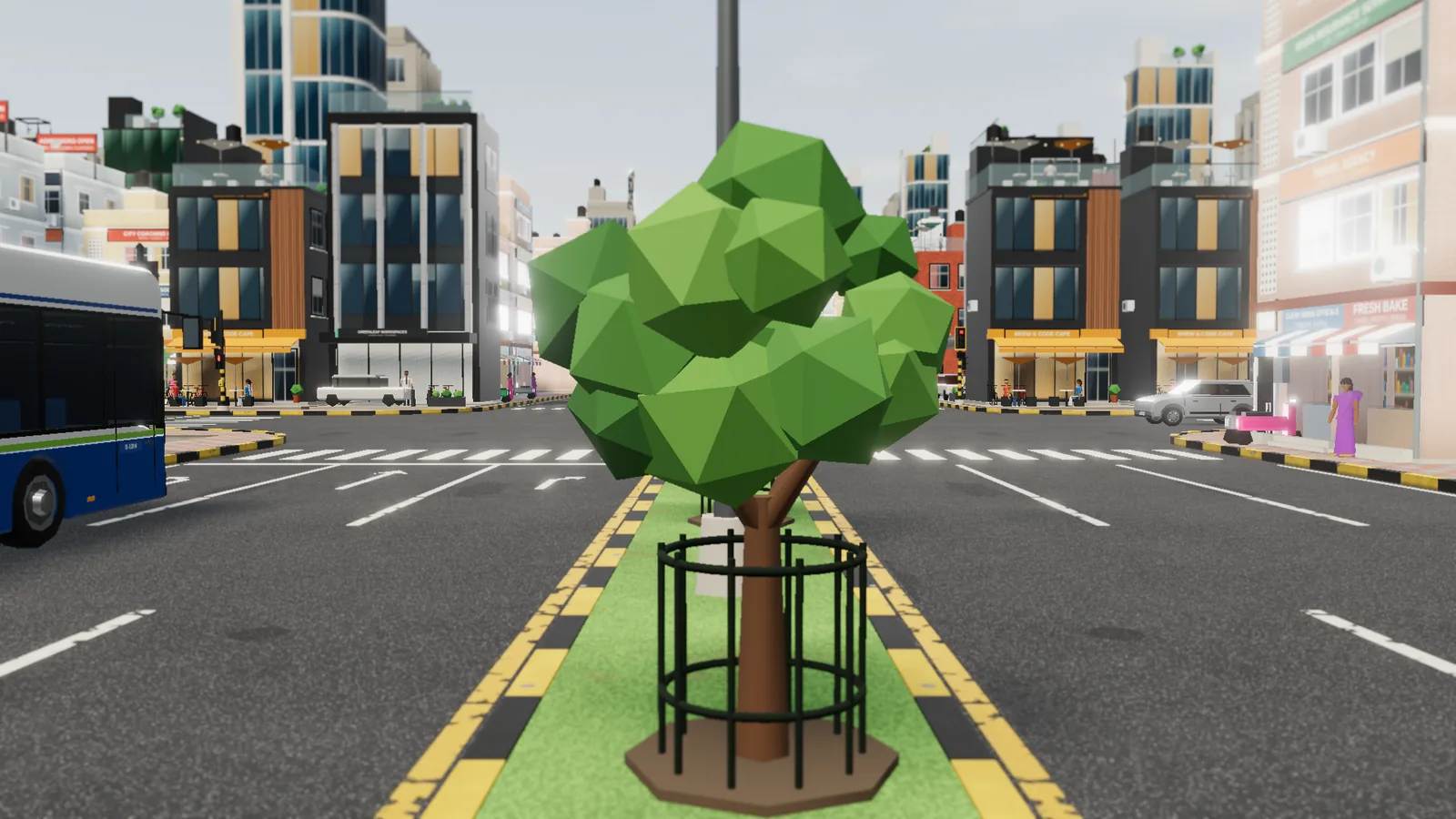
Dream City is a 3D city simulator with a bright, low-poly look. You’re the planner. You decide where roads go, where people live and work, how water and power reach every home, and how much tax to charge.
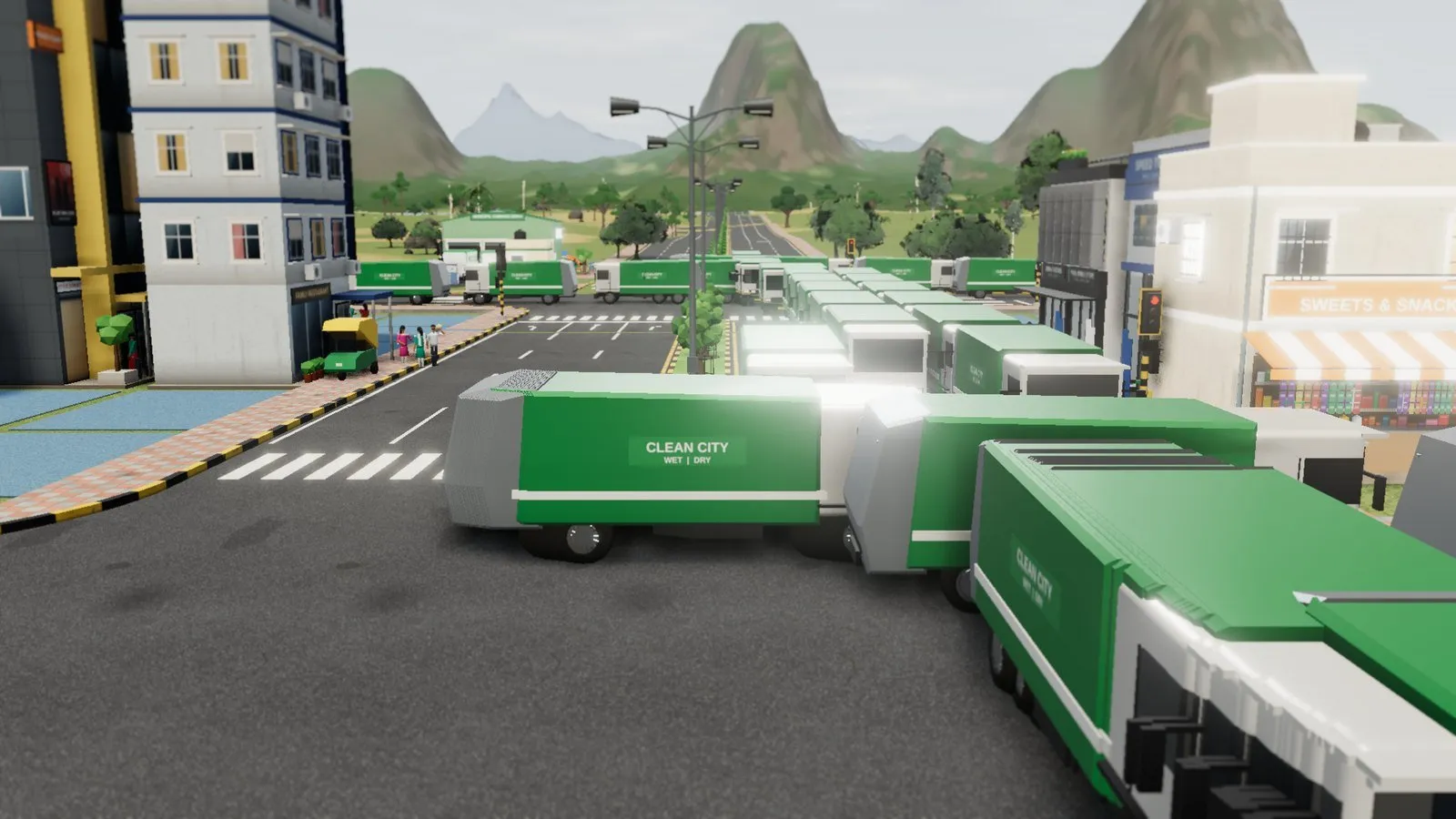
The city reacts to your choices. People walk the streets, vehicles follow your roads, and buses run the routes you draw. When there’s an accident, an ambulance comes. Pollution from a power plant drifts with the wind. Your residents tell you what they think, from “Garbage is piling up on our street” to “I feel safe with the police post nearby”, and you can follow any one of them through their day, from home to work and back.
Two ways to play: Career and Sandbox
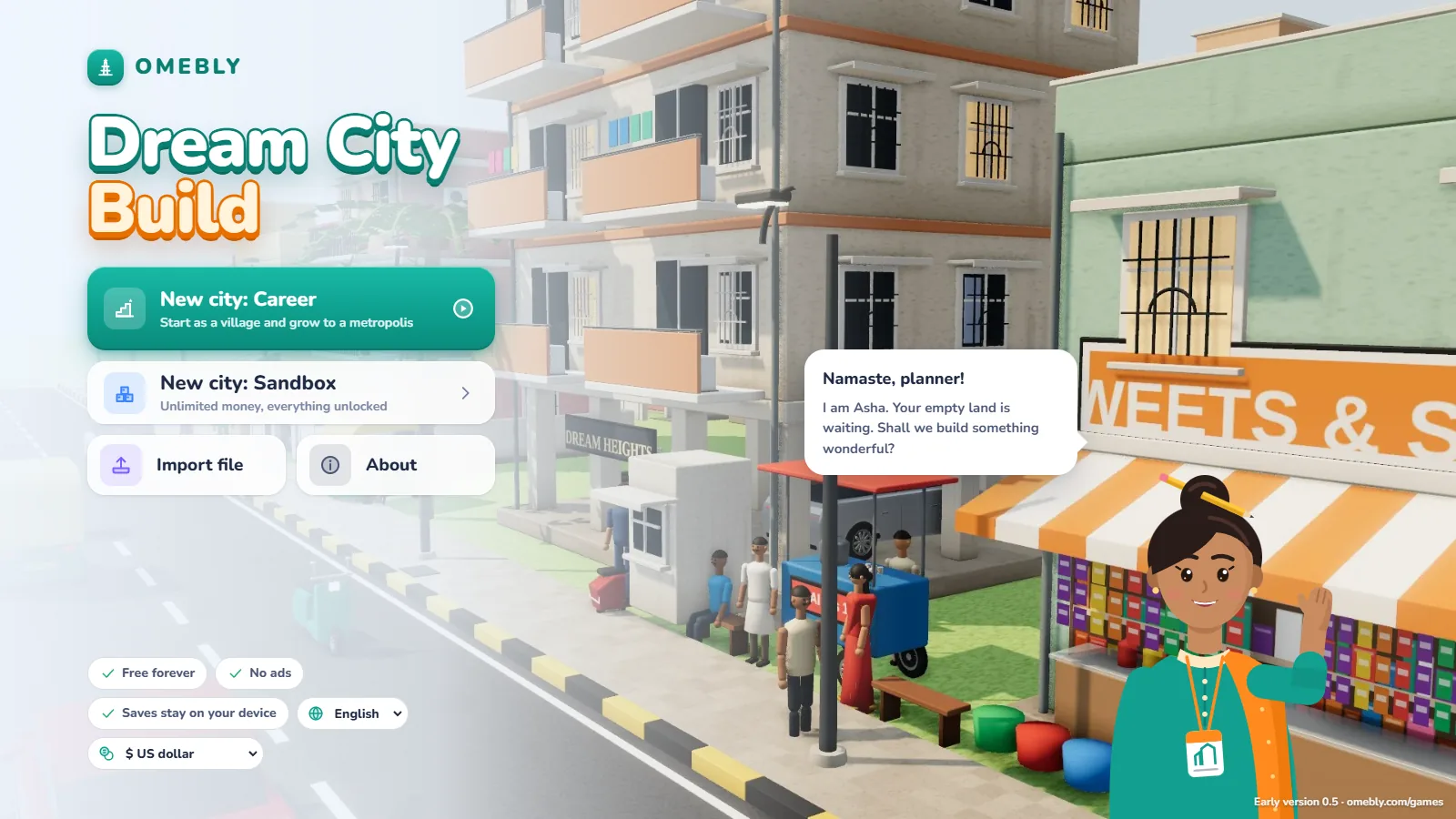
Career mode is the full challenge. You start with a small plot and limited money. As your city grows and earns, you can buy more land, up to a 5×5 map. Every rupee counts, especially early on.
Sandbox mode gives you unlimited money. It’s ideal when you want to experiment, try a big road layout, or just build the city you’ve been imagining without worrying about the budget.
New to city builders? Asha, your in-game guide, walks you through the basics in a short tutorial: your first road, your first homes, and getting water and power to them.
From settlement to metropolis
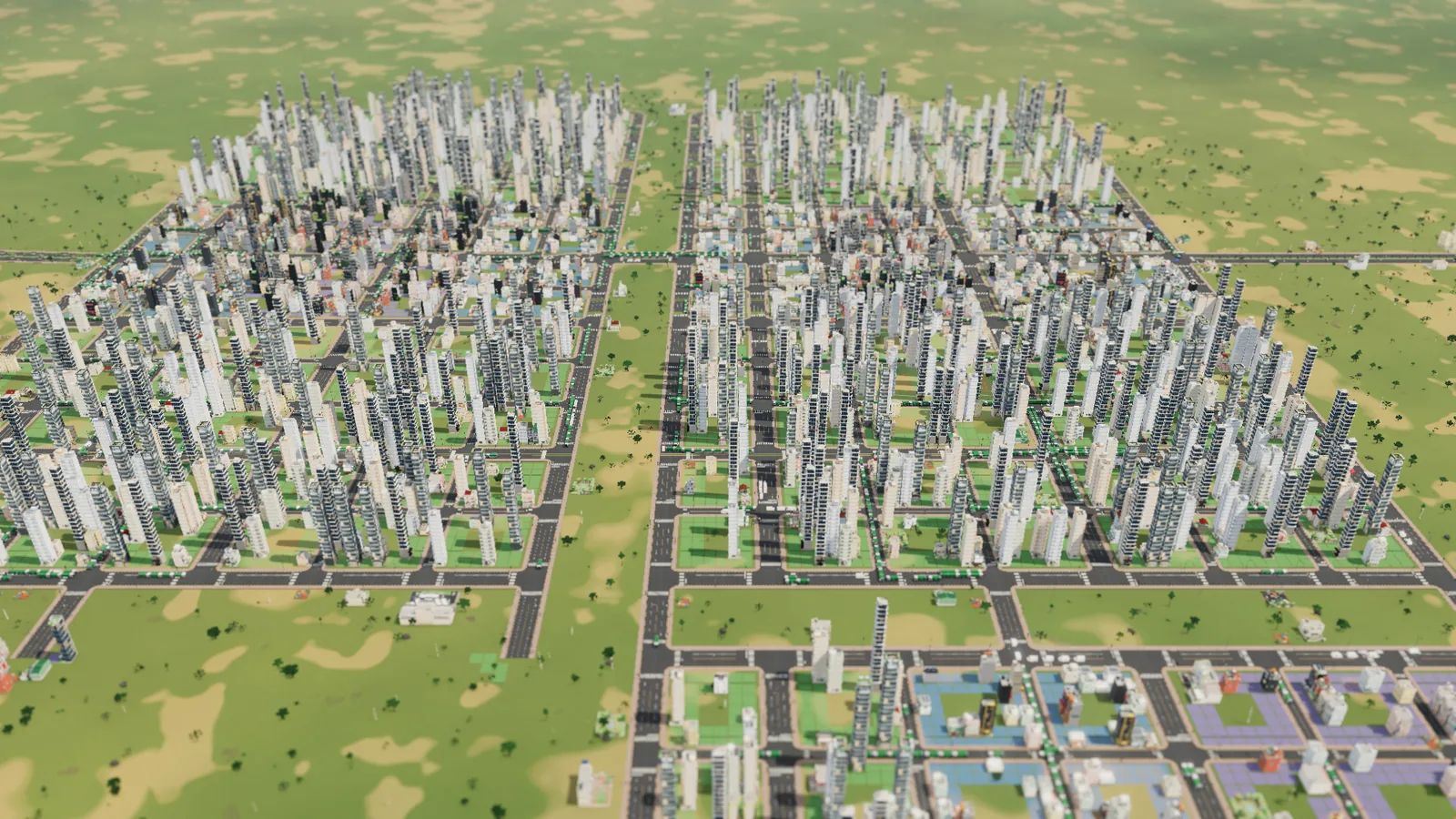
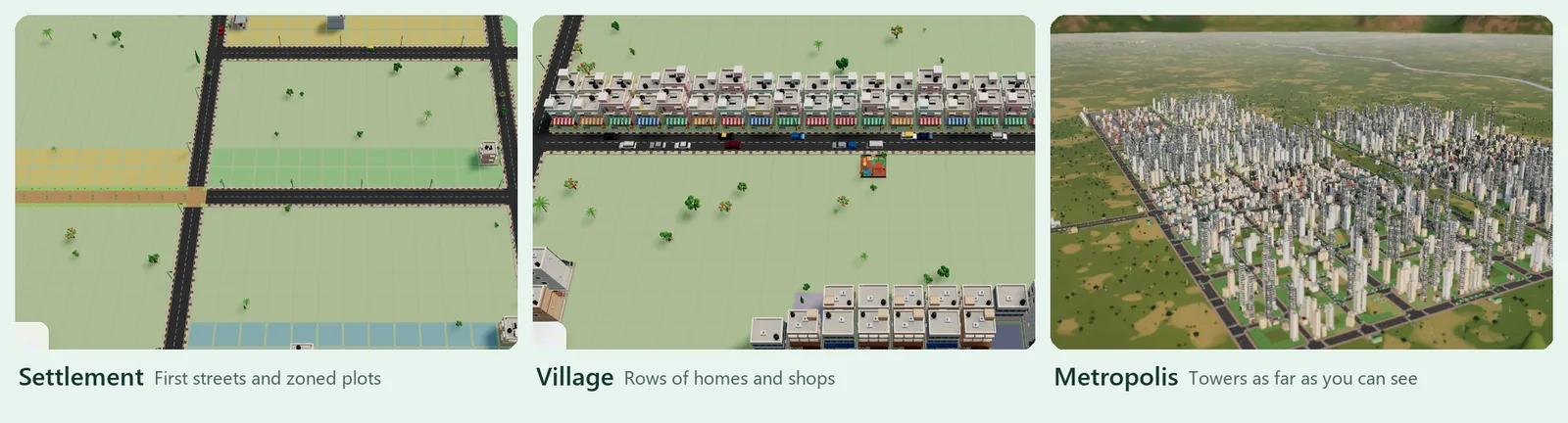
Your city grows through clear stages as more people move in:
| Stage | Population |
|---|---|
| Settlement | Your starting point |
| Hamlet | 100 |
| Village | 500 |
| Town | 2,500 |
| City | 10,000 |
| Metropolis | 50,000 |
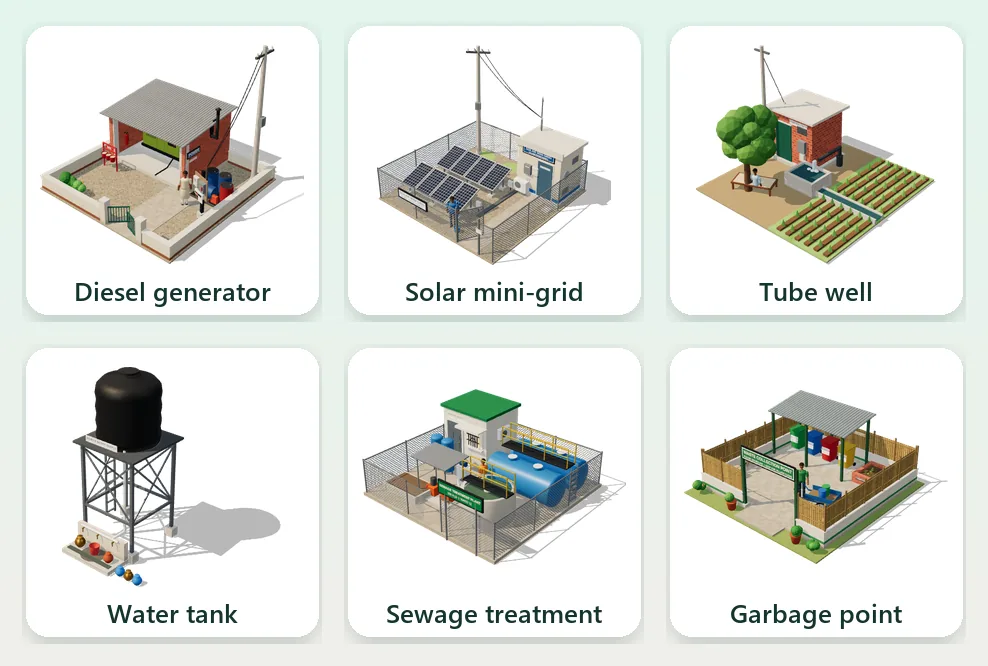
Each stage unlocks new buildings and services. A settlement starts with simple options like a diesel generator, a solar mini-grid and a village garbage point. Later you’re running hospitals, a medical college, a university and a municipal corporation. Local government grows with you too, from a panchayat office to a municipal office to a corporation headquarters.
Roads: the backbone of your city
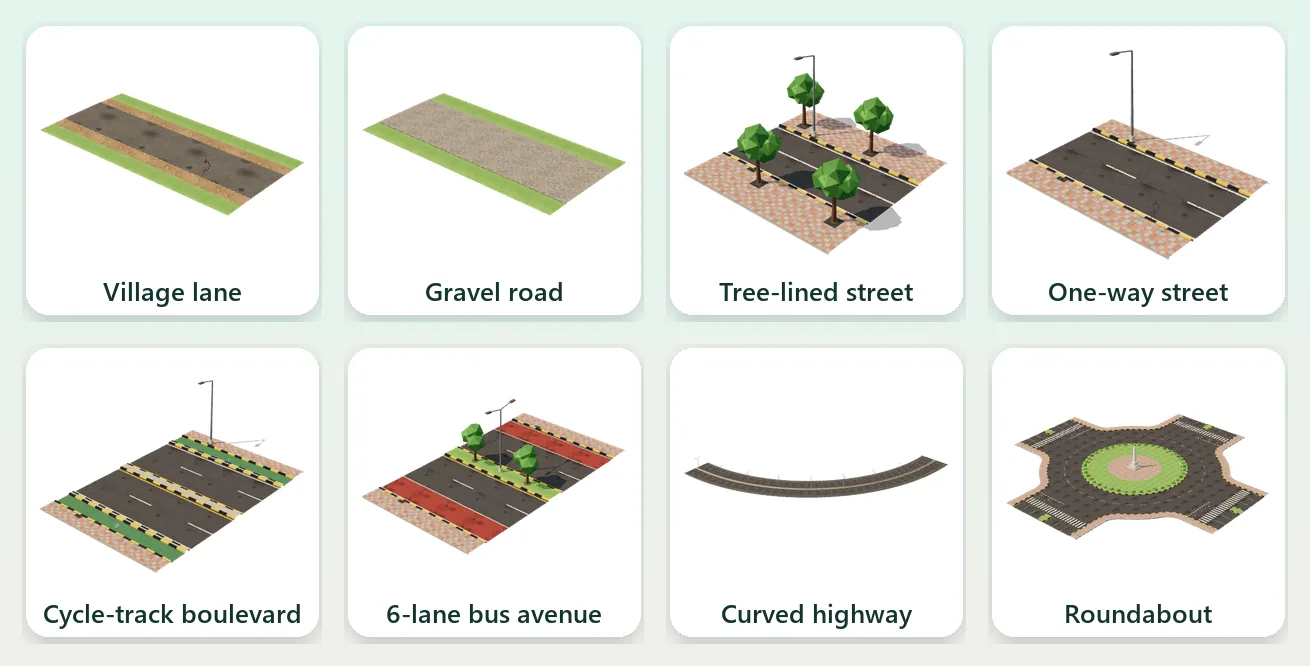
Roads are where Dream City shines. You can lay:
- dirt paths, village lanes and gravel roads for a young settlement
- streets, tree-lined streets and one-ways
- 4-lane avenues and 6-lane boulevards as traffic grows, some with cycle tracks
- highways to connect the far ends of your map
Draw them straight or with smooth curves, or use the grid tool for neat blocks. Add roundabouts and traffic signals at busy junctions.
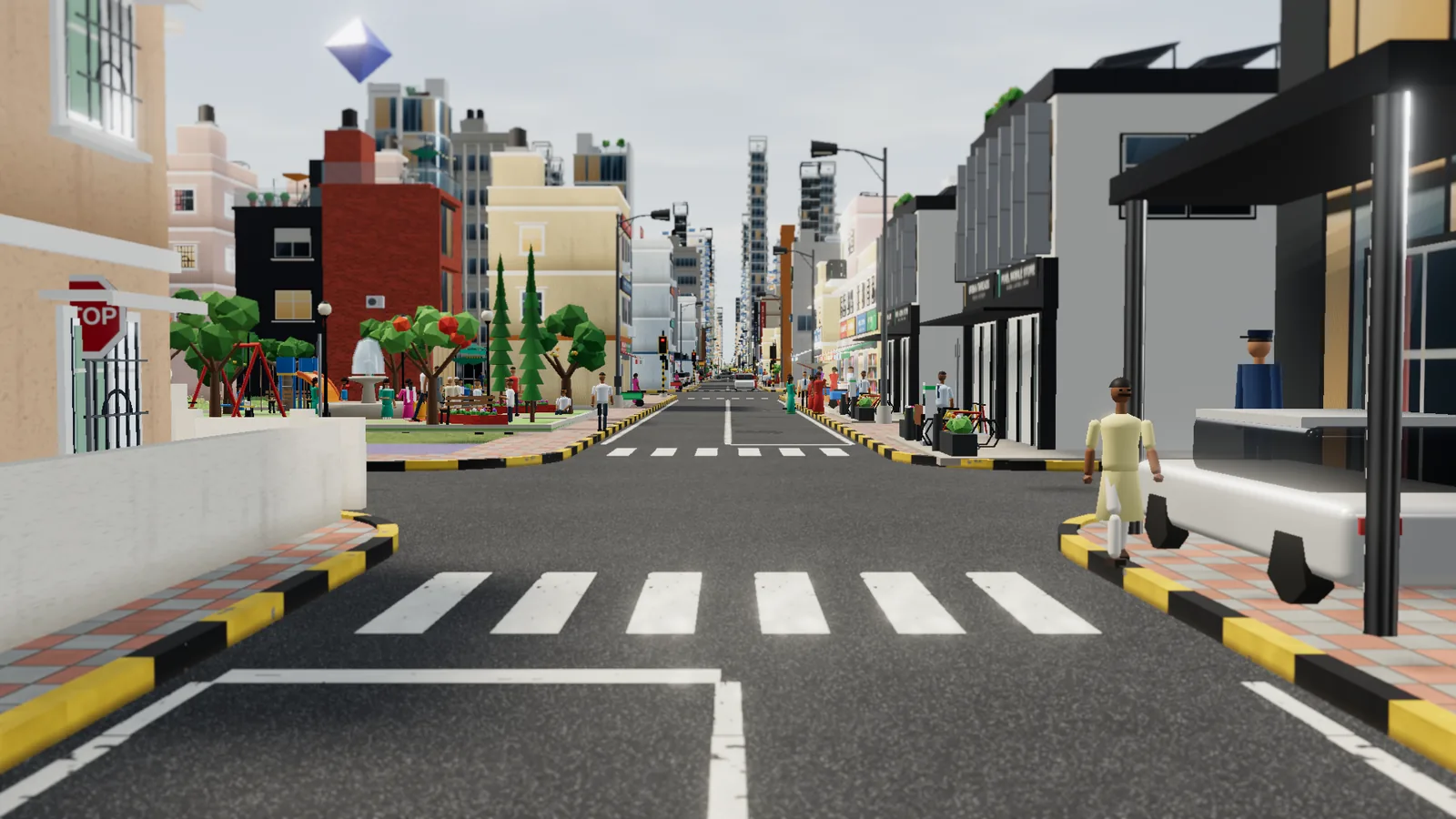
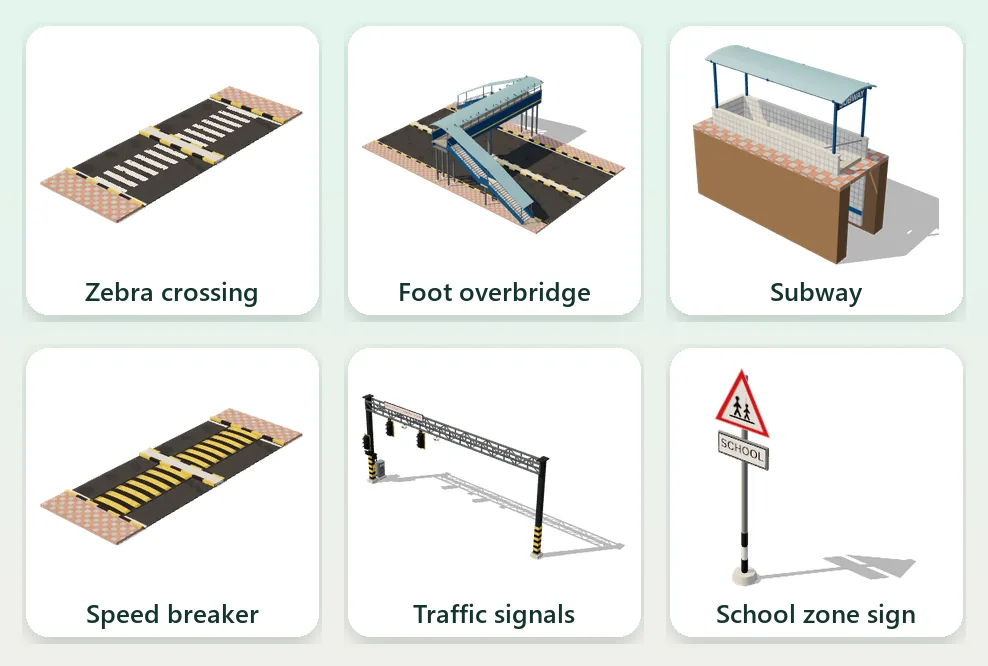
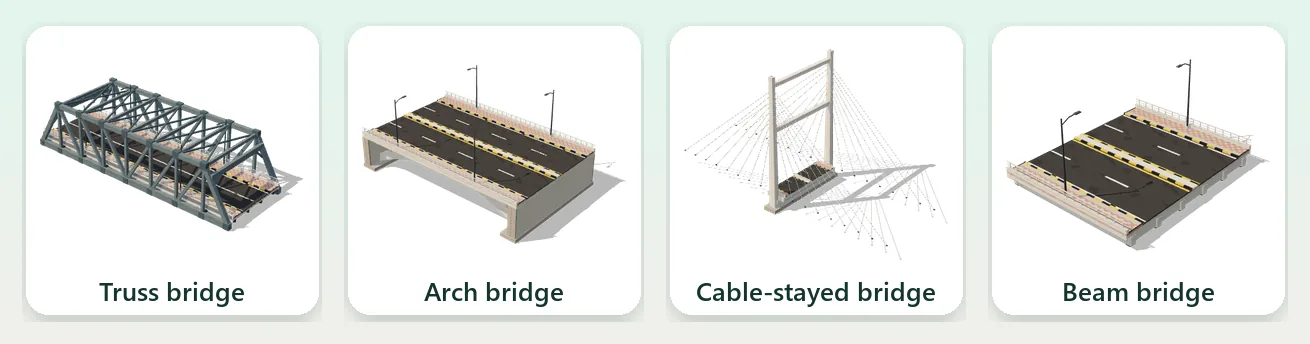
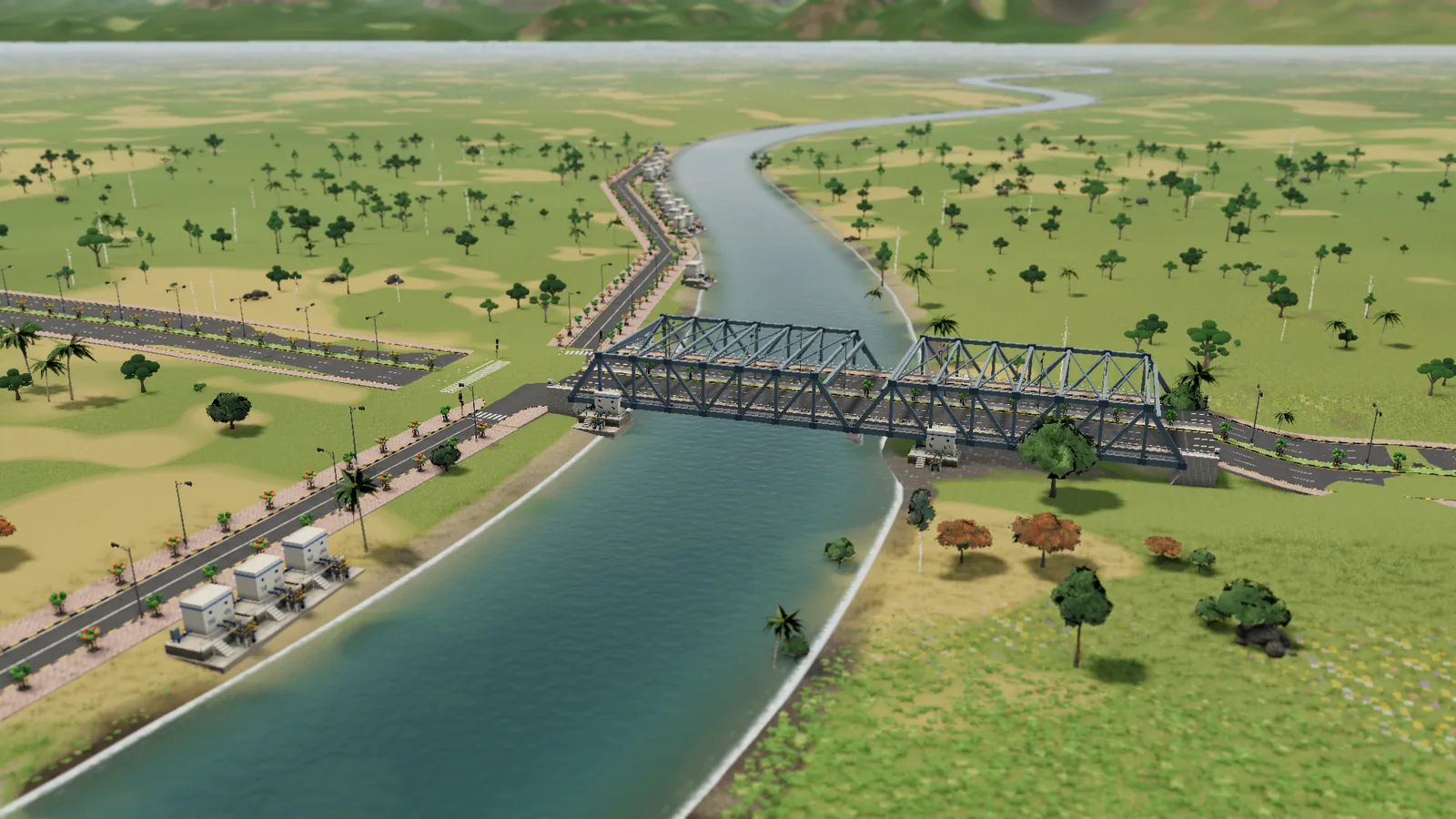
Keep people safe with zebra crossings, foot overbridges, subways and speed breakers. Junctions get signals, stop signs or give-way signs by themselves, and a Safety view shows which roads are risky. When a road crosses a river or a deep valley, the bridge builds itself, and you see the cost before you build.
Shape the land
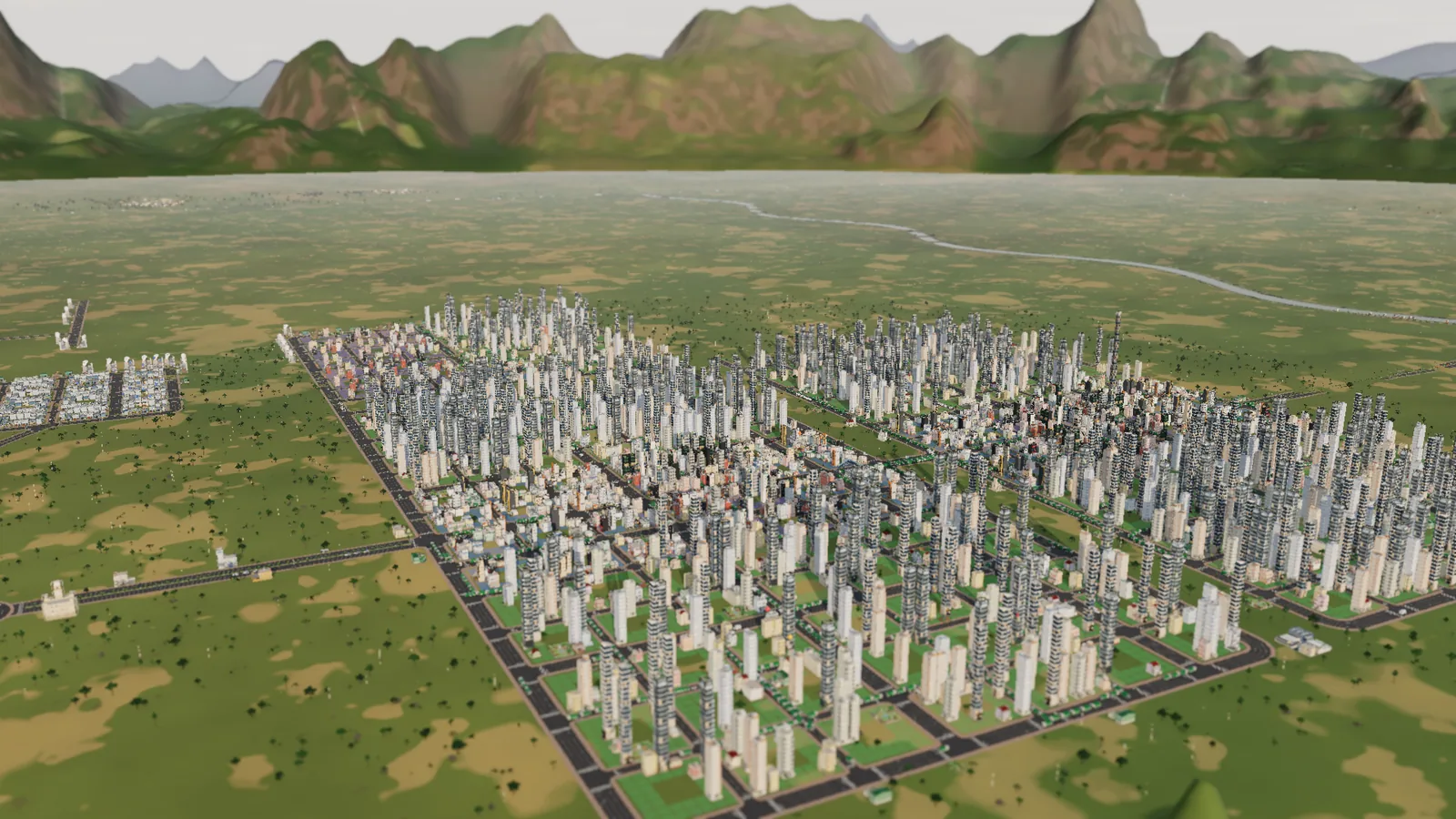
Before you build, you can shape the ground. Raise, lower, smooth and flatten land, make hills, and dig rivers and ponds. Each road type has a steepest slope it can climb, so hills matter. A ring of mountains frames the map. Days turn into nights, and the rain comes and goes, so your city looks different every time you check on it.
Zones: homes, shops and work
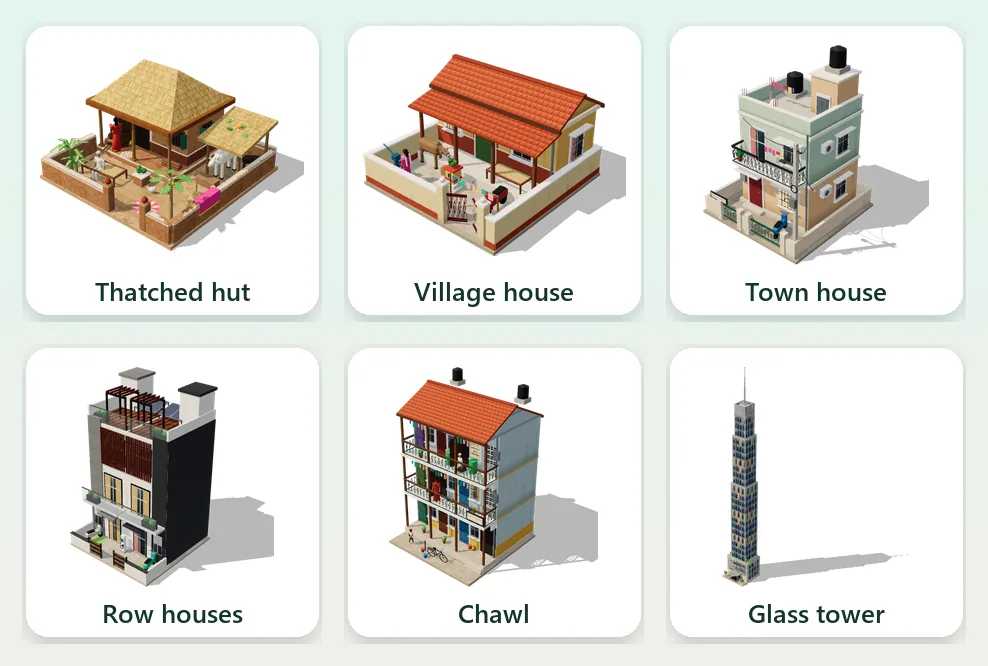
Zone land and let people build. Homes start as simple huts and grow into houses, apartments and high-rises as the area improves. Shops and workplaces give people jobs. A healthy mix of homes and jobs keeps your city growing and your people happy.
Utilities: power, water and waste
People need the basics, and you decide how to provide them:
- Power: diesel generators, solar mini-grids and power plants
- Water: wells, pumps and water towers, plus sewage treatment
- Waste: garbage collection, recycling and a landfill
Each choice has trade-offs. A diesel generator is cheap to build but pollutes. Solar costs more up front but is clean and cheap to run. Smoke drifts downwind, so it pays to keep factories and power plants away from homes, and tree belts and parks help clean the air.
Services that feel familiar
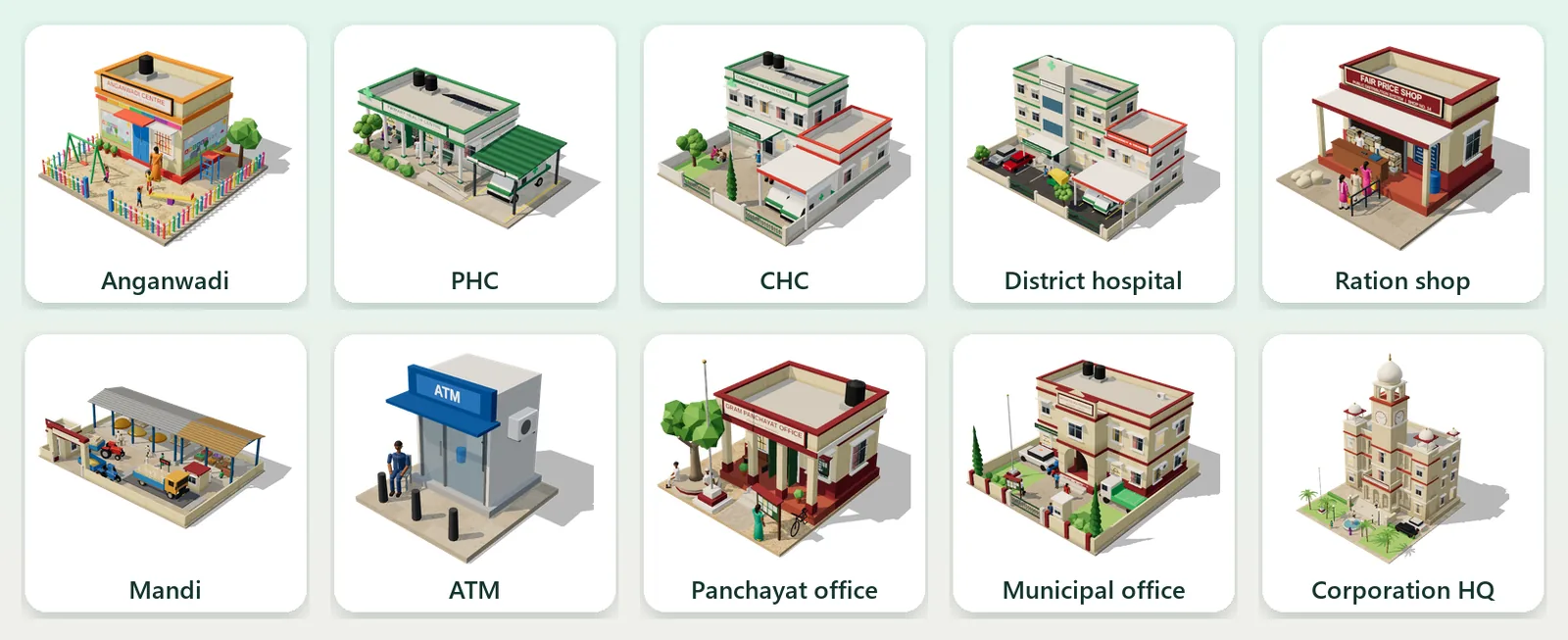
This is where Dream City feels most like home. Your citizens need:
- Health: a PHC, a CHC, clinics, hospitals, a district hospital, a medical college and ambulances
- Education: an Anganwadi, nursery and schools, a college and a university
- Safety: police and fire stations
- Daily life: a ration shop, an ATM and a mandi
- Community: places of worship and parks
- Government: the panchayat, municipal office and corporation HQ
Place them well, and every neighbourhood is covered.
Getting around: buses and more
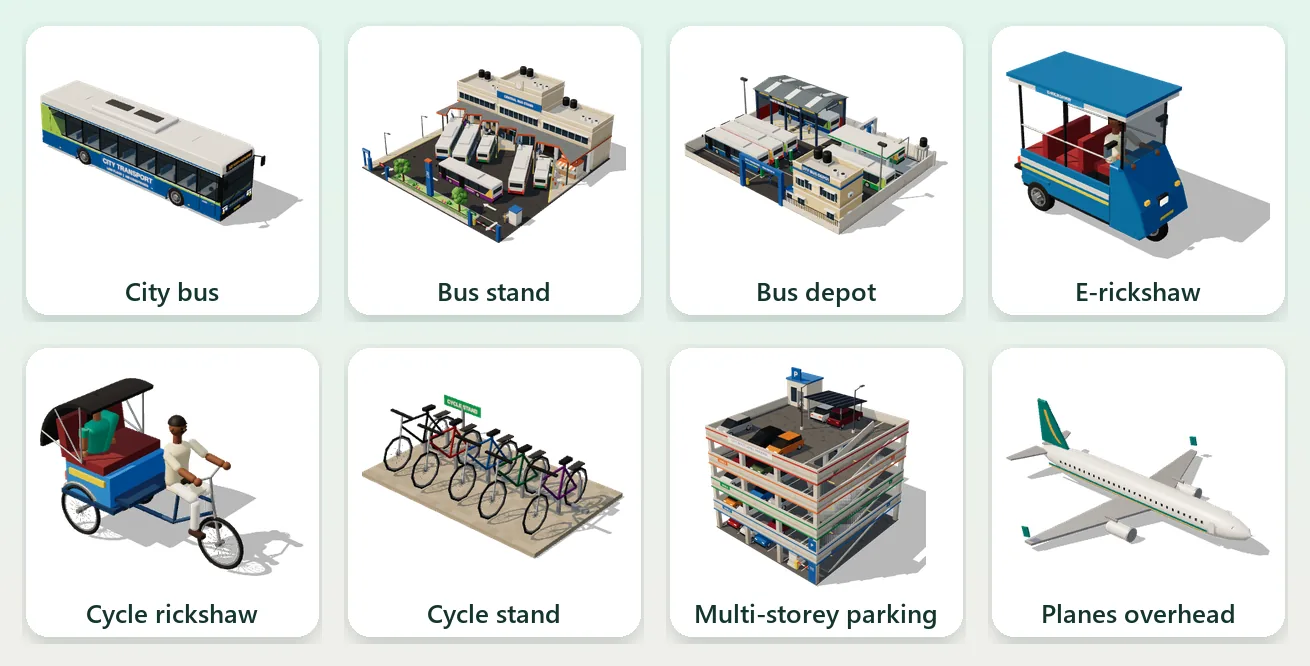
Draw bus lines between stops, build bus stands and a depot, and watch buses run your routes. Add parking and cycle stands, and you’ll see cycles and e-rickshaws on the streets and planes passing overhead. Good transport means shorter commutes and happier people.
Money, tax and jobs
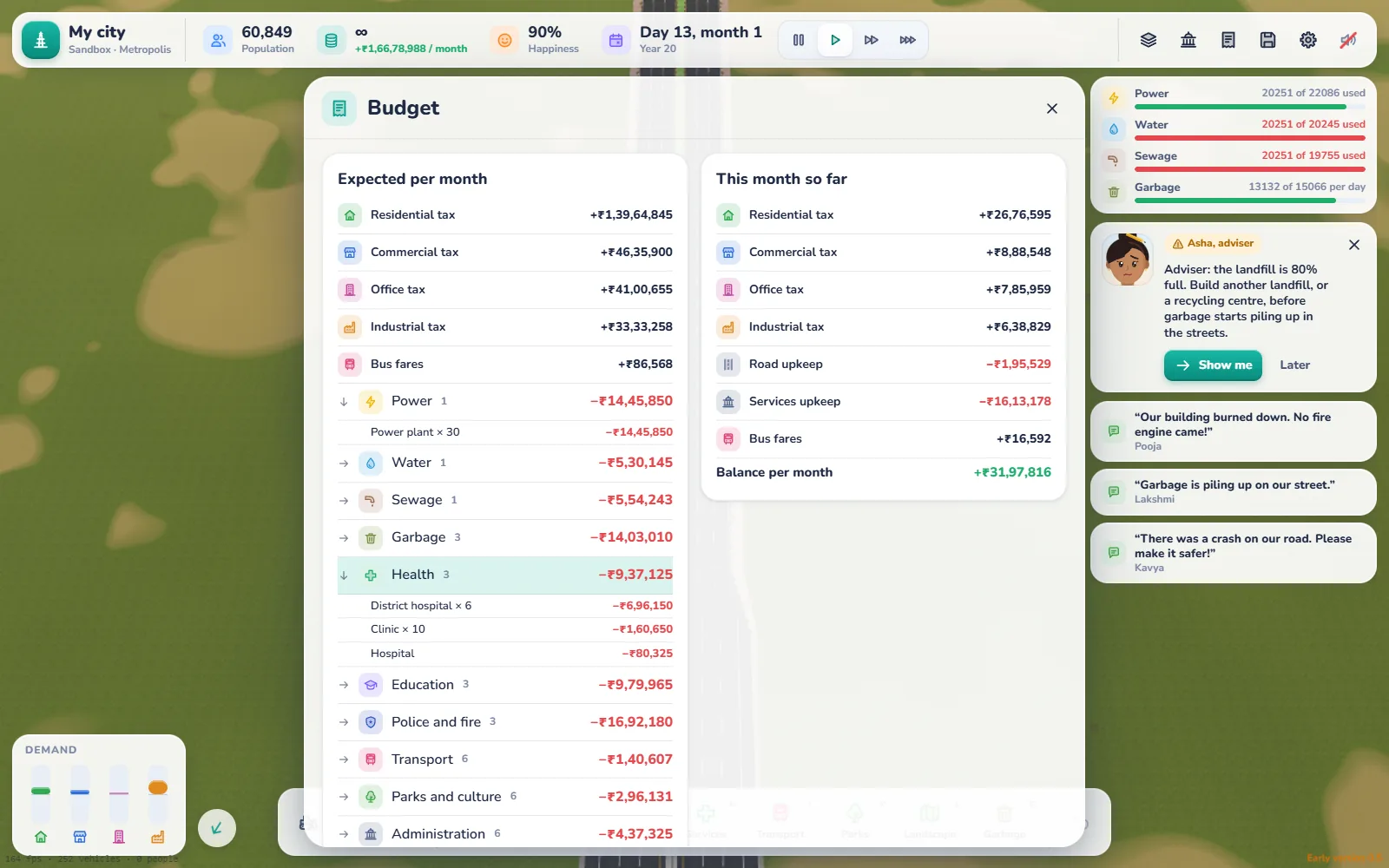
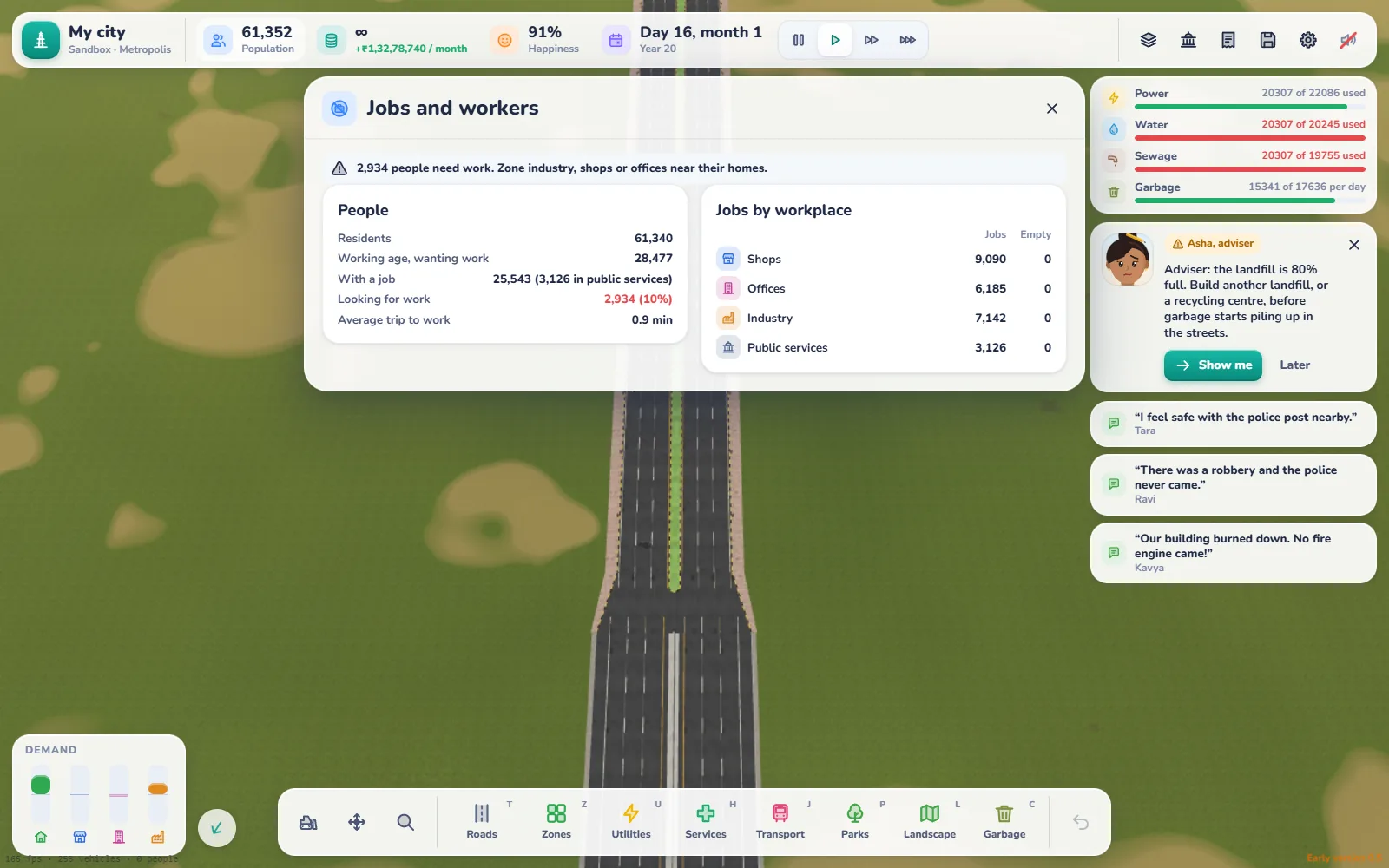
In Career mode you run the city’s finances. The Budget shows what every building costs. Services cost more as they get busier, and wages rise as your town grows. People pay tax when they work, so jobs matter. The Jobs panel shows whether you have enough work for everyone.
Tax up to 12% feels fair to your citizens. Push it higher and happiness starts to drop, and above 22% people and businesses pack up and leave town. A well-planned city stays in profit. A careless one struggles, so plan before you spend.
The people of your city
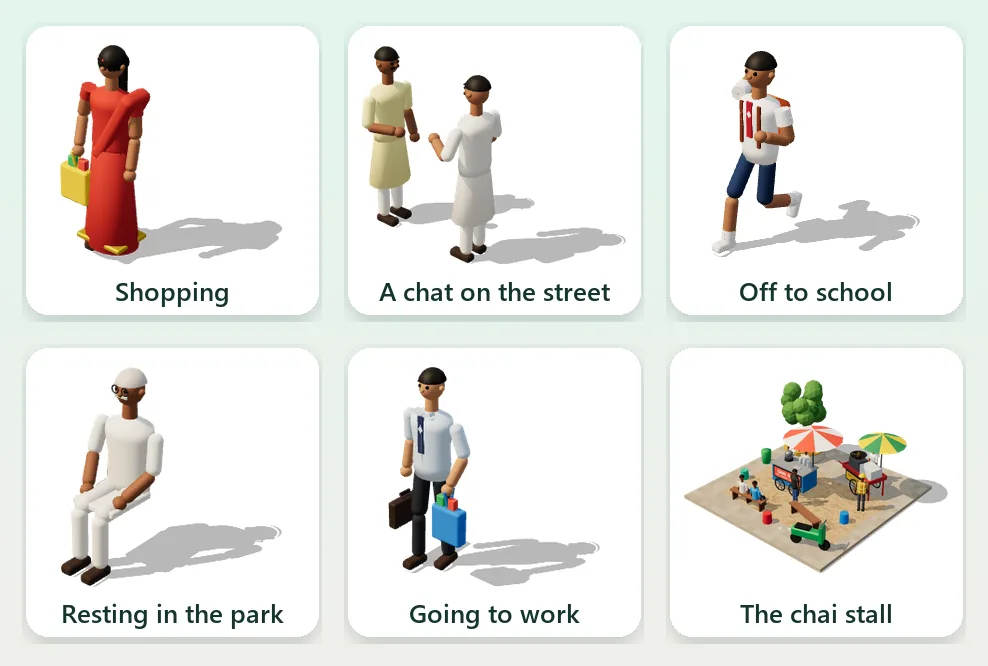
Your city is full of people going about their day: shopping, chatting on the corner, running to school or resting in the park. They have education levels and look for jobs that match. Long commutes and a lack of work make them unhappy, and they’ll tell you so.
Make it look stunning
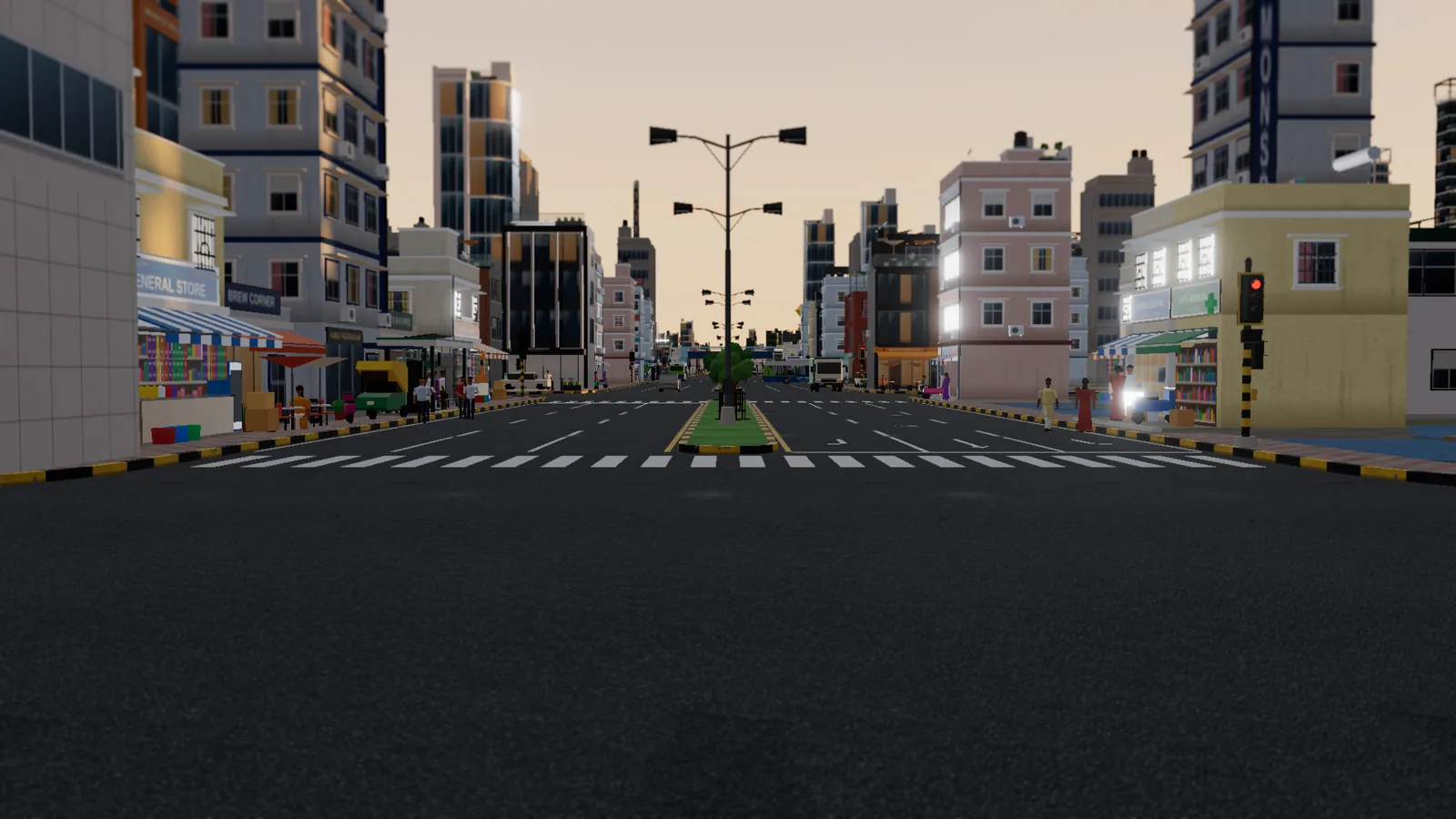
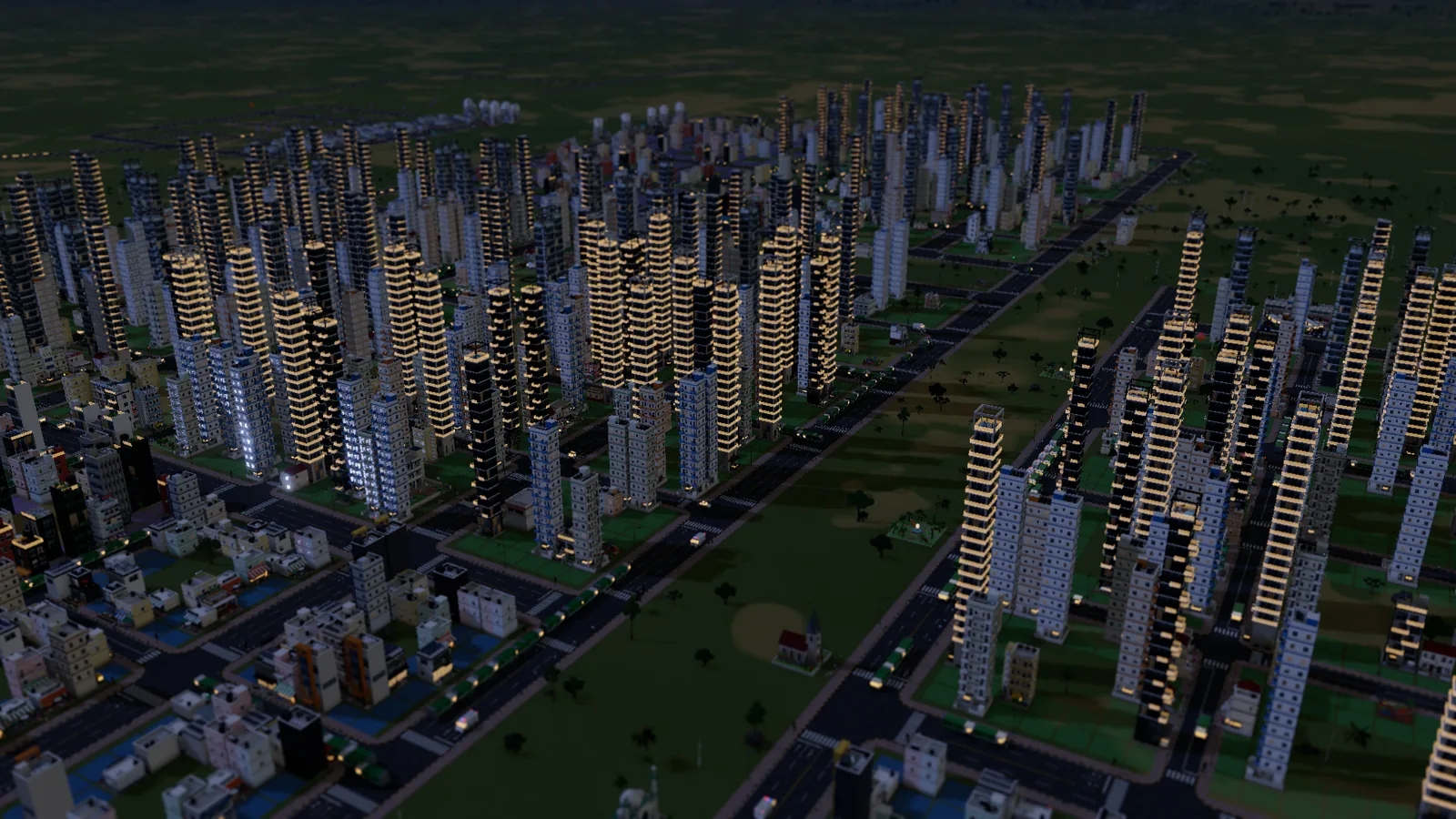
Dream City runs in your browser, but it can look sharp. Graphics settings go up to 4K, and you can cap the frame rate. Drop the camera to street level to see your city the way the people living in it do. Press F2 for photo mode to hide the interface and take clean screenshots worth sharing.
Play in your language
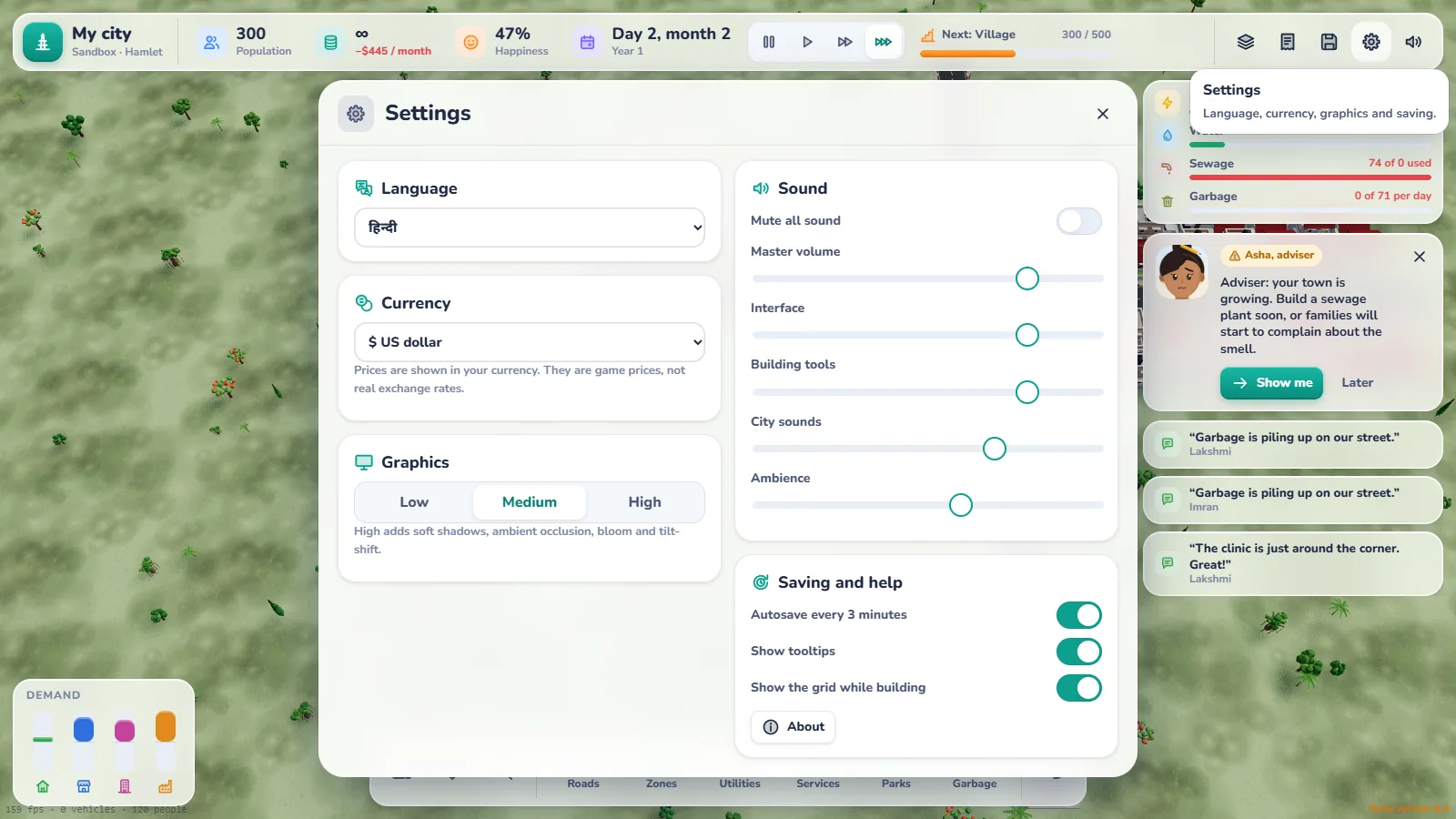
Dream City speaks English, Hindi, Bengali, Arabic and Russian, and you can choose the currency shown in the game, rupees included.
Free, private and easy to start
- Free, with no ads and no sign-up
- No download: it runs in a modern browser with WebGL
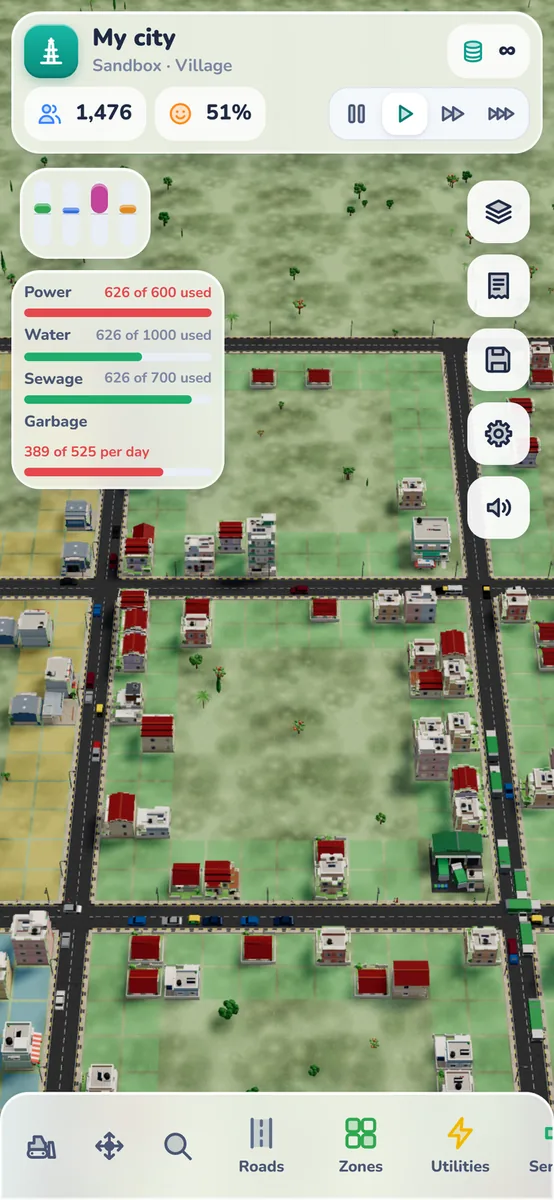
- PC and phone
- Saves stay in your browser, on your device; nothing is uploaded
- Install as an app from Chrome if you want it in its own window, and most of the game works offline after your first visit
It’s an early version, and we keep improving it. Expect new buildings and systems as it grows.
Start building
Your first road is one click away. Pick Career if you want a challenge, or Sandbox if you just want to build. Let Asha show you the basics, and see how big your Dream City can grow.
Dream City is made by the team at Omebly, who also build free browser tools and apps. You’ll find it, and the games that come next, on the Omebly Games page.
Frequently asked questions
Is Omebly Dream City free?
Yes. Dream City is free to play in your browser, with no ads, no sign-up and nothing to download.
Do I need to install anything?
No. It runs in a modern browser that supports WebGL. If you like, you can install it as an app from Chrome so it opens in its own window, and most of the game works offline after your first visit.
Does it work on phones?
Yes, it runs on PC and phone. A computer with a keyboard and mouse gives the most precise control for drawing roads.
Where is my city saved?
In your own browser, on your device. Nothing is uploaded to Omebly. Clearing your browser data removes the save, so keep that in mind.
What is the difference between Career and Sandbox?
In Career you start small, earn money and buy more land as your city grows. Sandbox gives you unlimited money, so you can build whatever you imagine.
Which languages does it support?
English, Hindi, Bengali, Arabic and Russian. You can also choose the currency shown in the game, from rupees to dollars.
Is the game finished?
It's an early version that we update often. New buildings, systems and improvements arrive regularly.

Written by
Nazmul Hussain, Managing Director & Technical Head, Omebly. 10+ years building websites and apps for clients in India, the Gulf, the UK and the US, and mentoring at Omebly Academy. LinkedIn · GitHub
Follow Omebly
New guides, work and launches on every channel.