How to Learn Animation in 2026: 2D, 3D and Motion Graphics
A step-by-step roadmap for learning 2D, 3D and motion graphics animation in 2026, with the tools to use, a monthly plan, showreel projects and common mistakes to avoid.
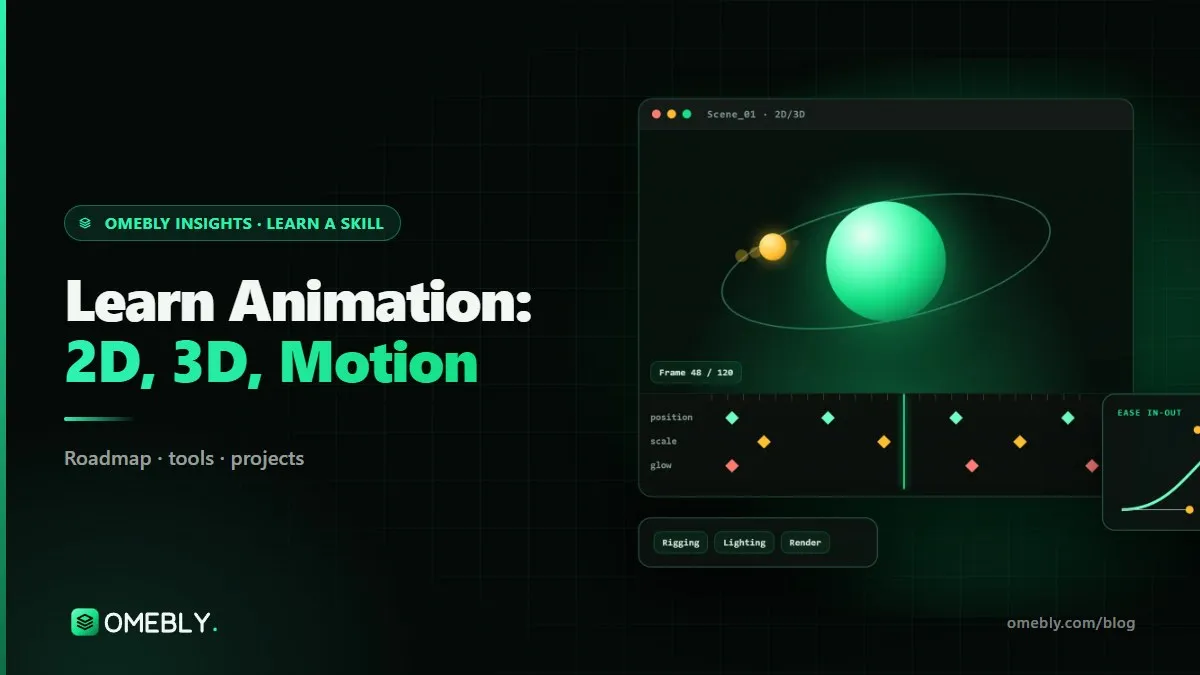
Animation is everywhere now: logo reveals at the start of videos, explainer clips on landing pages, 3D product spins in ads, and small animated icons inside apps. If you have been searching for an animation course online or wondering how to teach yourself, this guide lays out a practical path through 2D, 3D and motion graphics, with the tools, a monthly plan, beginner projects and the careers it can lead to.
I have worked with animators on product launches and app interfaces for more than ten years. The ones who improve fastest are not the most naturally artistic. They are the ones who learn the principles properly and finish lots of short pieces.
Quick answer: To learn animation in 2026, start with the 12 principles of animation and keyframing in After Effects, then move to kinetic typography and simple 2D rigs, then learn Blender for 3D modelling, lighting and product animation. Build four short projects into a showreel. With steady practice you can make a first reel in three to six months and a strong one in about a year.
What animation covers today
“Animation” is a broad word. In practice, most paid work falls into three areas:
- 2D motion graphics: animated text, shapes, logos, icons, infographics and UI motion, usually in After Effects.
- 2D character animation: rigged characters for explainers and social content, often using tools like Duik or RubberHose in After Effects.
- 3D animation: product renders, spins, environments and characters, increasingly made in Blender.
Most working animators combine at least two of these. A brand explainer, for example, may mix kinetic text, a 2D character and a 3D product shot.
Why businesses keep investing in animation
Animation explains things that are hard to film: how software works, what is inside a product, or an abstract idea. It also keeps a brand consistent across every clip. That is why explainers, product animations and animated ads remain steady sources of work for skilled animators.
2D vs 3D at a glance
| 2D motion and character | 3D animation | |
|---|---|---|
| Main tool | After Effects | Blender |
| Typical work | Logo reveals, explainers, kinetic text, social posts | Product spins, renders, 3D scenes, characters |
| Learning curve | Faster to first results | Slower; more technical concepts |
| Hardware needs | Moderate | Higher, a graphics card helps |
| Good first project | Animated logo reveal | Simple 3D product spin |
Animation skills by stage
Stage 1: Principles and keyframes
The 12 principles of animation (squash and stretch, anticipation, timing, easing, arcs, follow-through and the rest) are the foundation of everything. Learn them by animating simple shapes: a bouncing ball, a swinging pendulum, a box that jumps.
In After Effects, learn keyframes, the graph editor, easing, parenting, masks and pre-compositions. Adobe’s After Effects user guide is a reliable reference.
Stage 2: Motion design and 2D characters
- Kinetic typography: text that moves in time with a voiceover or music.
- Shape animation: transitions, icons and abstract motion built from shape layers.
- 2D character rigging basics: using Duik or RubberHose to give characters limbs that move naturally.
- Design sense: Illustrator skills help you prepare clean artwork for animation.
Stage 3: 3D foundations in Blender
- Modelling: building simple objects such as bottles, phones or packaging.
- Materials and lighting: making surfaces look like glass, metal or matte plastic, and lighting them convincingly.
- Simple product animation: turntables, reveals and camera moves.
The Blender manual is free and thorough, and Blender itself is free and open source.
Stage 4: Professional depth
- Character animation with personality, weight and timing.
- 3D rendering, compositing and finishing in After Effects.
- An explainer video workflow: script, storyboard, animatic, animation, sound and delivery.
- Advanced 3D: rigging and simulation (cloth, liquids, particles).
- Delivering to clients, including exporting Lottie files for apps and websites.
The animation toolkit
- After Effects: the industry standard for 2D motion graphics and compositing.
- Blender: free 3D modelling, animation, simulation and rendering.
- Illustrator: preparing vector artwork for animation.
- Premiere Pro: editing animated scenes together with sound for final delivery.
- Duik / RubberHose: character rigging tools for After Effects.
- Lottie: lightweight animation files for apps and websites.
What computer do you need?
For 2D work, focus on RAM; 16 GB is comfortable. For 3D, a dedicated graphics card makes rendering much faster. If you have a modest laptop, start with 2D and lower-resolution 3D previews, and upgrade when your projects demand it.
A month-by-month animation roadmap
This plan assumes about 8–10 hours a week. Keep every exercise short: a five-second animation you finish beats a two-minute one you abandon.
Month 1: Principles and After Effects basics
Animate a bouncing ball, a pendulum and a jumping box using the graph editor. Study easing until you can feel the difference between linear and smooth motion. Finish with a simple animated logo reveal.
Month 2: Kinetic type, shapes and 2D rigs
Animate a 15-second kinetic typography piece to a short voiceover. Build a few shape-layer transitions. Rig a simple 2D character and make it wave, walk and react.
Month 3: Blender basics
Model a simple product, add materials and three-point lighting, and render a turntable spin. Learn the camera, keyframes and render settings in Blender. Bring the render into After Effects to add text and polish.
Months 4–6: Characters, rendering and explainers
Push your character animation further with weight and personality. Learn compositing and better 3D rendering. Produce a complete 30-second explainer from script to final export, following a proper workflow.
Months 7–12: Advanced 3D and your showreel
Learn 3D rigging and simple simulations. Plan a full client-style animation project with a brief, deadlines and feedback rounds. Edit your best work into a showreel under a minute long.
A simple weekly practice routine
Structure helps more than motivation. A routine that works for many learners:
- One session for study: watch a lesson or read a section of the manual, and take notes on one technique.
- Two sessions for making: apply that technique in a short piece, five to ten seconds long.
- One short session for review: play your animation frame by frame, compare it with real motion (film yourself if needed) and fix one thing.
- Share it: post work in progress to a community or show a mentor. Feedback from someone experienced will shorten your learning curve more than any plugin.
Keep a simple log of what you made each week. Looking back after three months is the best motivation there is.
Beginner animation projects for your reel
- Animated logo reveal: short, clean and perfect for showing timing and easing.
- 30-second explainer: proves you can tell a clear story with motion.
- 3D product spin: shows modelling, materials, lighting and rendering.
- Short character animation: shows personality, weight and acting.
Building a showreel that gets watched
Put your strongest five seconds first. Keep it under about 60 seconds, cut it to music, and include your name and contact details at the start and end. Replace weaker clips as you improve: a short, strong reel beats a long, uneven one.
Common mistakes new animators make
- Skipping the principles. Fancy plugins can’t fix stiff, linear motion.
- Leaving default easing. Learn the graph editor early; it is where good motion lives.
- Starting huge projects. Short, finished pieces teach more than long, unfinished ones.
- Ignoring sound. Animation timed to audio feels far more professional.
- Messy project files. Name layers and pre-comps; you and your clients will thank you.
- Rendering too early in 3D. Get lighting and animation right in previews first.
- Copying tutorials without changing anything. Always add your own design or twist.
Showreel readiness checklist
- At least four finished pieces covering 2D and 3D
- One project with character animation
- One complete explainer with sound
- A reel under 60 seconds with contact details
- A simple portfolio page, CV and LinkedIn that link to your reel
Careers and roles in animation
Animation skills are used by studios, agencies, in-house brand teams, app companies and freelancers. Common roles include:
- Junior motion graphics designer: animated text, logos and social content.
- 2D animator: characters and explainer scenes.
- 3D generalist or 3D product animator: modelling, lighting and product renders.
- Explainer video animator: full short explainers for businesses.
- UI motion designer: micro-interactions and Lottie animations for apps.
- Freelance animator: logo reveals, explainers and ad creatives for small brands.
If ads are your main interest, our guide to motion graphics for ads in After Effects goes deeper. If you want to finish your own pieces end to end, learning video editing is a useful companion skill.
Learn it with Omebly: a live animation course online
The Omebly 2D/3D Animation course follows this roadmap with live, mentor-led classes, recordings for revision and weekly one-on-one reviews. It suits creative beginners, designers adding motion and video editors who want animation skills.
- Core: $699 for 3 months. The 12 principles, After Effects basics, keyframes and easing; kinetic typography, shape animation and 2D character rigging basics; then Blender 3D basics with modelling, materials, lighting and simple product animation. Includes two capstone projects and an Omebly certificate of completion.
- Professional: $1,199 for 6 months. Adds character animation, 3D rendering, compositing and an explainer video workflow, with four capstone projects, mock interviews and a portfolio review.
- Career: $1,999 for 12 months. Adds advanced 3D (rigging and simulation), a showreel and a full client-style animation project, plus a live client-style project with the Omebly team, unlimited mentor reviews and placement assistance (CV and LinkedIn help, mock interviews, portfolio reviews and referrals where possible).
Tools covered are After Effects, Blender, Illustrator, Premiere Pro, Duik/RubberHose and Lottie. Capstone projects include an animated logo reveal, a 30-second explainer, a 3D product spin and a short character animation. No prior experience is needed, and a free first call checks your level and your computer. There is no job promise; your results depend on your effort and the job market.
The same team produces client work through Omebly’s animation design service, and the Motion Ads course is a natural next step if you want to specialise in advertising.
Book a free call on WhatsApp or through our contact page to choose your track.
Frequently asked questions
Can I learn animation online without any art background?
Yes. Motion graphics and 3D product animation rely more on timing, observation and software skills than on drawing. Character animation benefits from drawing practice, but you can start with shapes, text and simple rigs.
Should I learn 2D or 3D animation first?
Start with 2D motion in After Effects to learn the principles of timing and easing quickly, then move into Blender for 3D. The principles transfer directly, so 3D becomes easier once you understand them.
Is Blender really free for professional work?
Yes. Blender is free and open source, and you can use it for commercial projects. It covers modelling, materials, lighting, rigging, simulation and rendering.
Do I need a graphics card to learn 3D animation?
A dedicated graphics card helps a lot with 3D rendering in Blender, but you can learn the basics on a modest machine. 2D work in After Effects mainly benefits from enough RAM.
Does the Omebly animation course guarantee a job?
No. Omebly offers placement assistance, not a job guarantee. That includes CV and LinkedIn help, mock interviews, portfolio reviews and referrals where possible. Results depend on your effort and the job market.
How long does it take to build an animation showreel?
Most beginners can make a short first reel after three to six months of regular practice. A stronger reel with character work, 3D rendering and a complete client-style project usually takes closer to a year.

Written by
Nazmul Hussain, Managing Director & Technical Head, Omebly. 10+ years building websites and apps for clients in India, the Gulf, the UK and the US, and mentoring at Omebly Academy. LinkedIn · GitHub
Follow Omebly
New guides, work and launches on every channel.