2D vs 3D Animation: Which Should You Learn First?
2D or 3D animation first? Compare tools, hardware, learning curve and the kind of work each leads to, then use a simple two-week test to pick your starting point.
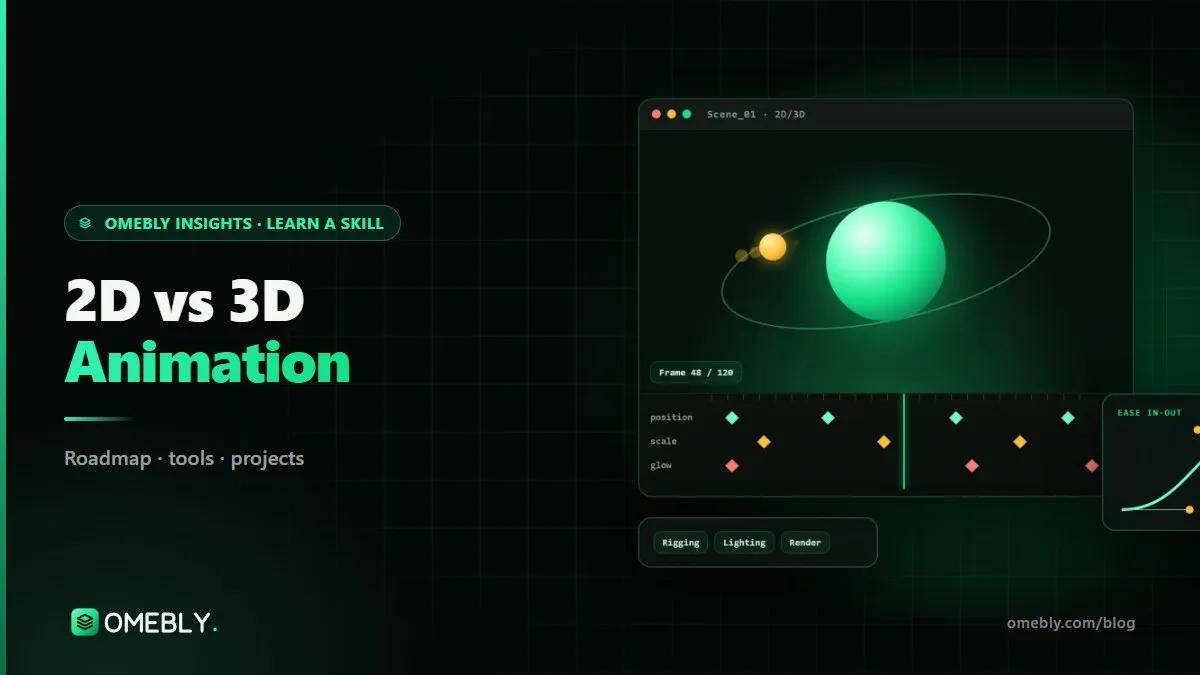
Every new animator hits the same fork in the road: start with flat, graphic 2D animation, or jump into the depth and lighting of 3D? The 2D vs 3D animation choice matters because each has different tools, hardware needs and kinds of work. The good news is that the core skill, making movement feel alive, is the same in both.
This guide compares the two honestly and ends with a simple test to help you decide. If you want a structured path through both, the Omebly 2D/3D Animation course starts with 2D in After Effects and moves into 3D in Blender.
Quick answer: Learn 2D motion animation first if you want quick results, a lighter computer setup and work in social ads, explainers, logo reveals and app animations. Learn 3D first if you are drawn to product visualisation, games or cinematic scenes and have a capable computer. Most animators end up using both, because timing, spacing and easing transfer directly between them.
What 2D and 3D animation actually are
2D animation moves flat artwork on an x and y axis. Today that includes motion graphics (animated text, shapes and icons), explainer videos, kinetic typography, rigged 2D characters and the small animations inside apps and websites.
3D animation builds objects in three-dimensional space. You model a shape, give it materials, light it, place a camera, animate it and then render the final frames. Product spins, architectural walkthroughs, game assets and animated films live here.
What they share
Both follow the 12 principles of animation set out by Disney animators Ollie Johnston and Frank Thomas: squash and stretch, anticipation, timing, easing (slow in and slow out), arcs and more. A bouncing ball with bad timing looks wrong in 2D and in 3D. Learn these principles once and they serve you for your whole career.
2D vs 3D animation side by side
| Factor | 2D animation | 3D animation |
|---|---|---|
| Main tools | After Effects, Illustrator, Duik or RubberHose, Lottie | Blender (plus After Effects for compositing) |
| Skills to learn before a finished shot | Layout, keyframes, easing | Modelling, materials, lighting, camera, rendering, keyframes |
| Time to first result | Hours | Days |
| Hardware | A decent laptop is often enough | A dedicated graphics card helps a lot |
| Render times | Usually short | Can be long, especially with realistic lighting |
| Typical work | Social ads, explainers, logo reveals, UI and app motion | Product animation, game assets, architecture, cinematic scenes |
| Style | Graphic, flat, bold, quick to change | Realistic or stylised depth, lighting and materials |
| Revisions | Fast to change text or colour | A change can mean re-lighting and re-rendering |
The case for learning 2D first
Fast feedback keeps you motivated
In After Effects, you can animate a logo or a line of text in your first evening and watch it play back in real time. That quick loop of “try, watch, adjust” teaches timing faster than anything else.
Lower barrier to entry
You don’t need a powerful computer, and you don’t need to learn modelling or lighting before your work looks finished. Vector artwork from Illustrator gives you clean shapes to animate straight away.
Plenty of everyday work
Businesses need short motion pieces constantly: animated social posts, ad variations, explainer videos, title cards and app micro-interactions exported with Lottie. If you enjoy design and typography, 2D motion is a natural fit. Our guide to motion graphics for ads in After Effects goes deeper into that path.
The downside
2D can feel limited if you love realistic objects and cinematic lighting, and character work in 2D requires rigging tools such as Duik or RubberHose and patient practice.
The case for learning 3D first
You want to make things look real
If you picture product shots spinning on a pedestal, game characters or architectural fly-throughs, 3D is where that work happens. Starting with what excites you keeps you practising.
Blender is free and powerful
Blender is free and open source, and it covers modelling, materials, lighting, animation and rendering in one program. Cost is no barrier to trying 3D.
Strong demand for product visualisation
Brands increasingly use 3D product animation for launches, e-commerce and ads, because one model can produce endless angles and colourways. Our business-side comparison of explainer videos vs 3D product animation shows how clients choose between the two.
The downside
3D has more steps before a shot looks good. Beginners often spend weeks on modelling and lighting before they animate anything. Rendering also needs hardware: check Blender’s system requirements before you commit, because a dedicated graphics card makes a big difference.
If you want both, learn them in this order
Many animators want to do both, and the most efficient order for most people is 2D first, then 3D.
- Principles in 2D. Practise timing, spacing and easing on simple shapes in After Effects, where each change plays back instantly.
- Design and type. Learn to animate text and vector artwork, because almost every client project, 2D or 3D, ends with titles and a logo.
- Basic rigging. Rig a simple 2D character with Duik or RubberHose to understand joints and overlapping action.
- Into 3D. Learn Blender’s interface, then modelling, materials and lighting on simple products.
- Combine them. Render a 3D product spin and add 2D titles and graphics on top in After Effects. This mix is common in real ad work.
This order means your first 3D animations already move well, because you learned timing where it was cheap to experiment. People who start in 3D can follow the reverse order, but they should still spend time on the bouncing ball and simple shape animation before tackling characters.
A two-week test to decide
Instead of guessing, try both on a small brief.
Week 1: 2D
- Design a simple logo or a word in Illustrator.
- Animate a five-second logo reveal in After Effects with keyframes and easing.
- Add a bouncing ball shot to practise timing and squash and stretch.
Week 2: 3D
- Follow a beginner Blender tutorial to model a simple object, such as a mug or a bottle.
- Add a material and three-point lighting.
- Animate a slow 360-degree turntable and render it.
At the end, ask yourself three questions: Which week did you lose track of time in? Which result would you be proud to post? Which kind of work do you want clients to hire you for? The answers usually make the choice obvious.
Common mistakes when choosing
- Choosing by tool hype. The tool matters less than the principles.
- Skipping the fundamentals. Jumping into 3D characters before you understand timing leads to stiff animation.
- Buying hardware too early. Start 2D on what you have; upgrade once you are sure about 3D.
- Copying tutorials without changing anything. Change the object, colours or timing so the result is yours.
- Building a showreel of only exercises. Include at least a few pieces that solve a brief, such as a logo reveal for a real brand style or a product spin.
Your starting checklist
- Read and practise the 12 principles with a bouncing ball
- Try one 2D logo reveal and one 3D turntable
- Check your computer against Blender’s requirements
- Pick one main path for the next three months
- Plan four short portfolio pieces
- Share work for feedback every two weeks
For the full roadmap from beginner to showreel, read our guide on how to learn animation.
How Omebly can help
The Omebly 2D/3D Animation course is built to give you both, in a sensible order. It is live and mentor-led online, with recordings and weekly one-on-one reviews. Month one covers the 12 principles of animation, After Effects basics, keyframes and easing; month two covers kinetic typography, shape animation and basic 2D character rigging; month three introduces Blender with modelling, materials, lighting and simple product animation. The Professional track adds character animation, 3D rendering, compositing and an explainer workflow, and the Career track adds advanced 3D, a showreel and a client-style project.
Tracks are Core ($699, 3 months), Professional ($1,199, 6 months) and Career ($1,999, 12 months). Tools include After Effects, Blender, Illustrator, Premiere Pro, Duik or RubberHose and Lottie, and listed capstones include an animated logo reveal, a 30-second explainer, a 3D product spin and a short character animation. No prior experience is needed, and placement assistance is support, not a job promise.
Not sure which path suits you? Talk to us on WhatsApp for a free first call.
Frequently asked questions
Is 2D or 3D animation easier to learn?
For most beginners, 2D motion animation in After Effects is quicker to start because you see results fast and render times are short. 3D adds modelling, materials, lighting and rendering, so there is more to learn before a shot looks finished.
Do I need to draw to learn 2D animation?
Not for motion graphics. Much 2D work today animates shapes, text and vector artwork made in Illustrator. Hand-drawn character animation does need drawing practice, but you can start with motion design and add drawing later.
What computer do I need for 3D animation?
A modern processor, 16 GB of RAM and a dedicated graphics card make 3D work much smoother. Blender lists its official minimum and recommended specifications on its website. 2D motion graphics can run on a more modest laptop.
Can I learn both 2D and 3D animation?
Yes, and many animators do. The 12 principles of animation apply to both. A common path is to learn timing and easing in 2D first, then bring those skills into 3D, which is how the Omebly animation course is ordered.
Which pays better, 2D or 3D animation?
There is no reliable single answer, and pay depends on skill, portfolio, location and the type of client. Choose based on the work you enjoy and the projects you want to make, then build a strong showreel.

Written by
Nazmul Hussain, Managing Director & Technical Head, Omebly. 10+ years building websites and apps for clients in India, the Gulf, the UK and the US, and mentoring at Omebly Academy. LinkedIn · GitHub
Follow Omebly
New guides, work and launches on every channel.