Learn Video Editing in 2026: Premiere Pro, DaVinci Resolve and Reels
A practical roadmap for learning video editing in 2026, from cuts and pacing in Premiere Pro to colour in DaVinci Resolve, Reels, YouTube edits and ads.
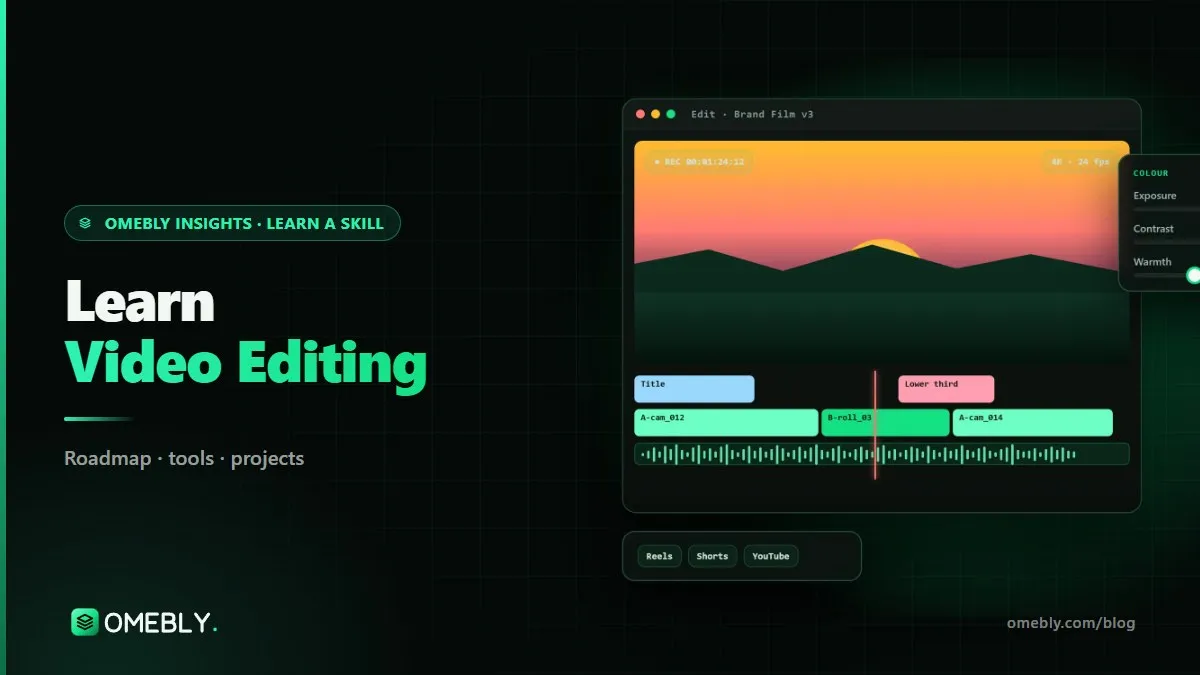
Short-form video has changed what brands, creators and businesses need. Every week they want Reels, Shorts, long-form videos, ads and product clips, and someone has to cut them so people keep watching. If you are searching for a video editing course online or want to teach yourself, this guide gives you a clear path: the skills in order, the tools, a month-by-month plan, beginner projects, mistakes to avoid and the roles you can aim for.
In more than ten years of building digital products, I have seen video go from “nice to have” to the main way many brands talk to customers. Good editors are the ones who understand people’s attention, not just software shortcuts.
Quick answer: To learn video editing in 2026, start with cuts, pacing and audio in Premiere Pro, then learn short-form editing (captions, hooks, transitions and retention), then colour correction and grading in DaVinci Resolve, sound design and correct exports. Build a portfolio of Reels, a long-form edit, an ad and a short story. Most beginners can take on simple paid edits within three to six months.
What a video editor actually does
A video editor turns raw footage into a story that holds attention. That means choosing the best takes, cutting out everything that drags, setting the rhythm, cleaning up the audio, adding captions and graphics, fixing colour and exporting the right format for each platform.
The software is the easy part. The real skill is judgement: knowing which moment to cut, when to hold a shot, and what the viewer needs to see next.
Why editing skills are in demand
Most businesses now publish video on several platforms every week. Creators batch-record and outsource the edit. Brands test multiple ad versions. All of that work needs editors who are fast, reliable and understand each platform’s style.
Types of editing work
| Type | What it involves | Key skills |
|---|---|---|
| Reels and Shorts | 15–90 second vertical clips | Hooks, captions, fast pacing, retention |
| Long-form videos | 8–30 minute videos for channels | Story structure, B-roll, sound, chapters |
| Ads | 6–30 second brand or product videos | Clear message, call to action, versions |
| Brand films and cinematic | Longer, polished storytelling pieces | Colour grading, sound design, music |
| Documentary | Interview-led storytelling | Structure, multicam, narrative |
Video editing skills by stage
Stage 1: Editing basics
- Cuts and pacing: J-cuts, L-cuts, jump cuts and when to use each.
- Premiere Pro workflow: importing, organising bins, building sequences and keyboard shortcuts. Adobe’s Premiere Pro user guide is a dependable reference.
- Audio basics: levels, removing background noise, ducking music under dialogue.
Stage 2: Short-form style
- Hooks: the first two seconds decide whether someone keeps watching.
- Captions: most short-form video is watched with the sound off, so captions matter.
- Transitions: used with purpose, not as decoration.
- Retention editing: removing every pause, adding pattern interrupts and keeping visual change frequent.
Stage 3: Colour, sound and export
- Colour correction: fixing exposure and white balance so shots match.
- Colour grading: creating a look or mood, done in DaVinci Resolve, which also has a capable free version.
- Sound design: adding ambience, whooshes and impacts, and cleaning dialogue (Adobe Audition helps here).
- Exporting for platforms: aspect ratios, bitrates and formats for vertical, square and widescreen.
Stage 4: Professional work
- Ads and brand films with clear messaging and multiple cut-downs.
- Multicam editing for podcasts, interviews and events.
- Motion graphics templates and basic After Effects for titles and lower-thirds.
- A client workflow: briefs, review links (Frame.io), revisions and delivery.
- Documentary and cinematic storytelling, and channel strategy for long-form creators.
The video editing toolkit
- Premiere Pro: main editing software for most agencies and creators.
- DaVinci Resolve: colour correction and grading, and a full editor in its own right.
- CapCut: quick mobile and desktop edits, popular for short-form trends.
- After Effects (basics): animated titles, simple motion graphics and templates.
- Audition: dialogue clean-up, noise reduction and audio mixing.
- Frame.io: sharing cuts with clients and collecting time-stamped feedback.
Hardware basics
Aim for 16 GB of RAM, an SSD and a recent processor. If your machine struggles with 4K footage, learn to use proxy files. Good headphones are worth more than an expensive monitor when you are starting out.
A month-by-month video editing roadmap
This plan assumes 8–10 hours a week. Use your own footage or free stock clips so you always have material.
Month 1: Basics and Premiere Pro
Learn the Premiere Pro interface, shortcuts and an organised project structure. Edit a two-minute talking-head video: remove pauses, add B-roll, balance audio and add music. Re-edit it twice, each time shorter and tighter.
Month 2: Reels and Shorts
Cut ten short vertical clips from longer footage. For each one, write the hook first, then edit to it. Add animated captions and purposeful transitions. Compare which versions you would keep watching, and why.
Month 3: Colour, sound and export
Move a project into DaVinci Resolve and learn the colour page: correction first, then a simple grade. Add sound effects and clean the dialogue. Export versions for vertical, square and widescreen, and check them on a phone.
Months 4–6: Ads, multicam and clients
Edit a 30-second product ad with three hook variations. Practise multicam with a two-camera interview. Use motion graphics templates for titles. Run a mock client project with a brief, a review link and two rounds of feedback.
Months 7–12: Story and strategy
Edit a short documentary or cinematic piece where structure carries the story. Learn how long-form channels plan series, thumbnails and retention, so your edits support the creator’s goals. Complete a full client-style project from brief to delivery.
Train your eye between sessions
Editing improves fastest when you watch actively. Pick a Reel or video you could not stop watching and play it again with the sound off, counting the cuts. Ask why each cut happens where it does, how quickly the first shot changes, and where captions or zooms keep your attention. Then try to rebuild the same rhythm with your own footage.
Do the same with ads and films you admire. Note how sound leads the picture into a new scene, or how a held shot gives a moment weight. Ten minutes of this kind of study a day will sharpen your timing more than another tutorial on effects.
Beginner video editing projects
- A Reel pack for a brand: several short vertical edits in one consistent style.
- A long-form video edit: a talking-head or vlog-style video with B-roll, music and chapters.
- A 30-second product ad: a clear hook, benefit and call to action.
- A short cinematic story: a mood piece that shows colour grading and sound design.
How to show your work
Put your best short clips in a simple portfolio page or a showreel of under a minute. For each project, add a line on the brief and what you changed. If you edited someone else’s footage, get their permission before sharing.
Common mistakes beginners make
- Slow openings. If the first two seconds don’t hook, the rest goes unseen.
- Transition overload. Clean cuts usually look more professional.
- Ignoring audio. Viewers forgive average visuals far more than bad sound.
- Unmatched colour. Shots from the same scene should look like they belong together.
- Wrong export settings. Blurry uploads and black bars undo good editing.
- No file organisation. Messy projects slow you down and make revisions painful.
- Using copyrighted music. Use licensed libraries or royalty-free tracks.
Portfolio readiness checklist
- At least three short-form edits and one long-form edit
- One ad with a clear call to action
- One piece showing colour grading and sound design
- A short showreel or portfolio page
- A simple client workflow: brief template, review process and delivery checklist
Careers and roles in video editing
Editing skills are useful in agencies, production houses, brand teams, media companies and creator businesses. Common roles include:
- Junior video editor: cutting social and long-form content under a senior editor.
- Short-form or social media editor: Reels, Shorts and vertical content at volume.
- Long-form content editor: editing videos for creators and brand channels.
- Ads editor: product and performance ad cuts, often with many versions.
- Colourist (junior): colour correction and grading, usually in DaVinci Resolve.
- Freelance editor: working with creators, coaches and small businesses.
Editors who add motion graphics become more valuable. Our guide on motion graphics for ads covers that next step, and the digital marketing career guide explains how video fits into wider campaigns.
Learn it with Omebly: a live video editing course online
The Omebly Pro Video Editing course follows this roadmap with live, mentor-led classes, recordings for revision and weekly one-on-one reviews. It is designed for aspiring editors and creators, social media managers and freelancers who want paid editing work.
- Core: $699 for 3 months. Editing basics, cuts and pacing, Premiere Pro workflow and audio basics; Reels and Shorts style with captions, transitions, hooks and retention editing; colour correction and grading in DaVinci, sound design and exporting for platforms. Includes two capstone projects and an Omebly certificate of completion.
- Professional: $1,199 for 6 months. Adds ads and brand films, multicam, motion graphics templates and client workflow, with four capstone projects, mock interviews and a portfolio review.
- Career: $1,999 for 12 months. Adds documentary and cinematic storytelling, YouTube channel strategy and a full client-style project, plus a live client-style project with the Omebly team, unlimited mentor reviews and placement assistance (CV and LinkedIn help, mock interviews, portfolio reviews and referrals where possible).
Tools covered are Premiere Pro, DaVinci Resolve, CapCut, After Effects (basics), Audition and Frame.io. Mobile editing is touched on, but the focus is desktop tools. No prior experience is needed, and a free first call checks your level. There is no job promise; your results depend on your effort and the job market.
The same team edits for clients through Omebly’s video editing service.
Book a free call on WhatsApp or through our contact page to pick your track.
Frequently asked questions
Which software should I learn first for video editing?
Start with Premiere Pro for editing, because it is widely used by agencies, creators and brands. Add DaVinci Resolve for colour correction and grading. CapCut is handy for quick mobile edits, but desktop tools give you more control.
Can I learn video editing on my phone?
You can learn the basics of cutting and captions on a phone with apps like CapCut. For professional client work, colour grading, multicam and sound design, a desktop editor such as Premiere Pro or DaVinci Resolve is the better choice.
How long does it take to learn video editing?
With regular practice, most beginners can edit clean Reels and simple YouTube videos within about three months. Ads, multicam, brand films and cinematic storytelling take six to twelve months to learn well.
What computer do I need for video editing?
A laptop or desktop with at least 16 GB of RAM, a reasonably recent processor and an SSD is comfortable for 1080p editing. 4K footage and heavy effects benefit from a stronger graphics card, or you can use proxy files.
Does the Omebly video editing course guarantee a job?
No. Omebly offers placement assistance rather than a job guarantee: CV and LinkedIn help, mock interviews, portfolio reviews and referrals where possible. Results depend on your effort and the job market.
How do video editors find their first clients?
Build a small portfolio of Reels, a long-form edit and an ad, then offer edits to local businesses, creators and small brands. A clear client workflow, fast turnaround and clean communication help turn one project into regular work.

Written by
Nazmul Hussain, Managing Director & Technical Head, Omebly. 10+ years building websites and apps for clients in India, the Gulf, the UK and the US, and mentoring at Omebly Academy. LinkedIn · GitHub
Follow Omebly
New guides, work and launches on every channel.