Generative AI for Beginners: What It Is and How to Use It at Work
A plain-English guide to generative AI for beginners: what it is, what it is good and bad at, and practical ways to use it safely in your everyday work.
Everyone at work seems to be talking about AI. Some colleagues use it to write emails in seconds; others are worried it will get things wrong or leak private data. If you are new to it, the gap between the hype and the practical reality can feel wide. This guide to generative AI for beginners closes that gap.
You will learn what generative AI actually is, how it works in plain English, what it is good and bad at, and a set of everyday work tasks you can try this week. We will also cover the rules for using it responsibly, because a good habit on day one saves a lot of trouble later.
Quick answer: Generative AI is software that creates new text, images, audio or code from a plain-language instruction called a prompt. At work, beginners get the most value by using it for first drafts, summaries, brainstorming and reformatting. Always check its output for accuracy, and never paste confidential or personal data into a tool your organisation hasn’t approved.
What is generative AI?
Most software you have used follows fixed rules. A calculator adds numbers; a spreadsheet formula returns a value. Generative AI is different. It generates new content that didn’t exist before, such as a paragraph, an image or a short piece of code.
It does this by learning patterns from very large amounts of existing data. A text model, for example, has seen so much writing that it can predict which words are likely to come next in a sentence. When you ask it a question, it builds an answer one piece at a time, based on those patterns.
The main types of generative AI
- Text tools. Chat assistants that write, summarise, translate and answer questions. AI tools like Claude fall into this group.
- Image tools. Tools that create or edit pictures from a text description.
- Audio and video tools. Tools that generate voiceovers, music or short clips.
- Code tools. Assistants that suggest or explain code for developers.
For most office work, text tools are where you will start, so that is the focus of this guide.
How generative AI works, without the maths
You don’t need to understand the technical details to use these tools well, but three ideas help a lot.
1. It predicts, it doesn’t “know”. A language model produces the most likely-sounding answer. Usually that is also a correct answer, but not always. This is why AI can state something false with total confidence, which people often call a “hallucination”.
2. Your prompt shapes the output. The instruction you type is the main lever you control. A vague prompt gets a vague answer. A clear prompt with context, a goal and a format gets a much better one. Treat prompting like briefing a new colleague: say who the reader is, what you need and how it should look.
3. It has limits on what it can see. A tool only knows what it learned during training plus whatever you give it in the conversation. Some tools can search the web or read files you upload; others can’t. Check what your tool can do before relying on it for recent information.
What generative AI is good at (and what it isn’t)
Knowing where AI helps and where it struggles is the most useful thing a beginner can learn.
| Good at | Weak at |
|---|---|
| First drafts of emails, posts and reports | Facts you can’t verify, such as exact figures or quotes |
| Summarising long text into key points | Knowing your company’s private context unless you give it |
| Rewriting in a different tone or length | Making final decisions that need human judgement |
| Brainstorming ideas and outlines | Legal, medical or financial advice you would act on |
| Turning notes into a structured format | Maths-heavy work without a way to check it |
A simple rule: use AI to get from a blank page to a solid draft, then use your own knowledge to make it right.
8 ways to use generative AI at work this week
Here are practical, low-risk tasks to start with. Each one saves time without handing over decisions.
1. Draft routine emails
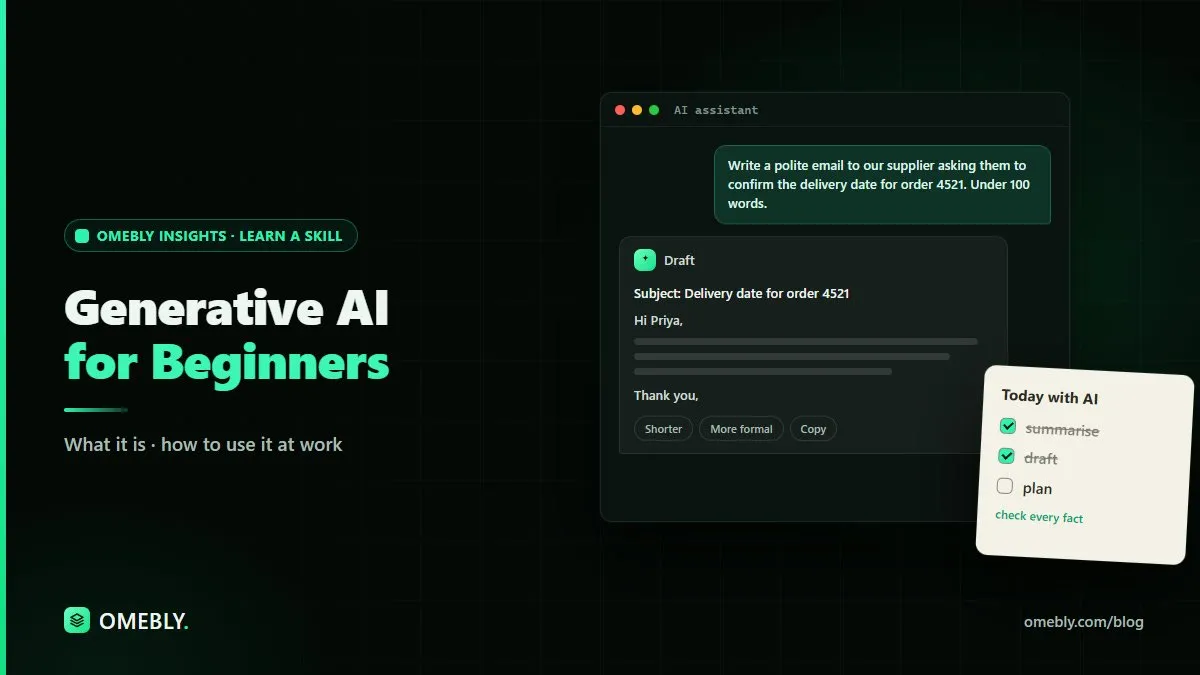
Give the AI the situation and the outcome you want. For example: “Write a polite email to a supplier asking them to confirm the delivery date for order 4521. Keep it under 100 words.” Then edit the draft so it sounds like you.
2. Summarise long documents
Paste in a long report (if it’s not confidential) and ask for “the five key points and any action items”. If the document is a PDF, our free AI summarizer can produce a quick summary for you to check against the original.
3. Turn messy notes into minutes
After a meeting, paste your rough notes and ask: “Turn these into meeting minutes with decisions, owners and deadlines.” You still need to check that names and dates are correct.
4. Rewrite for a different reader
Ask the AI to “rewrite this technical update for a client with no technical background” or “make this paragraph more concise”. This is one of the most reliable uses.
5. Brainstorm ideas
Stuck on a title, a workshop agenda or a list of questions for a survey? Ask for ten options, pick the best two, and refine them. If you handle marketing for a small team, pair this with the basics in our digital marketing guide for small businesses.
6. Plan a project outline
Describe a task, such as launching a new internal process, and ask for a step-by-step plan with phases. Treat it as a checklist to review, not a finished plan.
7. Explain something you don’t understand
Paste a confusing paragraph or term and ask: “Explain this in simple words with an everyday example.” This is a quick way to learn new topics, but confirm important points with a trusted source.
8. Format and tidy text
Convert a list into a table, fix grammar, or reorganise bullet points. These tasks are quick, and easy to check. If you’re tidying data rather than text, our data cleaning checklist covers the steps AI can’t skip for you.
Using generative AI responsibly
This is the part many beginners skip. Please don’t.
Protect private information
Before you paste anything into an AI tool, ask: would I be comfortable if this appeared outside my company? Avoid sharing:
- Personal data about customers, colleagues or patients
- Passwords, account numbers or ID details
- Confidential financial figures, contracts or unreleased plans
Check your organisation’s AI policy and the tool’s data settings. If there is no policy, ask your manager before using AI with work documents.
Check facts every time
AI can invent statistics, quotes, references and links. Verify any fact, number or name against an original source before you send or publish it.
Be open about AI use
If AI helped create something important, such as a report for a client, follow your workplace’s rules on disclosure. Never present AI output as checked work when you haven’t checked it.
Keep a human in charge
Use AI to support decisions, not make them. Hiring, pricing, legal wording and anything affecting people’s lives needs human review.
A simple practice routine for beginners
Skills grow with steady practice. Try this two-week routine:
- Days 1–3: Use AI for one email draft a day. Compare its draft to what you would have written.
- Days 4–6: Summarise one document a day and check the summary against the source.
- Days 7–10: Try rewriting tasks: change tone, length or audience.
- Days 11–14: Use AI to plan one small project, then review and adjust the plan yourself.
Keep a short note of the prompts that worked well. This becomes your personal prompt library and saves time later.
Common beginner mistakes
- Asking one-line questions and expecting perfect answers
- Copying output without reading it closely
- Pasting sensitive data without thinking
- Giving up after one bad answer instead of refining the prompt
How Omebly can help
If you want structured, guided practice rather than trial and error, Omebly Academy’s Generative AI course covers these skills in live classes. It runs for 8 weeks with 16 live classes, costs USD 280, and is taught live by Nazmul Hussain’s team. Nazmul Hussain is Omebly’s Managing Director and Technical Head, with 10+ years of experience building digital products.
If you work with data, the AI for Data Analysis course may suit you better. You can compare every option on the Omebly Academy training page.
Ready to use AI with confidence at work? See the Generative AI course.
Frequently asked questions
What is generative AI in simple words?
Generative AI is software that creates new content, such as text, images, audio or code, based on patterns it learned from large amounts of existing data. You describe what you want in plain language and it produces a draft.
Do I need to know coding to use generative AI at work?
No. Most AI tools work through a chat box where you type instructions in everyday language. Coding helps for advanced automation, but it is not needed for writing, summarising or planning tasks.
Can I trust everything an AI tool tells me?
No. AI tools can produce confident answers that are wrong or out of date. Treat every output as a first draft and check facts, figures, names and links before you use them.
Is it safe to paste work documents into an AI tool?
Only if your organisation allows it and the tool's settings suit your data. Avoid pasting personal data, passwords, client details or confidential figures unless you have approval and understand how the tool stores information.
How long does it take to learn generative AI basics?
You can learn the basics of writing prompts in a few sessions, but using AI well at work comes from regular practice on real tasks. A structured course with live classes can speed this up by giving you guided exercises and feedback.

Written by
Nazmul Hussain, Managing Director & Technical Head, Omebly. 10+ years building websites and apps for clients in India, the Gulf, the UK and the US, and mentoring at Omebly Academy. LinkedIn · GitHub
Follow Omebly
New guides, work and launches on every channel.