Firebase vs Supabase vs a Custom Server: Which Backend Does Your App Need?
Firebase, Supabase or your own server? Here is how the three compare for a mobile app, and how to pick one without boxing yourself in.
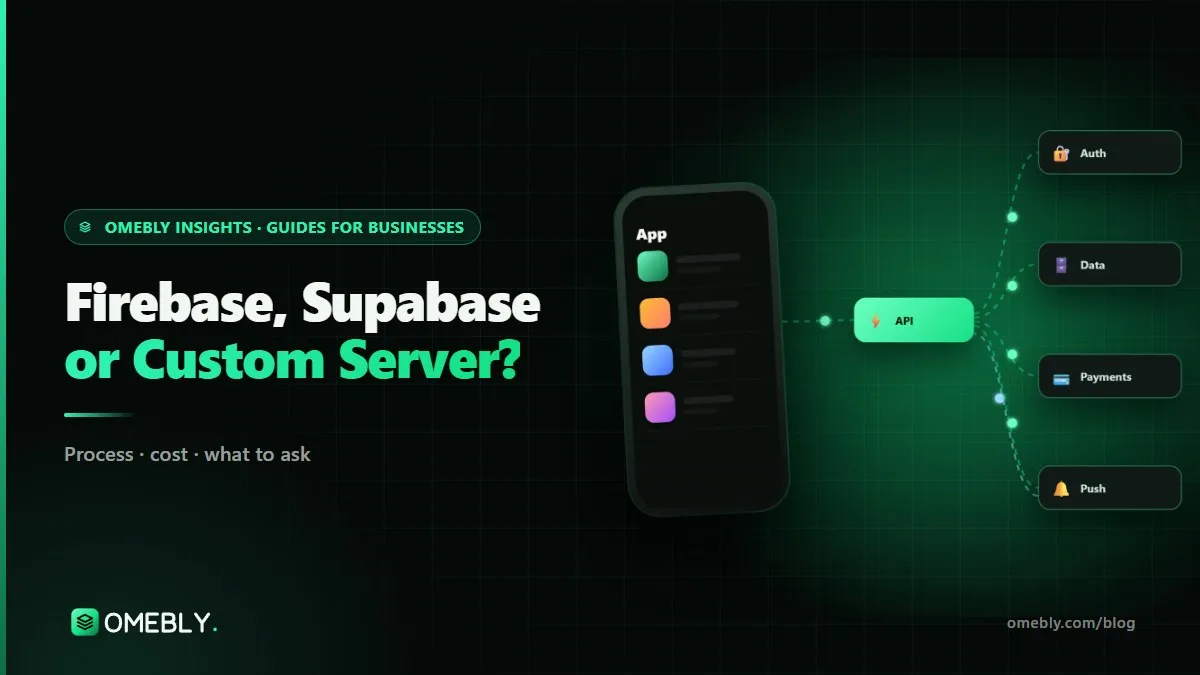
Every app needs somewhere to keep accounts, data, files and notifications. For most new apps the choice comes down to three options: Google’s Firebase, the open-source Supabase, or a custom server you build and host yourself. Choose well and the backend stays invisible; choose badly and you face slow screens, rising bills or a painful migration a year in. This guide compares Firebase vs Supabase for mobile apps, and explains when a custom server is worth it. If you would rather have the decision made and built for you, see our mobile app backend development service.
Quick answer: Pick Firebase if your app needs fast development, real-time sync, push notifications and crash reporting in one Google toolset, and your data fits a document model. Pick Supabase if your data is relational (orders, bookings, invoices, reports) and you want PostgreSQL, SQL queries and an open-source stack. Pick a custom Node.js server with PostgreSQL when business rules are complex, integrations are heavy or hosting rules are strict. Whatever you choose, keep access rules on the server and plan a path to grow.
What a backend does for a mobile app
The backend is the part of your app users never see. It typically handles:
- Sign-in and accounts, including Google, Apple and phone login.
- Data storage, such as profiles, orders, bookings and messages.
- Files, such as photos, documents and voice notes.
- Business rules, such as who can see what and how prices are calculated.
- Notifications, triggered by real events.
- Integrations with payments, CRMs or your existing systems.
Firebase and Supabase are “backend as a service” platforms: they give you these building blocks ready-made, so your developers spend less time on plumbing. A custom server means writing those parts yourself, with full control.
Firebase in brief
Firebase is Google’s app platform. Its main database, Cloud Firestore, stores data as documents in collections, a NoSQL model that suits nested, app-shaped data such as a chat with its messages. It is known for real-time sync and offline support in its mobile SDKs.
Firebase also bundles tools most mobile apps want anyway: Authentication, Cloud Storage, Cloud Functions for server code, Cloud Messaging for push notifications, Crashlytics for crash reports, Remote Config and Analytics.
Watch out for: Firestore bills per document read, write and delete. Google’s Firestore pricing page lists a free daily quota of 50,000 reads, 20,000 writes and 20,000 deletes, with charges beyond that. A home screen that reads hundreds of documents per visit can grow costs quickly. Complex reporting across collections is also harder than in a relational database.
Supabase in brief
Supabase is an open-source platform built on PostgreSQL, one of the most widely used relational databases. You get a full SQL database with tables, relations and joins, plus authentication, file storage, real-time subscriptions, edge functions and auto-generated APIs.
Access control uses PostgreSQL’s Row Level Security, where rules in the database decide which rows each user may read or change. Because it is standard PostgreSQL, your data is portable, and Supabase can also be self-hosted.
Watch out for: Supabase does not include crash reporting or push notifications, so you add Firebase Cloud Messaging, OneSignal or similar. On the free plan, projects are paused after a week of inactivity, which is fine for experiments but not for a live app. Row Level Security is powerful, but rules must be written and tested carefully.
When a custom server makes sense
A custom backend, typically Node.js with PostgreSQL, hosted in accounts you own, is worth it when:
- Business rules are complex, such as multi-step approvals, dynamic pricing or commission splits.
- The app connects to many systems, such as an ERP, CRM, warehouse or partner APIs.
- Hosting rules are strict, for example data that must stay in a particular country or environment.
- Real-time load is heavy, such as live audio, games or large chat rooms that need dedicated WebSocket servers.
- Costs on a managed platform rise faster than your users.
The trade-off is time and responsibility: you build sign-in, permissions, monitoring, backups and scaling yourself, or pay someone to. Our own app, Omebly App, in testing on Android, runs its live voice rooms on real-time servers we built for that reason.
Firebase vs Supabase vs custom: comparison table
| Factor | Firebase | Supabase | Custom server |
|---|---|---|---|
| Database | Firestore (NoSQL documents) | PostgreSQL (relational) | Your choice, often PostgreSQL |
| Best for | Real-time, app-shaped data | Relational data and reporting | Complex rules and integrations |
| Pricing model | Pay per operation beyond free quota | Plans plus usage | Hosting plus build and upkeep |
| Real-time | Strong, with offline sync | Real-time subscriptions | Built to your needs |
| Access rules | Security Rules | Row Level Security | Written in your API |
| Push and crash reporting | Included | Add separately | Add separately |
| Open source / self-hosting | No | Yes | Yes |
| Lock-in risk | Higher | Lower | Lowest |
| Time to first release | Fast | Fast | Slower |
How to choose: four questions
1. What shape is your data?
Write down your main objects and how they relate. If you see lots of relationships, such as customers who have orders that contain products from vendors, a relational database like PostgreSQL usually fits better. If data is mostly self-contained, such as chats and messages or user feeds, Firestore works well.
2. What will your busiest screen cost?
For Firestore, estimate how many documents the most-used screen reads per visit, multiplied by daily visits. For Supabase, look at database size and compute needs. This simple exercise prevents most billing surprises.
3. What else must it connect to?
A few payment webhooks are easy on any option. Deep, two-way links to an ERP or legacy system often point to a custom API layer, which can still sit alongside Firebase or Supabase.
4. Where will you be in two years?
If growth may require moving, make it easy now. Agree a clean data model and, where practical, keep the app talking to a documented API rather than the database directly. Our guide on what an API contract is explains why that agreement saves rework.
Three example apps, three different choices
Abstract comparisons only go so far. Here is how the reasoning plays out for three typical apps.
A community chat app
Users join groups, send messages and photos, and expect new messages to appear instantly, even after a spell without signal. The data is mostly self-contained (groups, members, messages), real-time sync matters more than reporting, and push notifications are essential. Firebase is a natural fit, with careful attention to how many documents each screen listens to. If the app later adds live audio rooms for large audiences, a dedicated real-time server can be added alongside it.
A clinic booking app
Patients book appointments with doctors at several branches, staff manage schedules, and the owner wants reports on bookings, cancellations and revenue by branch. The data is strongly relational: patients, doctors, branches, slots, bookings and payments all link together. Supabase suits this well, because PostgreSQL handles joins and reports naturally, and Row Level Security can keep each patient’s data private. Push notifications for reminders come from Firebase Cloud Messaging or OneSignal.
A distributor’s field sales app
Sales staff place orders on behalf of shops, prices depend on customer tiers and running schemes, stock comes from the company’s ERP, and orders must flow back into it. Here the business rules and integrations are the product. A custom Node.js API with PostgreSQL is usually the safer choice, with offline storage on the phone so staff can take orders in areas with poor signal and sync later.
Your app may sit between these examples. That is normal, and a mix, such as Supabase for data with a small custom service for one complex integration, is often the practical answer.
Mistakes to avoid
- Leaving test rules in production. Open Security Rules or disabled Row Level Security are a common cause of data leaks.
- Trusting the app to enforce rules. Prices, roles and anything involving money must be checked on the server.
- Choosing by habit. “We always use Firebase” is not a reason; your data shape is.
- Ignoring read costs. Listening to whole collections in Firestore can multiply bills.
- Keeping keys and accounts in a developer’s name. Hosting and backend accounts should belong to your business.
- Skipping backups. Managed does not mean backed up the way you need; check and test restores.
Backend decision checklist
- Main data objects and relationships written down
- Busiest screen’s reads and writes estimated
- Integrations listed (payments, CRM, ERP, maps)
- Push notifications and crash reporting planned
- Access rules reviewed before launch
- Accounts and billing in the business’s name
- Backups set up and a restore tested
- Growth path written down: stay managed, or move to custom later
How Omebly can help
Omebly designs and builds app backends on Firebase, Supabase or custom Node.js with PostgreSQL, and recommends one in a short written architecture plan with reasons and a growth path. We design the data model and API contract first, enforce roles on the server, set up monitoring and backups in accounts you own, and load test before launch. For a new product, this pairs naturally with our MVP app development service.
Projects are led by founder Nazmul Hussain, who brings 10+ years of his own experience building apps and digital products. Explore our wider app development services, or read how our app backend development service works.
Unsure which backend fits your app? Contact us for a free consultation.
Frequently asked questions
Is Supabase a replacement for Firebase?
Partly. Both give you sign-in, a database, file storage and real-time updates without running your own servers. The big difference is the database: Firebase's main database, Cloud Firestore, is a NoSQL document store, while Supabase is built on PostgreSQL, a relational database. Firebase also includes mobile tools such as Crashlytics and Cloud Messaging that Supabase does not.
Can I use Supabase and Firebase together?
Yes, and many apps do. A common pattern is Supabase for data and sign-in, with Firebase Cloud Messaging for push notifications and Crashlytics for crash reports. Just keep each job in one place so data does not end up split across systems.
Which is cheaper, Firebase or Supabase?
It depends on how your app uses data. Firestore charges per document read, write and delete, so screens that read many documents can get expensive. Supabase plans are priced around project resources such as database size and compute. Model your busiest screens before deciding.
Can I move from Firebase to Supabase or a custom server later?
Yes, but it takes planning, especially moving from Firestore's document model to relational tables and migrating user accounts. Putting an API layer between the app and the backend from the start makes a later move much easier.
Is a managed backend secure enough for a business app?
Yes, if the access rules are written properly. Firebase uses Security Rules and Supabase uses Postgres Row Level Security. The common risk is rules left too open during development, so they need reviewing before launch.
When does an app outgrow Firebase or Supabase?
Usually when business rules become complex, when the app must integrate with many internal systems, when costs rise faster than users, or when data must be hosted in a specific way. Many apps never reach that point.

Written by
Nazmul Hussain, Managing Director & Technical Head, Omebly. 10+ years building websites and apps for clients in India, the Gulf, the UK and the US, and mentoring at Omebly Academy. LinkedIn · GitHub
Follow Omebly
New guides, work and launches on every channel.