What does it take to add online multiplayer to a mobile game?
Online play is the most requested feature in game projects, and the most underestimated. Here is what adding it really involves.
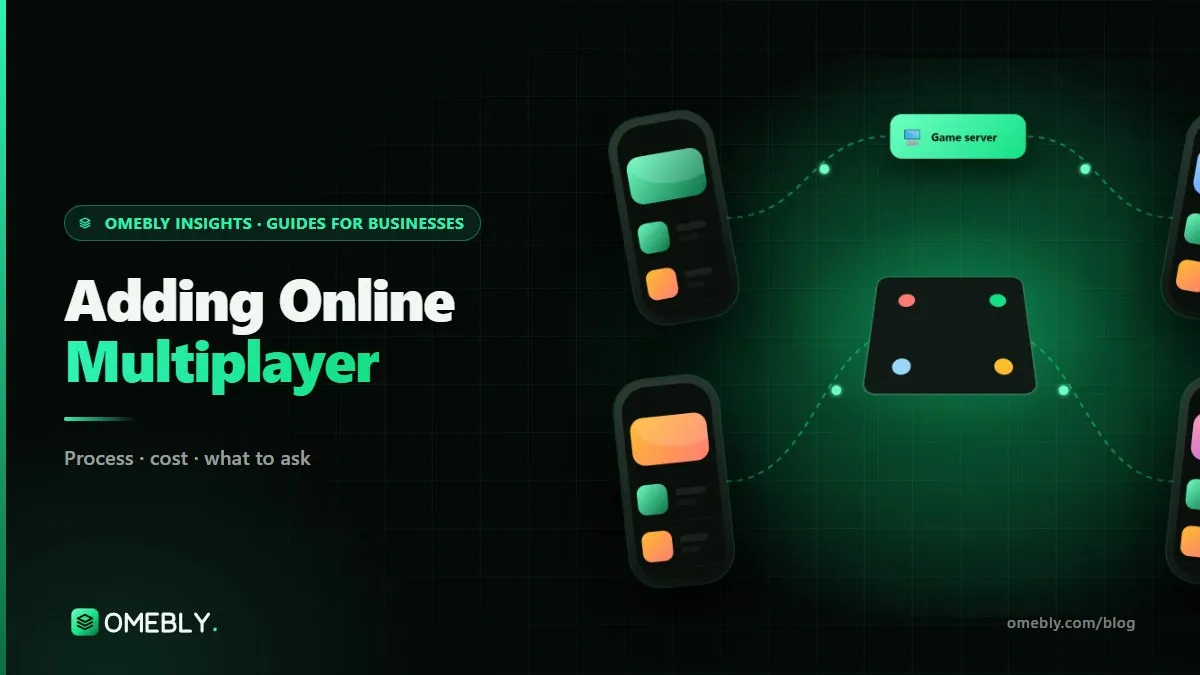
“Can we add online play?” is one of the most common requests we hear on game projects, and one of the most underestimated. Playing with friends or strangers can transform a game, but it changes how the game must be built, tested and run. This guide explains how to add multiplayer to a game, especially a mobile one: the decisions to make first, the code changes involved, and the running costs that continue after launch. If you want a team to plan it with you, see our multiplayer game development service.
Quick answer: Decide first whether your game is turn-based or real-time, because that shapes everything else. Then choose a networking approach (a hosted service such as Photon Fusion, Unity Netcode, or custom servers), move the game’s rules to the server so results cannot be faked, add rooms and matchmaking, plan for lag and dropped connections, and test with groups of real players. Budget for server costs, moderation and monitoring after launch.
How to add multiplayer to a game: start with the right questions
Before anyone writes networking code, answer these five questions. They decide the architecture, the cost and the timeline.
- Turn-based or real-time? Do players act in turns (board, card, word games) or all at once (racers, shooters, arena games)?
- How many players per match? Two, four, twenty?
- Who plays with whom? Friends through invite codes, strangers through matchmaking, or both?
- Where are your players? India, the Gulf, Europe? Server regions affect delay.
- What must persist? Profiles, match history, progress, inventories?
Turn-based vs real-time multiplayer
| Turn-based | Real-time | |
|---|---|---|
| Examples | Ludo, chess, card and word games | Racers, shooters, arena games |
| Data sent | A small message per move | Constant updates, many per second |
| Weak mobile connections | Tolerant | Needs prediction and smoothing |
| Server cost | Lower | Higher |
| Build complexity | Moderate | High |
| Dropped connections | Hold the seat and resume | Pause, bot takeover or continue |
Many ideas can work either way. A tactics game could be real-time or turn-based; a quiz could have simultaneous answers or turns. If budget matters, the turn-based version is usually the safer first release.
Choosing a networking approach
Hosted services
Hosted services such as Photon Fusion provide relays, rooms and server regions ready to use, so you are not managing servers yourself. They shorten the path to launch and suit fast real-time games. You pay the provider based on use.
Unity Netcode and Unity Gaming Services
Unity Netcode for GameObjects is Unity’s own networking library, often paired with Unity’s hosting and matchmaking services or your own servers. It gives more control over architecture and costs.
Custom servers
For turn-based games with complex rules, heavy social features or specific data needs, a custom backend (for example Node.js with a database and a fast in-memory store) can be the best fit. It needs more set-up and ongoing care.
The right choice depends on game pace, player counts, regions and how you prefer to pay for hosting. Engine choice matters too; our guide on whether Unity is good for mobile games covers why most mobile multiplayer projects are built in it.
What changes in your game’s code
This is the part most people underestimate, especially when adding multiplayer to a finished single-player game.
The server becomes the referee
In a single-player game, the phone decides everything. In a fair multiplayer game, the server decides what is allowed and who won, and the phone mostly displays what the server confirms. Any code on a phone can be modified, so if the phone decides the result, someone will eventually cheat. Moving rules to the server is the foundation of fair play.
State and presentation must be separate
Single-player code often mixes game logic with animation and UI. Multiplayer needs a clean separation: the game state (positions, scores, whose turn it is) is synced, and each device draws it. Untangling this in an existing project is often the biggest piece of work.
Every action becomes a message
Tapping a piece, firing a shot or using an item becomes a request sent to the server, checked and then broadcast. That changes how input, timing and feedback are designed.
New screens and flows
Lobbies, invite codes, waiting rooms, matchmaking, reconnect prompts, end-of-match screens and profiles all need design, art and code.
Lag, disconnections and fairness
Handling lag
For real-time games, client-side prediction lets the player’s own actions appear instantly while the server confirms them, and interpolation smooths other players’ movement between updates. Server regions close to your players reduce delay. Turn-based games need far less of this.
Planning for dropped connections
Mobile players lose signal in lifts, trains and basements. Decide the rules in advance: hold the seat for a set time, let them rejoin where they left off, or hand control to a simple bot. Write it into the design so behaviour is consistent.
Cheating basics
Server authority stops most tampering. Add input validation, rate limits on actions, checks for impossible values and a way for players to report problems. No game is completely cheat-proof, but these basics block the common tricks.
Safety and moderation
Wherever strangers meet, you need blocking and reporting, and filtering if there is chat. Build these in from the start. We build skill and social games only, with no betting or real-money play.
Testing and launch
Multiplayer bugs often appear only with several real people on different phones and networks. Run group play sessions every week on Wi-Fi and mobile data, with players deliberately switching networks and closing the app mid-match. Before launch, run load tests with simulated players to check that servers, matchmaking and databases hold up at your expected peak.
We have done this first-hand: the Ludo and chess rooms in the Omebly App, in testing on Android, were built and are run by our own team.
A realistic order of work
Adding multiplayer goes best when it is broken into stages that each produce something you can play:
- Network brief and architecture. The answers to the five questions above, the networking approach and the data each match needs, written down.
- Networked prototype. Two or more phones playing the core mechanic together over the internet, with no art polish. This is where you learn whether the game feels right online.
- Rooms and matchmaking. Invite codes for friends, then quick match for strangers.
- Reconnection and edge cases. Dropped connections, players leaving mid-match, phones going to sleep.
- Profiles, persistence and admin tools. Accounts, match history, reporting and a simple dashboard.
- Load testing and soft launch. Simulated players first, then a limited real audience.
Each stage is a natural milestone, so you can review and pay as you go, and stop early if testing shows the online mode needs rethinking.
Running costs after launch
Multiplayer is a service, not a one-off build. Plan for:
- Server, relay and database fees, paid to the provider and growing with players online at once
- Monitoring and logs to spot problems before players report them
- Admin tools to look up players, review reports and close rooms
- Updates when devices, engines or store rules change
Compact messages, sensible update rates and idle rooms that sleep keep the bill in line with your player numbers.
Mistakes to avoid
- Treating multiplayer as a late feature. Planning it from the design stage is far cheaper than retrofitting.
- Letting the phone decide results. It invites cheating.
- Testing on one device in the editor. Real networks and real groups find the real bugs.
- No reconnection plan. Mobile players will drop out; decide what happens.
- Ignoring running costs. A successful launch with an inefficient backend can become an expensive surprise.
- Skipping moderation. Reporting and blocking are basics, not extras.
Multiplayer readiness checklist
- Turn-based or real-time decided
- Players per match and expected peak numbers agreed
- Friends, strangers or both
- Networking approach and server regions chosen
- Game rules moved to the server
- Lobby, matchmaking and reconnect flows designed
- Reporting, blocking and admin tools planned
- Weekly group tests and a pre-launch load test scheduled
- Monthly running cost estimate written down
How Omebly can help
Omebly builds turn-based and real-time multiplayer games in Unity with Photon Fusion, Unity Netcode or custom backends, as part of our game development service. We can also add a networking layer to an existing Unity project after a code review. For the client side of your game, our Unity game development team works alongside the backend developers. Projects are led by our founder, Nazmul Hussain, who has 10+ years building websites, apps and digital products, including real-time backends.
You get a fixed written quote after a free consultation, weekly builds and group test sessions, and you own the code and server accounts once paid. Read how we approach multiplayer game development, then contact us to talk through your game.
Thinking about online play? Tell us your game and player count, and we will map out what it takes.
Frequently asked questions
Can I add multiplayer to a game that was built as single-player?
Usually, yes, but it is rarely a small change. The game's rules often need to move to a server and the code needs to separate game state from what is shown on screen. A code review tells you how much can be kept.
What is the cheapest kind of multiplayer to add?
Asynchronous or turn-based play, where players take turns and the game sends small updates per move. It is simpler to build, cheaper to host and copes better with weak mobile connections than real-time play.
Do I need my own servers for a multiplayer game?
Not necessarily. Hosted services provide relays, rooms and regions, so you pay per use instead of running servers. Custom servers give more control and can suit games with complex rules or heavy social features.
How do multiplayer games handle lag on mobile networks?
Real-time games use techniques such as client-side prediction and interpolation so movement looks smooth even when updates arrive late. Turn-based games are naturally more tolerant, because a short delay between moves is barely noticed.
How many testers do we need for multiplayer testing?
Enough to fill several matches at once on different devices and networks. Small group sessions every week catch most bugs, and simulated load tests before launch check that servers cope with many players together.
What ongoing costs does multiplayer add?
Server or relay fees, a database, monitoring and some moderation time. Costs rise with the number of players online at once, so efficient data design and the right service choice matter from the start.

Written by
Nazmul Hussain, Managing Director & Technical Head, Omebly. 10+ years building websites and apps for clients in India, the Gulf, the UK and the US, and mentoring at Omebly Academy. LinkedIn · GitHub
Follow Omebly
New guides, work and launches on every channel.