Omebly Academy // AI courses

Get your office work done in half the time with AI.

For admin, office and operations staff: use AI for email, documents, scheduling, meetings, spreadsheets and repeat tasks, safely and professionally.

$280 · full course8 weeks · 16 live classesBeginner, no tech skills needed
About this course

What you'll learn, in plain words.

Admin and office work keeps every organisation running: emails, letters, reports, schedules, meeting notes, spreadsheets, forms and endless small tasks. AI assistants built into Microsoft 365 and Google Workspace, plus tools like ChatGPT, can now do much of this in seconds.

This course shows you exactly how, task by task. You will write and sort emails, draft documents and letters, take meeting notes automatically, manage calendars, tidy spreadsheets, build forms and trackers, and automate repeat jobs, all while protecting confidential information. You finish with a personal AI workflow that saves you hours every week and makes you more valuable to any employer.

Who it's for

Who this course is made for.

Office administrators, executive assistants and secretaries

HR, accounts and operations support staff

Front-office and customer-facing teams

Job seekers who want an in-demand office skill

By the end

What you'll be able to do.

Every skill is practised in class and in a weekly task your mentor reviews.

  • Write, reply to and organise email faster with AI
  • Draft letters, reports, notices and procedures professionally
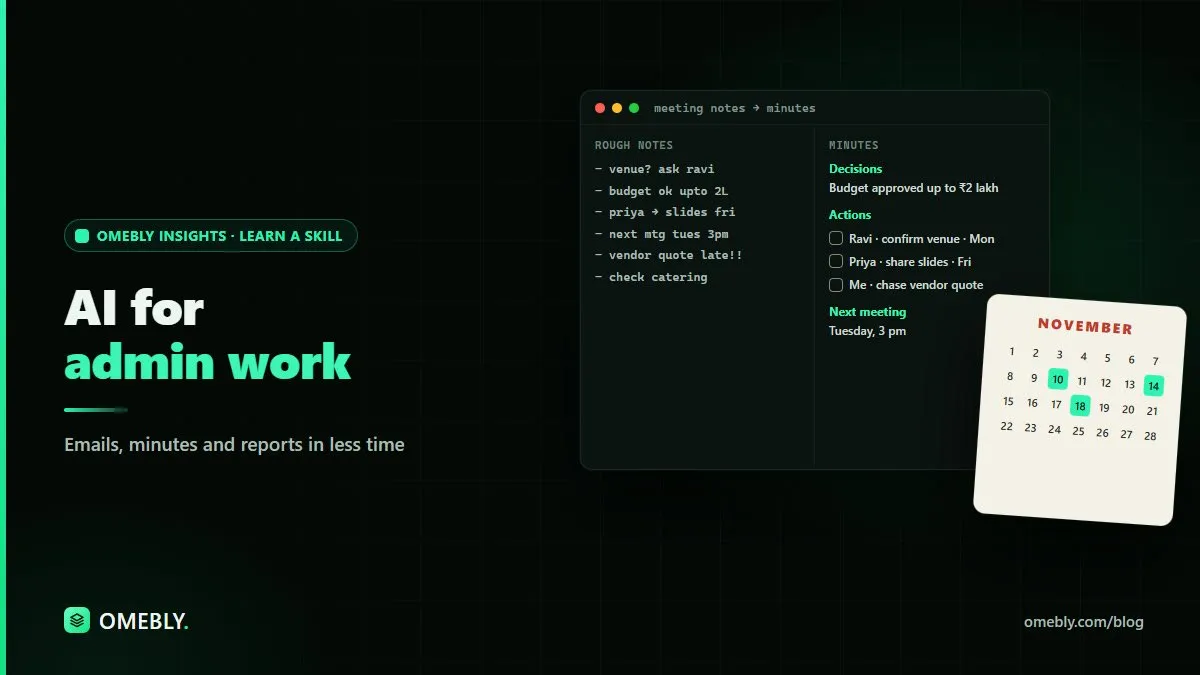
  • Record meetings, get automatic notes and track action items
  • Plan calendars, travel and events with AI help
  • Tidy and analyse spreadsheets using AI formulas
  • Build forms, trackers and simple automations without coding
  • Handle confidential information safely when using AI
Course modules

8 weeks, step by step.

One module a week, two live classes each. Every week ends with a hands-on task.

  1. WEEK 1

    AI at the office: getting started

    Set up AI tools and learn the basics of giving clear instructions.

    • What AI assistants can do for office work
    • Copilot in Microsoft 365 and Gemini in Google Workspace
    • Prompting basics for office tasks
    • What never to paste into AI: confidential data

    HANDS-ON Time five of your usual tasks, then do them with AI and compare.

  2. WEEK 2

    Email and communication

    Clear your inbox faster and write with confidence.

    • Drafting replies in the right tone
    • Summarising long email threads
    • Templates for common messages
    • Translating and polishing messages

    HANDS-ON Build a set of 10 AI-ready email templates for your role.

  3. WEEK 3

    Documents, letters and reports

    Create professional documents in minutes.

    • Letters, notices and memos
    • Reports and summaries from rough notes
    • Standard operating procedures and checklists
    • Proofreading and formatting with AI

    HANDS-ON Turn rough notes into a formatted report and a step-by-step procedure.

  4. WEEK 4

    Meetings, calendars and travel

    Let AI handle the organising.

    • Automatic meeting notes and action items
    • Scheduling and calendar planning
    • Agendas and minutes
    • Travel and event planning with AI

    HANDS-ON Produce an agenda, minutes and an action tracker from a recorded meeting.

  5. WEEK 5

    Spreadsheets made easy

    Use AI to handle formulas, cleaning and simple analysis.

    • AI-written formulas in Excel and Google Sheets
    • Cleaning lists and records
    • Simple summaries and charts
    • Checking AI's spreadsheet work

    HANDS-ON Clean an employee or customer list and build a summary sheet.

  6. WEEK 6

    Forms, trackers and records

    Organise information so nothing gets lost.

    • Building forms with Microsoft Forms or Google Forms
    • Trackers for leave, stock, requests or tasks
    • Searching and summarising files with AI
    • Keeping records tidy and easy to find

    HANDS-ON Build a request form connected to a tracker sheet.

  7. WEEK 7

    Automating repeat tasks

    Let simple automations do the routine work.

    • Power Automate and Zapier basics
    • Automatic reminders, approvals and notifications
    • Saving email attachments and updating sheets automatically
    • Choosing tasks that are safe to automate

    HANDS-ON Automate one real repeat task from your work.

  8. WEEK 8

    Your AI workflow and final project

    Put it all together into a personal system you'll keep using.

    • Building your personal AI toolkit
    • Professional and ethical use of AI at work
    • Measuring time saved
    • Final project presentations and mentor feedback

    HANDS-ON Present your AI office workflow and the hours it saves each week.

Tools you'll use

Real AI tools, hands on.

  • Microsoft Copilot
  • Google Gemini
  • ChatGPT
  • Outlook and Gmail
  • Word and Google Docs
  • Excel and Google Sheets
  • Microsoft or Google Forms
  • Power Automate or Zapier

The tools' free plans, on your own accounts, are enough for the whole course. AI subscriptions are not included in the course fee.

Projects

Work you can show.

  1. A personal library of email and document templates
  2. A request form, tracker and one working automation
  3. Your AI office workflow with measured time saved
Price (USD)

One price, everything included.

No hidden fees. You don't need to buy any AI subscription: you use your own accounts on the tools' free plans. Book a free call first to check the course fits you.

What you need

  • A laptop or desktop computer with internet
  • Your own Microsoft or Google account (free accounts work)
  • No technical skills needed
FULL COURSE

AI for Admin

$280 8 weeks

  • 16 live online classes with a mentor (2 a week, 90 minutes each)
  • Recordings of every class to revise at your own pace
  • A hands-on task every week, reviewed by your mentor
  • A final project you can show at work or in your portfolio
  • Ready-to-use prompt library and templates to keep
  • Omebly certificate of completion
Book a free call Download the course brochure (PDF)
FAQ

AI for Admin: questions people ask

Do I need to know coding or maths?

No. Every course starts from zero and explains each idea in plain language. Where code appears, we explain it line by line, and the AI writes most of it for you.

Which AI tools do I need to buy?

None. The course fee does not include any AI tool subscription, and Omebly does not provide one. You use your own accounts on the free plans that tools like ChatGPT, Claude, Gemini and Copilot offer, and those are enough for the whole course. If you ever choose a paid plan, you buy it yourself from the tool's maker.

Are classes live or recorded?

Live online classes with a mentor, so you can ask questions as you go. Every class is also recorded, so you can catch up or revise.

How much time do I need each week?

About 5 to 6 hours: two 90-minute classes plus 2 to 3 hours for the weekly task.

What if AI tools change during the course?

They will, and that is part of the plan. We teach the skills behind the tools (clear instructions, checking answers, building workflows), so you can switch to any new tool with confidence.

Do I get a certificate?

Yes, an Omebly certificate of completion that lists the projects you built.

Is my data safe when I use AI tools?

We teach you what not to paste into AI tools, how to turn off training on your chats where possible, and how to follow your company's rules.

When does the next batch start?

We run small batches so everyone gets attention. Message us on WhatsApp and we'll tell you the next start date and check that the course fits you.

Join the next batch

Start with a free call.

Tell us where you are today. We'll check the course fits your goal, no pressure.

Prefer email? info@omebly.com