What Is a Headless CMS and Does Your Business Need One?
A headless CMS separates where you write content from where it's shown. Here's how it works, how it compares with WordPress, and the signs your business actually needs one.
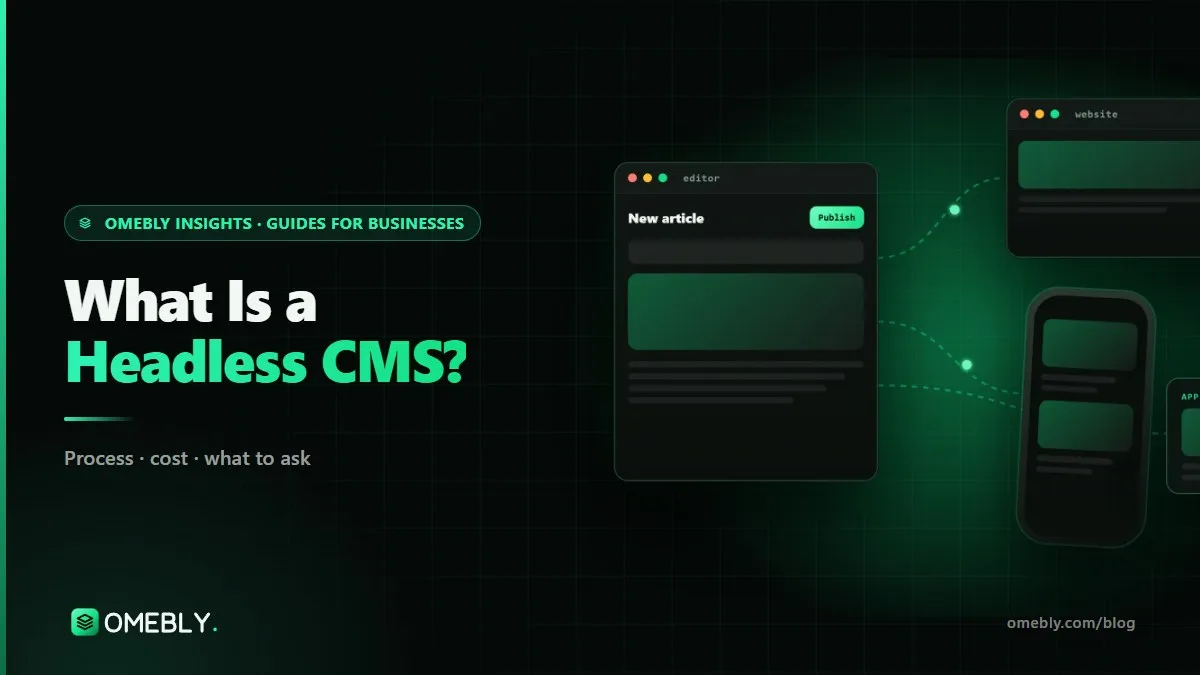
If a developer has suggested a “headless” setup for your next website, you’re probably wondering whether it’s a real improvement or just a fashionable word. So, what is a headless CMS? It’s a content management system that stores and organises your content but doesn’t decide how it looks. Your website, app or other screens fetch that content and display it in their own design.
That one change, separating where you write from where it’s shown, has real benefits for some businesses and is unnecessary for many others. This guide explains how it works, compares it with a traditional CMS like WordPress, and helps you decide. If you already know you want one, our headless CMS development page covers how we build them with Strapi or Sanity.
Quick answer: A headless CMS is where your team writes and manages content; a separate front end (the website, an app or both) fetches that content through an API and displays it. It suits businesses that publish the same content to more than one channel, need a very fast site or want a cleaner editing setup. For a single, simple website with a small team, a well-built traditional CMS is usually enough.
What is a headless CMS? The “head” explained
A traditional CMS such as WordPress does two jobs at once:
- The back end (the “body”): where editors write pages, upload images and manage content.
- The front end (the “head”): the templates and theme that turn that content into the web pages visitors see.
A headless CMS keeps the first job and drops the second. It stores content as structured fields (a title, a summary, an image, a price, a list of FAQs) and makes them available through an API, usually REST or GraphQL. A separate front end, often built with a framework like Next.js, asks for that content and lays it out. Because the CMS has no fixed “head”, you can attach as many heads as you like: a website, a mobile app, a kiosk screen.
An everyday example
Imagine a chain of clinics. Each clinic has opening hours, doctors and services. In a headless CMS, those are stored once as structured content. The website shows them on location pages, the booking app shows the same hours, and the screen in the waiting room shows today’s doctors. Update the hours once, and every channel changes.
Headless vs traditional CMS
| Traditional CMS (e.g. WordPress with a theme) | Headless CMS (e.g. Strapi, Sanity, headless WordPress) | |
|---|---|---|
| How pages are built | CMS theme builds each page | Separate front end fetches content via API |
| Channels | Mainly one website | Website, apps and other screens from one source |
| Editing | Visual, often page-builder style | Structured fields, with preview set up by developers |
| Speed | Depends on theme and plugins | Front end can be pre-built and very fast |
| Design freedom | Within theme limits | Complete |
| Set-up effort | Low; install a theme | Higher; content model and front end to build |
| Plugins | Large ecosystem | Fewer plugins; features are built or connected |
| Developer needed for layout changes | Sometimes not | Usually yes |
Common headless options
- Strapi is open source and self-hosted, so it runs on your own server and you control the database. See the Strapi documentation for what it offers.
- Sanity is a hosted service with real-time collaborative editing and a highly customisable editing studio. Its documentation covers content modelling and plans.
- Headless WordPress keeps the familiar WordPress dashboard for editors while a custom front end serves visitors. It’s a common first step for teams that already use WordPress.
There are many others. The right one depends less on features than on three practical questions: where you want your data to live, how many people edit at once, and who will maintain the setup.
The real benefits
One source of content for many channels
This is the strongest reason to go headless. If your website and app need the same products, articles, FAQs or locations, a headless CMS stops you maintaining two copies that drift apart.
Speed
Headless front ends are often pre-built into static pages or rendered on the server, then served from a content delivery network. Visitors get fast pages without a theme and a stack of plugins assembling each one on the fly.
Cleaner, safer editing
Editors work with fields that match your business, such as “Service name”, “Short summary” and “Price from”, rather than a page builder with hundreds of styling options. It’s harder to break the design, and pages stay consistent no matter who edits them.
A content model that survives redesigns
Because content is stored separately from design, you can redesign the website later without moving or rewriting the content. The new front end just reads the same fields.
The honest drawbacks
- Higher set-up cost. Someone has to design the content model and build the front end and preview. That costs more than installing a theme.
- Layout changes need a developer. Editors can arrange approved blocks, but a brand-new page layout is a development job.
- Fewer plug-and-play features. Forms, search, SEO fields and analytics are built or connected rather than installed as plugins.
- Two things to host. The CMS and the front end, each with its own running cost.
- SEO needs care. Pages must be rendered on the server or pre-built so Google receives complete HTML, and editors need SEO fields for titles and descriptions.
Does your business need a headless CMS?
Signs it’s a good fit
- Content must appear on a website and an app, or other screens
- Your site is slow and plugin-heavy, and speed matters to sales
- Several editors publish regularly and pages keep drifting off-brand
- You expect to redesign the front end without moving all the content
- You want the editing system kept away from public traffic
Signs you can stay traditional
- One website, a small team and occasional updates
- A modest budget and no app plans
- Editors who rely on a visual page builder and change layouts often
- A standard theme that genuinely fits your brand
If you’re deciding between a public site and a logged-in tool, that’s a different question, covered in our guide to web app vs website.
How a headless project runs, step by step
- Content audit. List what you publish today and what you’ll need: pages, posts, services, locations, people, products, FAQs.
- Content model. Define each content type and its fields, with clear names and help text for editors.
- Choose the CMS. Based on hosting preference, number of editors and budget.
- Design the block library. Reusable sections (heroes, feature grids, FAQs, calls to action) designed and approved upfront.
- Build the front end and preview so editors can see drafts on the real site before publishing.
- Set up publishing. When an editor publishes, the site rebuilds or refreshes automatically.
- Migrate content and add redirects for any URLs that change.
- Train editors with a walkthrough and a short written guide.
Mistakes to avoid
- Going headless for the buzzword. If you have one website and no speed problem, the extra set-up may not pay off.
- Skipping content modelling. A messy model makes editing harder than the system you left.
- Forgetting preview. Editors who can’t see a page before it goes live lose confidence fast.
- Client-side-only rendering. If pages are built only in the visitor’s browser, search engines may see less content.
- No SEO fields. Every content type needs editable titles, descriptions and social images.
- Unclear ownership. CMS, hosting and repository accounts should be in your name.
Quick checklist
- Listed every channel your content must reach
- Counted your editors and how often they publish
- Decided where your content data should be hosted
- Budgeted for both CMS and front-end hosting
- Planned preview, roles and scheduled publishing
- Confirmed pages will be server-rendered or pre-built for SEO
- Planned redirects for any changed URLs
- Agreed who maintains the setup after launch
How Omebly can help
Omebly builds both traditional and headless CMS websites, and we’ll recommend whichever fits how much you publish and where it needs to go. Our CMS development service covers content modelling, a reusable block library designed in Figma, an editor-friendly admin with preview, Strapi or Sanity with a Next.js front end, or a custom WordPress theme, plus migration and editor training.
If you’re on WordPress and mainly want speed without retraining your team, our WordPress to custom migration keeps WordPress as a headless editor behind a fast custom front end; it’s how omebly.com itself is built. Both sit under our wider web development service, with a fixed written quote within 48 hours of a free consultation, weekly demos and code you own once fully paid.
Wondering if headless is worth it for you? Tell us what you publish and we’ll give you a straight answer.
Frequently asked questions
Is headless WordPress a headless CMS?
Yes. In a headless WordPress setup, your team still writes and edits in the normal WordPress dashboard, but WordPress no longer builds the public pages. A separate front end fetches the content through WordPress's API and shows it to visitors. It is a popular route for teams that like the WordPress editor but want a faster site.
Do editors need technical skills to use a headless CMS?
No. Editors fill in fields, upload images and press publish, much like any CMS. The technical work is in setting it up: defining content types, building the front end and connecting the preview. Once that is done well, editing can feel simpler than a page builder.
Is a headless CMS more secure?
It can reduce risk, because the editing system isn't the thing serving pages to the public, and pre-built pages have fewer moving parts. It still needs good passwords, updates and access control. Headless is a helpful design choice, not a replacement for basic security.
Can I move from WordPress to a headless CMS later?
Yes. Content can be exported and imported into a new content model, with redirects for any URLs that change. Some teams go halfway first by keeping WordPress as a headless editor, which avoids retraining editors and keeps existing content where it is.
What does a headless CMS cost to run?
Open-source options like Strapi are free to use but need your own hosting. Hosted options like Sanity have free and paid plans based on usage and team size. You also pay to host the front end. Check each provider's current pricing page, because plans change.
Does a headless CMS work with an online store?
It can. Some stores use a headless CMS for content such as guides, lookbooks and landing pages, alongside an e-commerce platform for products, carts and checkout. That setup adds complexity, so it suits stores with plenty of content and a team to maintain it.

Written by
Nazmul Hussain, Managing Director & Technical Head, Omebly. 10+ years building websites and apps for clients in India, the Gulf, the UK and the US, and mentoring at Omebly Academy. LinkedIn · GitHub
Follow Omebly
New guides, work and launches on every channel.