Is Flutter the Right Choice for Your App in 2026?
Flutter suits most business apps that need Android and iPhone versions, but not every app. Here is a plain test to decide whether it fits yours.
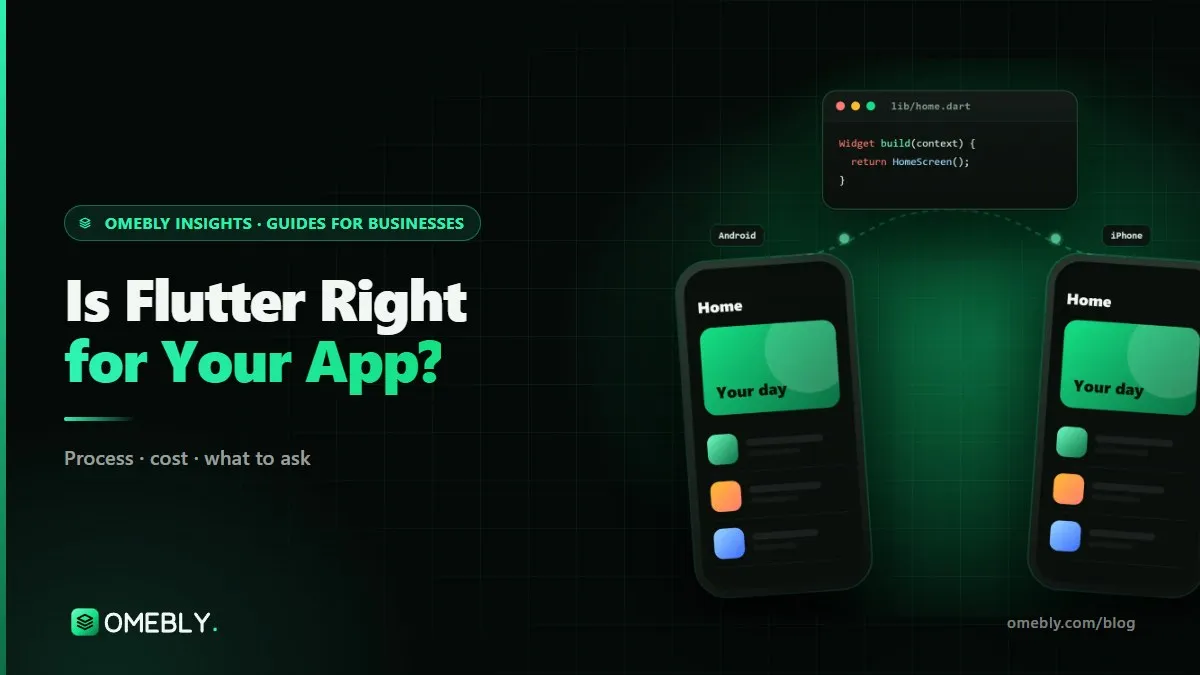
If you are planning an app for both Android and iPhone, someone has probably already told you to “just use Flutter”. It is often good advice, but not always. The question should I use Flutter for my app deserves a proper answer based on your features, your users and the next two years of your roadmap, not on what is fashionable. This guide gives you a practical test you can run before you sign anything, written for business owners rather than developers. If you already know you want a cross-platform build, see our Flutter app development service.
Quick answer: Use Flutter if you need the same app on Android and iPhone, your features are the usual business ones (accounts, bookings, orders, payments, chat, maps, media) and you want one team and one budget. Choose native Swift or Kotlin if the app lives mostly on one platform’s hardware or newest features, such as widgets, watch apps, deep Bluetooth control or background services. If only one or two features are platform-heavy, Flutter plus a small native module is usually the best of both.
What Flutter actually is, in plain terms
Flutter is Google’s open-source toolkit for building apps from one codebase. Developers write the app in a language called Dart, and Flutter compiles it to native code for Android and iOS. Instead of borrowing each platform’s buttons and lists, Flutter draws its own interface, which is why the same screen looks the same on every phone.
Two things follow from that design:
- Consistency is easy. Your brand, layouts and animations match across platforms without two teams trying to keep in step.
- Platform feel needs attention. Because Flutter draws its own widgets, a good team still adjusts details such as back gestures, scrolling physics and system dialogs so the app feels at home on each phone.
Flutter’s rendering engine, Impeller, is now the default on iOS and on Android API 29 and above, according to the Flutter documentation. On older Android versions it falls back to the older OpenGL renderer automatically. For you, that mostly means smoother animations on current phones, and a reason to test on older ones too.
Should I use Flutter for my app? A five-question test
Answer these honestly. If you get four or five “yes” answers, Flutter is very likely the right call.
- Do you need Android and iPhone within the next 12 months? If yes, one codebase saves you building and testing most features twice.
- Are your core features common app features? Sign-in, profiles, lists, search, bookings, carts, payments, notifications, chat and maps are all well supported.
- Is your brand look more important than matching each platform’s default style? Flutter makes a consistent branded design straightforward.
- Will a small team maintain the app after launch? One codebase is far easier for two or three people to keep current than two.
- Can you live with one or two features needing native code? Flutter talks to Kotlin and Swift through platform channels, so a single awkward feature does not rule it out.
If you answered “no” to the first question, the case for Flutter weakens, but does not vanish. Some teams still choose it for a single-platform app because they plan to add the other platform later.
Where Flutter is a strong fit
Customer apps for businesses
Booking, ordering, loyalty, account and service apps are Flutter’s home ground. They are mostly screens, forms, lists and API calls, which Flutter handles well, and owners want both stores covered on one budget.
MVPs that need to learn fast
When you are testing an idea, shipping to both audiences at once tells you more. Our MVP app development guide explains how to keep that first version small; Flutter keeps it affordable to reach both stores.
Apps with a strong visual identity
Custom animations, branded components and unusual layouts are easier when one rendering engine draws everything.
Replacing two ageing native apps
If you already have separate Android and iOS apps that have drifted apart in features and design, consolidating into one Flutter app can cut maintenance work considerably.
Real-time apps, with the right backend
Chat, live audio and live updates work well in Flutter. Our own app, Omebly App, in testing on Android, is built in Flutter and runs live voice rooms on real-time servers. The hard parts were connection handling on weak networks and battery use, not the framework.
Where native Swift or Kotlin may be better
Flutter is not the answer to everything. Consider native when:
- The app is essentially a platform feature. Home-screen widgets, Live Activities, Apple Watch or Wear OS apps, CarPlay, custom keyboards or launchers all need native code, and if they are the product, building the rest natively keeps things simpler.
- You need deep, continuous hardware control. Some Bluetooth medical devices, specialised camera processing or long-running background services are easier to build and debug natively.
- You will only ever be on one platform. An iPad-only app for a company’s field team, for example, gains little from cross-platform tooling.
- You want day-one access to new OS features. Apple and Google announce new APIs every year. Native apps can adopt them immediately; Flutter often needs a plugin or a native module first.
For an iPhone-first product, weigh SwiftUI against Flutter on the specific Apple features you need, such as Sign in with Apple, Apple Pay, widgets or HealthKit, rather than on general claims about speed.
Flutter vs native: a quick comparison
| Factor | Flutter | Two native apps (Swift + Kotlin) |
|---|---|---|
| Codebases | One, in Dart | Two, in Swift and Kotlin |
| Build cost for both stores | Lower; most work done once | Higher; most work done twice |
| Feature parity | New features reach both at once | One platform often lags |
| Newest OS features | Often via plugins or native modules | Available directly |
| Widgets, watch apps, CarPlay | Need native code | Native by default |
| Brand consistency | Easy | Needs two teams to coordinate |
| Long-term maintenance | One team, one release | Two teams or double effort |
| App size | Slightly larger baseline | Can be smaller |
The hidden factors most owners miss
Package quality
Flutter has a large package ecosystem on pub.dev, but quality varies. An app built on abandoned packages becomes hard to update. Ask your developer which packages they plan to use and who publishes them.
Upgrades every year
Android and iOS both change every year, and so does Flutter. A clean codebase with a pinned Flutter version and documented dependencies makes yearly upgrades a small job. A messy one turns them into a rewrite.
Download size in price-sensitive markets
A basic Flutter app carries the engine with it, so its starting size is a little larger than a minimal native app. Careful asset compression, Android App Bundles and loading heavy features only when needed keep this in check. It matters most where people use mid-range phones and pay for data.
Testing on real, older phones
The most common Flutter complaint, “it feels slow”, usually comes from untested lower-end devices, not the framework. Insist on testing on an older iPhone and a low-memory Android phone at every milestone.
Mistakes to avoid when choosing Flutter
- Choosing Flutter for an app that is mostly a widget or watch app. You will write most of it natively anyway.
- Assuming one codebase means zero platform work. Store listings, permissions, payments and some behaviour still differ.
- Letting the team add a package for everything. Every dependency is something that can break during an upgrade.
- Skipping the prototype. Agree the screens in Figma first; changing a design is hours, changing code is days.
- Not asking about native modules up front. Any feature that needs Kotlin or Swift should be flagged at the quote stage, not discovered mid-build.
Your Flutter decision checklist
- I need Android and iPhone versions within a year
- My core features are standard app features
- I have listed any platform-heavy features (widgets, watch, Bluetooth, background work)
- My developer has said which of those need native modules
- I have asked which packages the app will rely on
- Testing on older and low-memory phones is in the plan
- I know who will handle yearly Flutter, Android and iOS upgrades
How Omebly can help
Omebly builds Flutter apps for Android and iOS from Kolkata, with clients in Downtown Dubai, the UK and the US. We start with a free consultation and a clickable Figma prototype, flag any feature that needs native Kotlin or Swift before quoting, and send a new test build every week on both platforms. Projects are led by founder Nazmul Hussain, who brings 10+ years of his own experience building apps and digital products.
If Flutter is not the right fit, we will say so and suggest Android app development or a native iOS route instead. Mobile apps start from $8,000, with a fixed written quote after the consultation. You can read more on our app development page, or go straight to the details of our Flutter app development company service.
Not sure whether Flutter suits your idea? Contact us for a free consultation.
Frequently asked questions
Is Flutter still a safe choice for a business app in 2026?
Yes, for most business apps. Flutter is maintained by Google, ships regular stable releases and is used for production apps on Android and iOS. The real risk is not Flutter itself but poor package choices and messy code, which is why structure and well-maintained dependencies matter.
Will users be able to tell my app was built with Flutter?
Usually not, if the team adjusts details such as back navigation, date pickers, permission prompts and haptics to each platform. Users notice slow screens and odd behaviour, not the framework. A careless build in any framework feels wrong.
Is a Flutter app cheaper than two native apps?
In most cases, yes, because most features are designed, built and tested once instead of twice. The saving is smaller if the app needs a lot of platform-specific code, such as widgets, watch apps or deep hardware control.
Can I switch from Flutter to native later?
You can, but it means rebuilding the app screens, so it is better to decide carefully at the start. A middle path is to keep Flutter for the main app and add small native modules in Kotlin or Swift for the features that need them.
Do I need to know Dart to own a Flutter app?
No. As the owner you need the source code, the accounts and clear hand-over notes. Any competent Flutter developer can then work on the app. Dart is a common, well-documented language, so finding developers later is not difficult.
Is Flutter good for apps with live chat or audio?
Yes, as long as the backend and connection handling are planned properly. Real-time features depend more on the servers, reconnect logic and battery care than on the screen framework.

Written by
Nazmul Hussain, Managing Director & Technical Head, Omebly. 10+ years building websites and apps for clients in India, the Gulf, the UK and the US, and mentoring at Omebly Academy. LinkedIn · GitHub
Follow Omebly
New guides, work and launches on every channel.