Hiring a YouTube Video Editor: Briefs, Turnaround and Revisions
How to hire a YouTube video editor who fits your channel: what to put in the brief, how to test editors, and how to agree turnaround, revisions and file handover.
You’ve filmed the video. Now it sits on a hard drive while you script the next one, answer comments and work on thumbnails. At some point most growing channels and brands decide to hand the edit to someone else. The trouble is that a mismatched editor can cost more time than they save, with endless back-and-forth, missed deadlines and videos that don’t sound like you.
This guide to hiring a YouTube video editor covers the parts that make or break the relationship: a clear brief, a fair test, agreed turnaround and revision rules, and a file workflow that doesn’t fall apart.
Quick answer: Before hiring, define what you need (video types, volume, style, extras like thumbnails or Shorts). Shortlist editors whose portfolios match your format, then run a short paid test with your own footage. Agree in writing on turnaround per video type, how many revision rounds are included and what counts as a round, file sharing and naming, music licensing and who owns the final files. A one-page brief per video saves more time than anything else.
Step 1: Decide what you’re actually hiring for
“Video editor” covers very different skills. Be specific:
- Format: talking head, tutorials, vlogs, interviews, podcasts, product reviews, gaming, documentaries.
- Volume: how many long videos and Shorts per week or month.
- Style: fast-paced with lots of cuts and captions, or calm and minimal.
- Extras: thumbnails, Shorts cut from long videos, motion graphics, colour grading, sound clean-up, chapters, subtitles in other languages.
- Responsibility: do you want someone who follows instructions exactly, or an editor who makes story decisions and suggests improvements?
Write this down. It becomes the basis for your job post and your first brief.
Step 2: Freelancer, in-house or agency?
| Freelancer | In-house editor | Agency or studio | |
|---|---|---|---|
| Best for | One channel, steady volume | High volume, daily collaboration | Brands needing range and backup |
| Flexibility | Medium | Low (fixed role) | High |
| Cover for holidays or illness | Usually none | Limited | Usually available |
| Extra services | Depends on the person | Depends on the person | Often thumbnails, motion, ads |
| Management effort | Medium | Higher (you manage them) | Lower; a single point of contact |
Our guide to outsourcing video editing goes deeper into these options and the questions to ask each.
Step 3: Shortlist and test properly
What to look for in a portfolio
- Videos in a format similar to yours, not just flashy showreels.
- Clear storytelling: does the video have a strong opening, a reason to keep watching and a tidy ending?
- Clean audio and consistent levels.
- Readable captions and graphics that support the message.
- Pacing that suits the audience rather than effects for their own sake.
Run a paid test edit
Give two or three shortlisted editors the same short piece of your real footage and a real brief. Paying for the test is fair and attracts serious editors.
Judge the test on:
- Story sense: what did they cut, and why?
- Attention to the brief: did they follow your notes on style and must-keep moments?
- Audio quality: noise, levels and music balance. Our guide to improving video audio quality explains what good looks like.
- Communication: did they ask sensible questions and deliver on time?
- Retention thinking: did they tighten slow sections and keep the hook strong?
Step 4: Write a brief that editors love
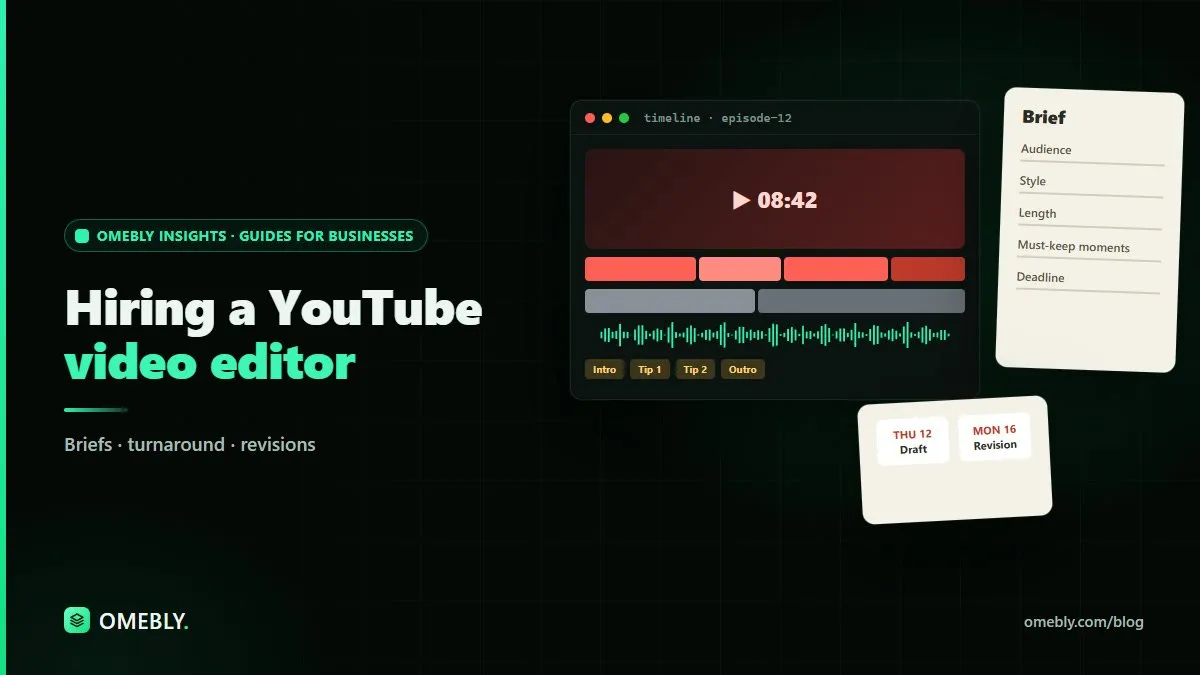
A good brief removes guesswork. Use the same one-page template for every video.
Brief template
- Video title (working) and goal: what should the viewer learn, feel or do?
- Audience: who is this for, and what do they already know?
- Target length: approximate duration for the long video and any Shorts.
- Reference videos: one or two examples with timestamps of what you like.
- Hook: the opening line or moment to start with.
- Must-keep moments: timestamps from the raw footage.
- Cut list: mistakes, tangents, off-topic sections.
- On-screen elements: captions style, lower thirds, zooms, B-roll, sound effects, music mood.
- Assets: logo, fonts, colour codes, intro/outro, B-roll folder, music library.
- Call to action: what to show at the end.
- Deadline: first draft date and publish date.
For ideas on what to ask for in the edit itself, see how to edit YouTube videos for retention.
Step 5: Agree turnaround times
There isn’t one correct turnaround. It depends on:
- Length and amount of raw footage.
- Edit style and amount of graphics or animation.
- Captions and subtitles.
- How organised your files and notes are.
- Whether thumbnails and Shorts are part of the job.
- The editor’s other commitments.
Practical rules that help:
- Agree turnaround per video type, for example one for standard episodes and a longer one for heavily produced videos.
- Count from the moment all files and the brief arrive, not from when you first mention the video.
- Build a buffer between the final cut and your publish date for revisions and upload.
- Plan ahead. A content calendar shared with your editor prevents last-minute rushes.
Step 6: Set clear revision rules
Revisions are where most editor relationships go wrong. Define them before the first video.
- How many rounds are included per video? One or two is a common arrangement.
- What counts as one round? All feedback in a single, consolidated list, not drip-fed messages over three days.
- What’s a revision versus a new request? Fixing a caption is a revision. Re-cutting the video around a new script is a new edit.
- How will feedback be given? Timestamped comments on a review link are far clearer than voice notes.
- Turnaround for revisions: agree a shorter window for minor fixes.
How to give good feedback
- Use timestamps: “At 02:14, cut the pause before ‘so anyway’.”
- Explain the why when it’s about style: “Feels slow here; tighten so we get to the demo faster.”
- Separate must-fix from nice-to-have.
- Watch the whole draft once before writing notes, so you don’t contradict yourself.
Step 7: Organise files and handover
- One shared folder per video with subfolders for raw footage, audio, B-roll, graphics, exports.
- A naming convention, such as
2026-11-09_episode-slug_v1.mp4. - Export settings agreed for resolution, frame rate and format.
- Music and stock licences in your name or the client’s, so your channel isn’t caught by claims later.
- Ownership in writing: final videos, project files and templates.
For quick trims or caption checks on your side, Omebly’s free in-browser video editor can handle small edits without sending files back and forth.
Your first month together
Treat the first few videos as a settling-in period. Expect more feedback early on while your editor learns your pacing, humour and visual style. To speed that up:
- Keep a running style document with decisions you’ve made, such as caption fonts, zoom rules and music mood.
- Share audience retention graphs and comments after each video goes live, so the editor sees what worked.
- Hold a short review call after the first two or three videos to adjust the brief and workflow.
- Note recurring feedback and add it to the brief template so it doesn’t need repeating.
Red flags when hiring
- No examples in your format.
- Reluctance to do a paid test.
- Vague answers on turnaround or revisions.
- Using unlicensed music or footage.
- Disappearing for days without updates.
Hiring checklist
- Needs defined: format, volume, style, extras
- Freelancer, in-house or agency decided
- Portfolios reviewed for similar formats
- Paid test edit with real footage
- Brief template ready
- Turnaround agreed per video type
- Revision rounds and definitions agreed
- File structure, naming and export settings set
- Licensing and ownership in writing
Want an editing team on call?
If you’d rather work with a team that handles long videos, Shorts and thumbnails together, Omebly’s studio in Kolkata, with a sales team in Downtown Dubai, can talk through your channel’s needs. See our YouTube video editing service or get in touch.
Frequently asked questions
What should I include in a brief for a YouTube video editor?
Your channel and audience, the video's goal, target length, reference videos you like, must-keep moments, things to cut, style for captions, music and graphics, the B-roll or assets available, deadline, and how you'll give feedback.
How long does it take to edit a YouTube video?
It depends on footage length, edit style, graphics, captions and how organised the files are. A simple talking-head edit is much quicker than a heavily produced video with motion graphics. Agree a turnaround per video type rather than one number for everything.
How many revisions should a YouTube editor include?
Many creators agree a set number of revision rounds per video, for example one or two, with extra rounds charged or scheduled separately. What matters most is defining a round: all feedback sent together in one list.
Should I hire a freelancer or an agency for YouTube editing?
A freelancer can suit a single channel with steady volume and a clear style. An agency or studio suits brands that need backup cover, larger volume, thumbnails, motion graphics or other services managed in one place.
Who owns the edited video and project files?
Agree this in writing before work starts. Most creators expect to own the final videos. Project files, custom templates and licensed music or stock should be covered explicitly, including how licences transfer.
How do I test a YouTube editor before hiring?
Review their portfolio for videos like yours, then run a short paid test edit with your own footage and a real brief. Judge pacing, story sense, audio, attention to your notes and how they communicate, not just effects.

Written by
Nazmul Hussain, Managing Director & Technical Head, Omebly. 10+ years building websites and apps for clients in India, the Gulf, the UK and the US, and mentoring at Omebly Academy. LinkedIn · GitHub
Follow Omebly
New guides, work and launches on every channel.