How Do You Get Clear Audio in Your Videos Without a Studio?
Clear sound starts before you press record. Here is how to choose and place a microphone, tame an echoey room, set levels and finish the mix, without renting a studio.
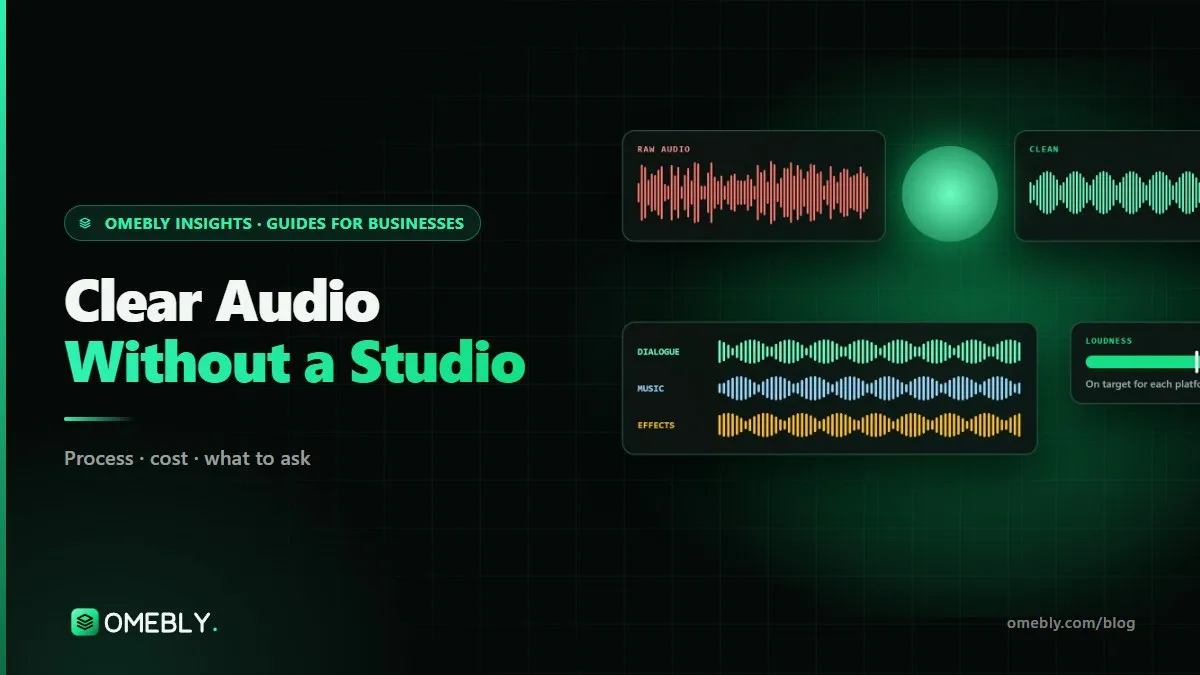
Viewers will forgive slightly soft focus or a plain background. They will not forgive a voice they have to strain to hear. Echo, hum, and music that drowns the speaker are among the quickest reasons people click away. The good news is that a studio is not required. This guide shows how to improve video audio quality with simple choices before, during and after recording, the same principles we apply in our sound design and mixing services.
Quick answer: To improve video audio quality without a studio, get the microphone close to the speaker (a clip-on lavalier is the cheapest big upgrade), record in the softest, quietest room you have, switch off fans and air conditioning during takes, and keep levels well below the maximum. Then clean noise and echo gently, level the voice, keep music low under speech, and check the final mix on a phone and headphones.
Why audio matters more than most people think
Sound carries the message. In talking-head videos, tutorials, interviews and ads, the words are the content. If the voice is muffled, the viewer has to work to follow it, and most will not bother. Poor audio also makes a brand feel careless, even when the picture looks polished.
Most audio problems are created at the recording stage and only partly fixable afterwards. So the biggest wins come before you press record.
Step 1: Choose the right microphone for the job
The camera’s or phone’s built-in microphone is designed to pick up everything around it. That is the opposite of what you want for speech.
| Microphone | Best for | Watch out for |
|---|---|---|
| Lavalier (clip-on), wired or wireless | Talking heads, interviews, walking and talking | Clothing rustle; clip it on the chest, not under thick fabric |
| Shotgun on camera or a boom | Run-and-gun, product demos, two people close together | Needs to be close and pointed at the mouth |
| USB desk microphone | Screen recordings, webinars, podcasts at a desk | Not practical when you move away from the computer |
| Phone or camera built-in mic | Backup only, or ambient sound | Picks up room echo and noise |
If you buy one thing this year, make it a lavalier. It solves distance, which is the root of most bad audio.
Step 2: Put the microphone in the right place
Distance matters more than price. A modest microphone close to the mouth beats an expensive one across the room.
- Lavalier: clip it on the chest, roughly a hand’s width below the chin, on the side the speaker will turn towards.
- Shotgun: keep it just out of frame, pointed at the mouth, as close as the shot allows.
- USB mic: a short distance from the mouth, slightly off to the side to soften hard “p” and “b” sounds.
- Avoid touching the mic or letting jewellery, lanyards or hair brush against it.
Step 3: Fix the room before you fix the file
Reduce noise
Turn off ceiling fans, air conditioning, fridges and notifications during takes. Close windows. Record when traffic, construction or prayer calls nearby are quiet. Steady background noise can be reduced later, but sudden noises over speech are very hard to remove.
Tame echo
Echo comes from sound bouncing off hard surfaces. Bedrooms with beds and curtains usually sound better than empty offices or tiled kitchens. If a room is bare, add soft things: rugs, curtains, cushions, a duvet hung out of shot, or a bookshelf behind the camera. Recording in a corner facing into the room helps too.
Record room tone
Before or after each set-up, record 20 to 30 seconds of silence in the room. Editors use it to fill the gaps left by cuts, so the background stays even.
Step 4: Set levels and record a backup
Recording too hot causes clipping, a harsh distortion that cannot be repaired. Recording too quietly brings up noise when you boost it later.
- Aim for speech that peaks well below the maximum, leaving headroom for laughs and loud words.
- Do a test take, then listen back on headphones before the real recording.
- If your microphone or recorder has a safety track, use it.
- Record a backup, for example the camera’s own audio alongside the lavalier, so a dead battery does not ruin the take.
- For interviews, ask people not to talk over each other, as overlapping voices are hard to edit.
Step 5: Clean up the audio gently
Once the recording is done, clean-up makes good audio great and bad audio usable. A professional order looks like this:
- Noise reduction: reduce steady hum, hiss and fan noise, section by section rather than with one heavy setting.
- De-reverb: reduce room echo carefully; too much makes voices sound hollow.
- Repair: remove clicks, mouth noise and harsh plosives.
- EQ: remove low rumble and add a little clarity to the voice.
- Compression: even out loud and quiet words so the voice stays consistent.
- De-essing: soften sharp “s” sounds.
The trap is overdoing it. Aggressive noise reduction and one-click “enhance” buttons can leave voices thin or watery. Sometimes the better choice is to leave a little background and let music or ambience mask it.
Step 6: Mix music, effects and voice
Music lifts energy but must never compete with speech. Keep it well under the voice, and lower it further when someone talks. Sound effects should mark a cut or an action, not fill every gap. Ambience, such as soft room or street sound, makes edits feel continuous.
Check loudness for where it will play
A mix that suits a TV channel may sound quiet on a phone, and the reverse. Broadcasters in many regions follow the EBU R128 loudness recommendation, while YouTube and social platforms normalise playback to their own levels. Measure with a loudness meter, avoid clipping, and always check on a phone speaker and headphones before you publish.
How to improve video audio quality when you film on a phone
Many business videos are now shot entirely on a phone, and that is fine for sound too, with a few adjustments.
- Use an external microphone. Most clip-on and wireless lavalier kits connect to phones through USB-C or Lightning, or through a small receiver. Check the phone’s camera app actually records from the external mic before a real take; some apps quietly fall back to the built-in microphone.
- Turn off notifications and calls. Use flight mode or do-not-disturb so a ringtone or vibration does not ruin a take.
- Watch the phone’s own processing. Some phones apply automatic noise reduction or “voice focus” modes. They can help in a noisy café but may make voices sound unnatural in a quiet room. Test both and listen on headphones.
- Record a separate backup. A second phone running a voice-recorder app near the speaker gives you a spare track if the main one fails. Clap once at the start so the editor can sync it.
- Keep the phone still and close. If you must use the built-in mic, film closer and in the quietest room you have; every step back adds echo.
These small habits make phone audio far easier to edit.
Common audio mistakes
- Relying on the camera mic. It hears the room, not the speaker.
- Recording in an empty, echoey room. Add soft furnishings or move rooms.
- Leaving the AC on. The hum is easy to ignore on set and obvious on playback.
- Recording too loud. Clipped audio cannot be repaired.
- Music too loud under speech. If you have to concentrate to hear words, lower it.
- Over-processing. A natural voice with slight background beats a robotic clean one.
- Mixing only on laptop speakers. Check on several devices.
Clear audio checklist
- Lavalier, shotgun or USB mic chosen for the format
- Mic close to the mouth and free of rustle
- Fans, AC and notifications off; windows closed
- Soft furnishings added to reduce echo
- Room tone recorded at each set-up
- Test take checked on headphones
- Levels peaking well below maximum, backup track recorded
- Gentle noise reduction, de-reverb and repair
- Voice levelled; music and effects sit under speech
- Loudness measured; mix checked on phone and headphones
How Omebly can help
If your recordings are already done and the sound is not right, Omebly’s sound design and mixing for video can help. We clean dialogue section by section in iZotope RX, reduce hum, hiss and echo, sweeten and level voices, build ambience and Foley where it helps, and mix to EBU R128 for broadcast or to the level your web platform expects, with stems or an M&E track on request. Some recordings have limits, so we listen to a one-minute sample and tell you honestly what can be fixed before you commit.
Sound is built into our YouTube video editing and our event and documentary film editing, where audio is often recorded in difficult rooms. See the full range on our video editing services page, or read our guide on how to edit YouTube videos for retention. Send an audio sample through our contact page or on WhatsApp at +91 70444 33991.
Clip a microphone close, switch off the fan, and your next video will already sound better.
Frequently asked questions
What is the cheapest upgrade for better video audio?
A clip-on lavalier microphone, wired or wireless, worn on the chest. Getting the microphone close to the mouth improves clarity more than almost any other change, and it works with phones and cameras alike.
Is a USB microphone good for video?
It is excellent for screen recordings, webinars and podcasts where you sit at a desk. For on-camera work where you move or stand away from the computer, a lavalier or a camera-mounted shotgun is usually more practical.
Why does my voice sound echoey in videos?
Hard, bare surfaces such as tiles, glass and empty walls bounce sound back into the microphone. Moving the mic closer and adding soft furnishings like rugs, curtains or a sofa reduces echo far more than any software setting.
Should I use the AI audio enhance button in my editing app?
It can help with mild noise, but on difficult audio it often makes voices sound thin or watery. Try it, compare with the original on headphones, and if the voice sounds processed, use a lighter setting or targeted repair.
What is room tone and why record it?
Room tone is 20 to 30 seconds of the room's natural background sound with nobody speaking. Editors use it to fill gaps after cuts, so the background stays consistent instead of dropping to dead silence.
How loud should my video's audio be?
It depends on the platform. Broadcast in many regions follows the EBU R128 loudness standard, while streaming and social platforms normalise playback to their own levels. Mix so speech is clear and consistent, avoid clipping, and check on a phone and headphones.

Written by
Nazmul Hussain, Managing Director & Technical Head, Omebly. 10+ years building websites and apps for clients in India, the Gulf, the UK and the US, and mentoring at Omebly Academy. LinkedIn · GitHub
Follow Omebly
New guides, work and launches on every channel.