Flutter Project Ideas, From a To-Do App to Real-Time Chat
The fastest way to learn Flutter is to build. Here are project ideas ordered by difficulty, from a to-do app to real-time chat, with what each one teaches.
Watching tutorials can make Flutter feel easy. Then you open a blank project and don’t know where to start. The fix is simple: build things, starting small and getting steadily harder.
This list of Flutter project ideas is ordered by difficulty. Each idea explains what you’ll learn, the core features to build first, and stretch features for when the basics work. Pick one from your level, finish it, then move up.
Quick answer: Good Flutter project ideas move from simple to complex: start with a to-do app and a calculator to learn widgets and state, build a weather app or news reader to practise APIs, then try an expense tracker with local storage, an app with login and cloud data, and finally a real-time chat app. Finish each project before starting the next.
Before you start: the basics you need
You’ll get more from these projects if you’re comfortable with:
- Dart fundamentals: variables, functions, classes, lists, maps, null safety and
async/await. Our guide to Dart basics for Flutter covers these. - Core widgets:
Text,Row,Column,Container,ListView,TextFieldand buttons. - Stateless vs stateful widgets and how
setStaterebuilds the screen. - Running on an emulator or a real phone.
If you’re starting from zero, read our guide on how to learn Flutter app development first, then come back here.
Beginner Flutter project ideas
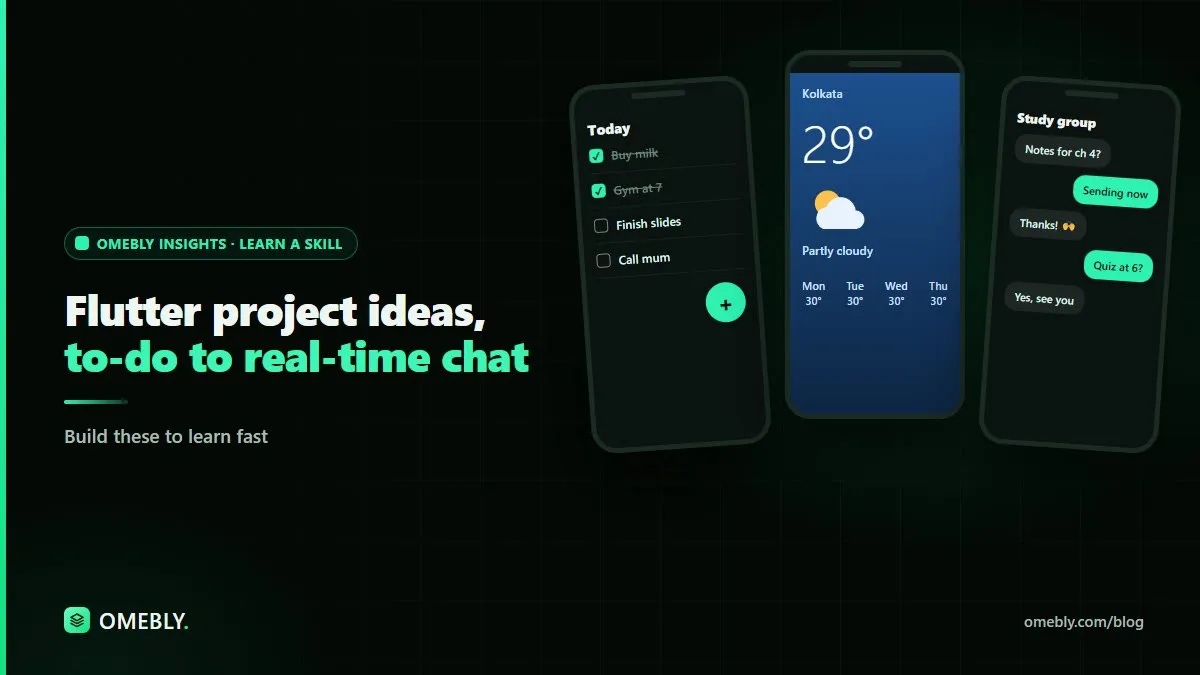
1. To-do list app
The classic first project, and still one of the best.
You’ll learn: layouts, user input, lists, and updating state.
Core features:
- Add a task with a text field
- Show tasks in a scrollable list
- Tick tasks as done
- Delete tasks with a swipe
Stretch features: save tasks on the device so they survive a restart, add due dates, filter by done and not done.
2. Calculator
You’ll learn: grid layouts, button handling, and keeping logic separate from the interface.
Core features: number buttons, the four basic operations, clear and delete.
Stretch features: handle decimals and division by zero gracefully, show a history of calculations, support a dark theme.
3. Tip and bill splitter
You’ll learn: form input, validation, and formatting numbers as currency.
Core features: enter a bill amount, choose a tip percentage, split between people, show each person’s share.
Stretch features: round up options, remember the last tip percentage, support different currencies.
Intermediate Flutter project ideas
4. Weather app
Your first app that talks to the internet.
You’ll learn: HTTP requests, JSON parsing, FutureBuilder, and handling loading and error states.
Core features:
- Fetch weather for a city from a public weather API
- Show temperature, conditions and an icon
- Display a loading indicator and a friendly error message
Stretch features: use the device’s location (with permission), show a multi-day forecast, save favourite cities.
Tip: keep API keys out of your public code repository.
5. News or recipe reader
You’ll learn: list and detail screens, navigation, passing data between screens, and image loading.
Core features: a list of articles or recipes from an API, a detail screen, pull to refresh.
Stretch features: search, categories, bookmarks saved locally, and offline caching.
6. Expense tracker
A practical app that introduces proper data storage.
You’ll learn: local databases, forms, data models, and simple charts.
Core features:
- Add expenses with amount, category, date and note
- List expenses by month
- Show totals per category
Stretch features: a pie or bar chart of spending, budgets with alerts, export to a file.
At this stage, start using a state management approach rather than relying on setState everywhere. Pick one well-documented option and learn it properly.
7. Habit tracker
You’ll learn: date handling, streaks, local notifications and custom widgets.
Core features: create habits, mark them done each day, show the current streak.
Stretch features: reminder notifications, a calendar heatmap, statistics per habit.
Advanced Flutter project ideas
8. Notes app with login and cloud sync
You’ll learn: authentication, cloud databases, security rules and syncing data across devices.
Core features:
- Sign up and log in with email
- Create, edit and delete notes stored in the cloud
- See the same notes on two devices
Stretch features: offline support with sync when the connection returns, sharing notes with another user, rich text.
Choosing a backend service is a big decision. Compare options carefully before you commit, and check how each handles security rules and pricing as your app grows.
9. Small shop or booking app
You’ll learn: complex navigation, carts or booking flows, and structuring a larger codebase.
Core features: a product or service list, a detail screen, a cart or booking form, an order summary.
Stretch features: an admin screen to add products, order history, and a test-mode payment flow.
Keep payments in test mode while learning, and never store card details yourself.
10. Real-time chat app
The capstone. It pulls together almost everything you’ve learned.
You’ll learn: real-time data streams, StreamBuilder, user profiles, message ordering and scalable data structures.
Core features:
- Log in and see a list of conversations
- Open a chat and send text messages
- Receive new messages instantly without refreshing
- Show timestamps and who sent each message
Stretch features: typing indicators, read receipts, image messages, push notifications, group chats, and blocking or reporting users.
Think about safety: any app where people message each other needs basic moderation features, such as blocking and reporting, and careful handling of personal data.
How to choose your next project
With ten ideas on the table, it’s easy to jump straight to the chat app. Resist that. A better approach is to pick the next project based on the single new skill you want to learn:
- Want to get comfortable with layouts and state? Build the to-do app or calculator.
- Ready to work with the internet? Build the weather app or news reader.
- Need practice with data that persists? Build the expense or habit tracker.
- Ready for users and accounts? Build the notes app with cloud sync.
- Want to handle live data? Build the chat app.
Each project should feel slightly uncomfortable but not overwhelming. If you spend more time stuck than building, step back one level, finish a smaller app, and return later. You can also rebuild an earlier project with a new skill, such as adding cloud sync to your to-do app. Rebuilding familiar features in a new way is one of the quickest ways to understand how Flutter apps fit together.
How to finish projects instead of abandoning them
Most learners start many projects and finish few. A few habits help:
- Write a short scope first. List the core features and stop there until they work.
- Sketch the screens. A quick drawing of each screen saves hours of rework.
- Build one feature at a time and test it on a device before moving on.
- Use version control and commit after each working feature.
- Polish the basics. Add an app icon, a proper name, empty states and error messages. Our free image editor is handy for preparing icons and store-style screenshots.
- Write a short README explaining what the app does, how to run it and what you learned.
Using AI coding assistants on Flutter projects, responsibly
AI coding assistants can speed up learning. Use them to explain error messages, suggest how to structure a widget tree, or review your code for problems. AI tools like Claude can also explain a concept such as streams in plain language.
Use them carefully:
- Understand before you paste. If you can’t explain the code, you haven’t learned the skill yet.
- Check against current documentation. Assistants sometimes suggest outdated packages or APIs.
- Test on real devices and with bad input, slow networks and empty data.
- Keep secrets private. Don’t paste API keys, passwords or user data into AI tools.
Build these projects with guidance
Building on your own is valuable, but live feedback helps you avoid bad habits early. Omebly Academy’s App Development With AI course teaches mobile app development alongside AI-assisted workflows. It runs for 8 weeks with 16 live classes, costs USD 280, and is taught live by Nazmul Hussain’s team. Nazmul Hussain is Omebly’s Managing Director and Technical Head, with 10+ years of experience building digital products.
You can compare every option on the Omebly Academy training page.
Ready to build your next app? See the App Development With AI course.
Frequently asked questions
What is a good first Flutter project?
A to-do list app is a strong first project. It teaches widgets, layouts, user input, state changes and lists, and you can extend it with local storage once the basics work.
How many Flutter projects should I build?
Focus on finishing a few well-built projects rather than starting many. A small set that shows different skills, such as local storage, an API and real-time data, shows more than a long list of half-finished apps.
Do I need a backend for Flutter projects?
Not at first. Early projects can store data on the device. When you move to logins, syncing or chat, you'll need a backend service or your own server.
Should I learn Dart before building Flutter projects?
Learn the Dart basics first: variables, functions, classes, lists, maps and async code. Then learn the rest by building. Each project will push your Dart skills further.
Can I use AI tools to help build Flutter apps?
Yes, AI coding assistants can explain errors, suggest widget structures and draft code. Review everything they produce, test on real devices and make sure you understand the code before you rely on it.
Written by
Nazmul Hussain, Managing Director & Technical Head, Omebly. 10+ years building websites and apps for clients in India, the Gulf, the UK and the US, and mentoring at Omebly Academy. LinkedIn · GitHub
Follow Omebly
New guides, work and launches on every channel.