Why Do Apps Get Rejected From the App Store and Google Play?
Most app rejections are avoidable: crashes, missing demo logins, privacy mismatches and payment rules. Here is what Apple and Google look for.
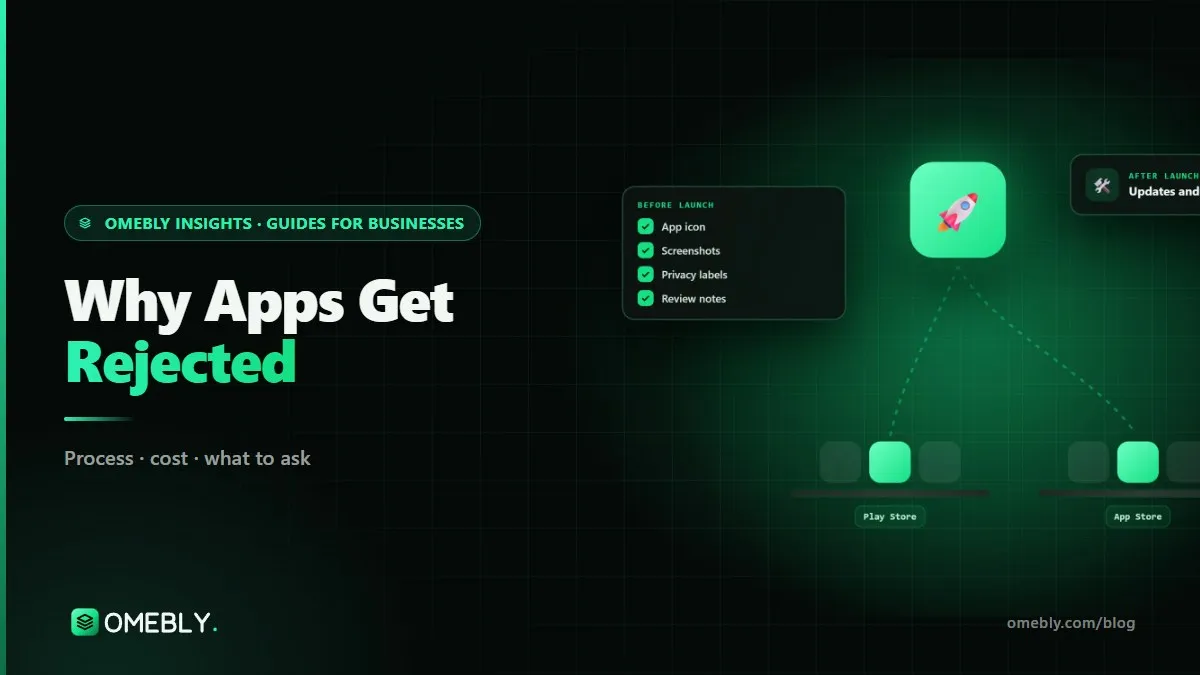
You have finished the app, paid for the developer accounts and pressed submit. Then the message arrives: rejected, or “changes needed”. It is frustrating, but it is rarely mysterious. Most rejections come from a short list of avoidable problems. This guide explains the common app store rejection reasons on both Apple’s App Store and Google Play, what each one means in practice and how to prevent it. If you would rather have specialists prepare and handle the submission, see our app store submission service.
Quick answer: Apps are most often rejected because they crash or feel unfinished, the reviewer cannot log in, the listing does not match the app, privacy declarations do not match what the app or its SDKs collect, digital goods bypass in-app purchase rules, permissions are requested without clear reasons, account deletion is missing, or the app offers too little beyond a website. Check each before you submit, give reviewers a demo login and clear notes, and leave a few spare days before any launch date.
How app review works on each store
Apple reviews every new app and every update against its App Review Guidelines, with a human reviewer involved. When something is wrong, you get a message citing the guideline number, and you can reply in App Store Connect.
Google Play combines automated checks with human review, and holds apps to its Developer Program Policies, the data safety requirements and technical rules such as target API levels. Google can also act on apps after they are live if a policy problem is found later.
Neither store guarantees approval, and both change their rules regularly, so a checklist from two years ago may no longer be enough.
The most common rejection reasons
1. Crashes, bugs and unfinished features
Apple’s guideline 2.1 on app completeness asks for final versions with working links and no placeholder content, and says apps that crash or are incomplete will be rejected. Google Play also checks for broken functionality. Typical culprits: a crash on first launch on an older device, an empty screen because the test server was switched off, “coming soon” buttons, or a broken link to the privacy policy.
Prevent it: test the exact release build on real older devices, keep the backend running during review, and remove anything unfinished.
2. The reviewer cannot sign in
If your app has a login, reviewers need a way in. Apple’s guidelines ask for an active demo account or a fully featured demo mode. An expired password, an account that needs an OTP sent to your phone, or a login restricted by region all lead to rejections.
Prevent it: create a dedicated reviewer account with sample data, disable OTP for it if needed, and explain anything unusual in the review notes.
3. Listing does not match the app
Apple’s guideline 2.3 requires metadata, including screenshots, descriptions and privacy information, to reflect the app’s real experience. Screenshots showing only a splash or login screen, features described but not present, or keyword-stuffed names cause problems on both stores.
Prevent it: use real screenshots of the app in use and describe only what it does today.
4. Privacy details that do not match reality
Apple’s privacy labels and Google Play’s data safety form must reflect what your app collects, including data collected by third-party SDKs such as analytics, ads or crash reporting. This is one of the easiest things to get wrong, because developers often forget what an SDK gathers.
Prevent it: list every SDK in the app, check each one’s documentation for the data it collects, and complete the forms from that list. Make sure your privacy policy is live and says the same thing.
5. Payments that break store rules
On Apple, guideline 3.1.1 says that digital content and features unlocked inside the app, such as subscriptions or premium content, must use in-app purchase. Physical goods and real-world services, such as food orders or bookings, can use other payment methods like Apple Pay or a payment gateway. Google Play has its own payments policy with similar principles and some regional differences.
Prevent it: decide early which of your products are digital and which are physical, and design payments around the rules for each store and country.
6. Missing account deletion
Both stores require apps that let users create an account to also let them delete it. Apple’s guideline 5.1.1(v) requires deletion within the app, and Google Play asks for an in-app path plus a web link where users can request deletion. Apps that only offer “deactivate” or “email us” are commonly flagged.
Prevent it: build account deletion into the first version, along with a clear explanation of what data is removed.
7. Permissions without a clear reason
Asking for location, contacts, camera, photos or notifications without an obvious need draws attention. On iOS, every permission needs a purpose string explaining why. Google Play restricts sensitive permissions such as background location and broad photo and video access, and may require a declaration explaining your use.
Prevent it: request only what you need, ask at the moment it is needed, and explain why in plain words.
8. Too little functionality
Apple’s guideline 4.2 says an app should offer more than a repackaged website, and 4.3 warns against near-identical or copycat apps. A “web wrapper” that simply loads your website in a frame is a classic rejection.
Prevent it: give the app real app value, such as offline access, notifications, device features or a faster, focused flow.
9. Social login without an equivalent option (Apple)
Apple’s guideline 4.8 says that if an app uses a third-party or social login, such as Google Sign-In, as its main account login, it must also offer an equivalent option that limits data collection to name and email, lets users keep their email private, and does not collect app interactions for advertising without consent. There are exceptions, such as apps that use only the company’s own account system.
Prevent it: if you offer Google or Facebook login on iOS, plan Sign in with Apple or an equivalent option from the start, and test it with the reviewer account in mind.
Google Play specific hurdles
Closed testing for new personal accounts
Google requires personal developer accounts created after 13 November 2023 to run a closed test with at least 12 testers who stay opted in for 14 consecutive days before applying for production access, according to Google Play Console Help. This is not a rejection, but it surprises many first-time publishers.
Target API level
Google Play requires new apps and updates to target a recent Android API level. From 31 August 2026, that is Android 16 (API level 36) for phone apps, with extensions available on request. An old build that misses the requirement cannot be published.
Rejection reasons at a glance
| Reason | Apple | Google Play | Fix |
|---|---|---|---|
| Crashes or unfinished features | Yes | Yes | Test release build on real devices |
| No reviewer access | Yes | Yes | Demo account and review notes |
| Misleading listing | Yes | Yes | Real screenshots, honest copy |
| Privacy mismatch | Privacy labels | Data safety form | Audit every SDK |
| Payment rules | In-app purchase for digital goods | Play payments policy | Separate digital and physical |
| No account deletion | Yes | Yes, plus web link | Build it into version one |
| Sensitive permissions | Purpose strings | Declarations for some | Ask only when needed |
| Too little functionality | Guideline 4.2 | Less common | Add real app value |
What to do if your app is rejected
- Read the message carefully, including the guideline or policy cited.
- Decide where the fix is: the app, the listing or simply a clearer explanation.
- Make the change and test it on a real device.
- Reply politely and specifically, saying what you changed and where the reviewer can see it.
- Appeal only if you are confident the reviewer misunderstood, with evidence.
Pre-submission checklist
- Release build tested on older and newer devices
- Backend live, no placeholder content or broken links
- Reviewer demo account with sample data, plus review notes
- Screenshots and description match the real app
- Privacy labels and data safety form match every SDK
- Privacy policy live and consistent
- Payments follow each store’s rules
- Account deletion in the app (and a web link for Google Play)
- Permissions requested only when needed, with clear reasons
- Target API level and Xcode version meet current requirements
- Closed test planned if your Google account needs one
How Omebly can help
Omebly prepares apps for both stores: a pre-submission review against Apple’s guidelines and Google Play’s policies, signing and release builds, store listings, privacy labels and data safety forms, beta testing, and reviewer communication if a question or rejection comes back. The final decision always rests with Apple and Google, so we cannot promise approval, but we remove the avoidable reasons for rejection. If you are still building, our iOS app development team builds with review rules in mind from the first sprint. Before building, you may also find our guide to Swift vs Flutter for iOS useful.
Projects are led by founder Nazmul Hussain, who brings 10+ years of his own experience building and shipping apps. See our wider app development services, or read how our app store launch and support service works.
App stuck in review or rejected? Contact us for a free consultation.
Frequently asked questions
How long does it take to fix a rejected app?
It depends on the reason. Missing information, such as a demo login or clearer review notes, can be fixed and resubmitted the same day. Code changes, such as adding account deletion or switching to in-app purchase, take longer and need testing before resubmission.
Can I appeal an App Store or Google Play rejection?
Yes. Apple lets you reply to the reviewer in App Store Connect and, if you disagree, submit an appeal to the App Review Board. Google Play has an appeals process for policy decisions in the Play Console. A clear, polite explanation with evidence works better than arguing.
Does a rejection hurt my developer account?
An ordinary rejection for a fixable issue does not usually harm your account. Repeated or serious policy violations, such as deceptive behaviour or malware, can lead to suspensions, especially on Google Play.
Why was my update rejected when the first version was approved?
Each submission is reviewed against the rules in force at that time, and different reviewers may notice different things. Rules also change, such as new target API levels or privacy requirements, so an update can be held to a newer standard.
Do Flutter or React Native apps get rejected more often?
No. Apple and Google review the app's behaviour, content and listing, not the framework. A cross-platform app is judged by the same guidelines as a native one.
Should I submit to both stores at the same time?
You can, but plan for different timelines. Apple review is usually quick, while some new Google Play personal accounts must first complete a 14-day closed test. Many teams launch Android and iOS a few days apart.

Written by
Nazmul Hussain, Managing Director & Technical Head, Omebly. 10+ years building websites and apps for clients in India, the Gulf, the UK and the US, and mentoring at Omebly Academy. LinkedIn · GitHub
Follow Omebly
New guides, work and launches on every channel.