AI for Digital Marketing: Plan a Month of Content With AI
A step-by-step method for using AI to plan a month of marketing content: goals, content pillars, a calendar, drafts and a human review before anything goes live.
Coming up with fresh content every week is one of the hardest parts of marketing a business. You know you should post consistently, but ideas dry up, deadlines slip and the calendar ends up half empty. AI for digital marketing can help you plan a full month in one sitting, as long as you use it as a planning partner rather than an autopilot.
This guide walks you through a practical method: set goals, choose content pillars, generate ideas, build a calendar, draft posts and review everything before it goes live. You’ll get example prompts you can copy and adapt.
Quick answer: To plan a month of content with AI, start with one clear goal and a short brief on your audience and brand voice. Ask the AI for three to five content pillars, then ideas under each, then a four-week calendar by channel and format. Draft posts with AI, edit them in your own voice, check every fact and offer, and keep customer data out of your prompts.
Why plan a month at a time?
Planning a month ahead gives you room to batch work, line up content with promotions and events, and avoid last-minute posting. It also makes it easier to see the balance of your content: are you only selling, or are you also teaching, entertaining and building trust?
AI tools like Claude are well suited to this kind of work. They’re quick at generating options, organising them into structures and drafting first versions. You bring the knowledge of your business, customers and brand.
Step 1: Set one clear goal
Before you open any AI tool, decide what this month’s content is for. Pick one main goal:
- Build awareness of a new product or service
- Drive enquiries or bookings
- Grow an email list
- Educate customers to reduce support questions
- Promote a seasonal event or sale
One goal keeps the plan focused. You can still post other content, but most posts should support that goal.
Step 2: Write a short brief for the AI
The brief is the most important part. Include:
- Business: what you sell and where
- Audience: who your customers are and what they care about
- Goal: from Step 1
- Channels: for example Instagram, Facebook, LinkedIn, email, blog
- Capacity: how many posts per week you can realistically produce
- Brand voice: three or four words, such as “warm, expert, straightforward”
- Key dates: events, launches, holidays and offers this month
Example brief prompt:
“I run a small interior design studio for apartment owners. This month’s goal is more consultation bookings. Channels: Instagram (three posts a week), LinkedIn (one post a week) and one email newsletter. Brand voice: warm, practical, confident. Key date: free design clinic on the 20th. Please confirm you understand before we plan.”
Step 3: Choose content pillars
Content pillars are the recurring themes your content covers. They stop you from posting randomly.
Prompt: “Suggest five content pillars for this business and goal. For each, explain in one sentence how it supports consultation bookings.”
You might end up with pillars like:
- Education: small-space design tips
- Proof of work: before-and-after projects (real ones only)
- Behind the scenes: how a design project runs
- Common questions: budgets, timelines and choosing materials
- Offers and events: the design clinic and booking reminders
Pick three to five that fit. Edit them so they reflect what you actually do.
Step 4: Generate ideas under each pillar
Prompt: “Give me six post ideas for each pillar. For each idea, suggest the best format: carousel, short video, single image, text post or email section.”
Expect a long list. Your job is to choose. Cross out anything generic, off-brand or that you can’t deliver, such as a project you don’t have photos of.
If short video is part of your plan, our guide on how to make video ads covers structure and hooks, and our free video editor lets you trim and tidy clips in the browser.
Step 5: Build the calendar
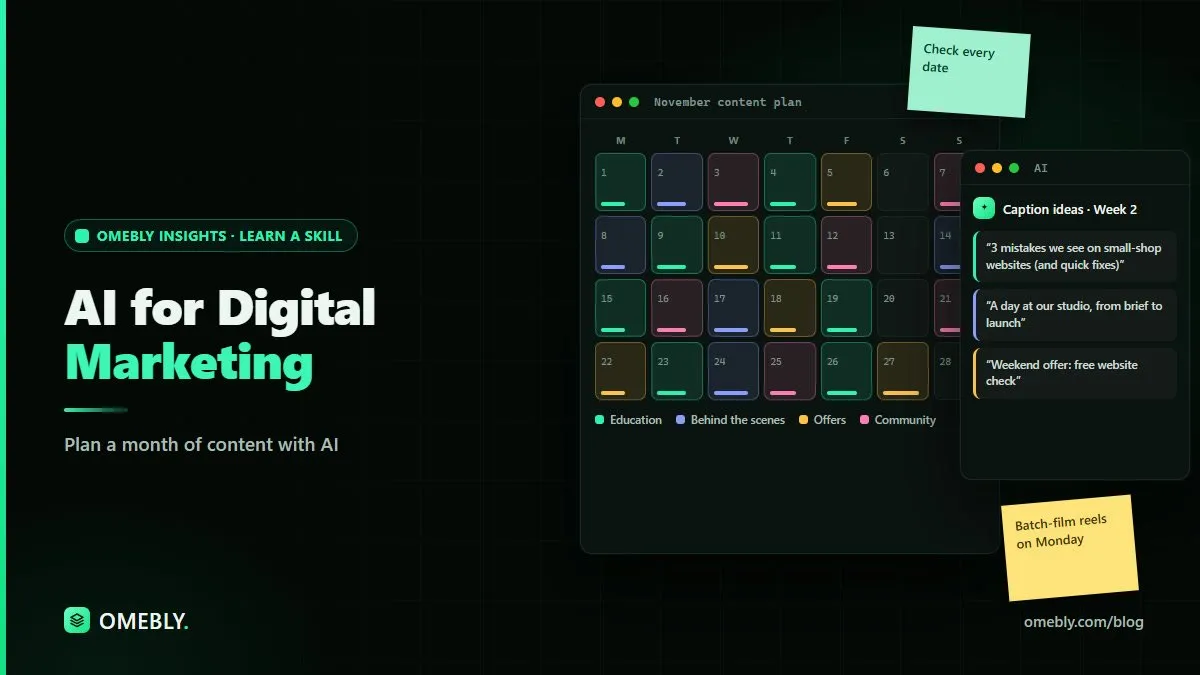
Prompt: “Using the ideas I’ve selected [paste list], create a four-week content calendar as a table with columns for week, day, channel, pillar, format, post idea and call to action. Build up to the design clinic on the 20th and include reminders before it.”
A simple calendar might look like this:
| Week | Focus | Example posts |
|---|---|---|
| Week 1 | Education and trust | Small-space tips carousel; behind-the-scenes video; LinkedIn post on planning a renovation |
| Week 2 | Proof and questions | Before-and-after post; budget FAQ carousel; clinic announcement |
| Week 3 | Event push | Clinic reminders; what to bring; live Q&A; newsletter |
| Week 4 | Follow-up | Clinic highlights; booking reminder; most asked questions from the clinic |
Check the calendar against your real capacity. A smaller plan you complete beats an ambitious one you abandon.
Step 6: Draft the posts
Now ask for drafts, a week at a time.
Prompt: “Write captions for Week 1’s Instagram posts. Use our brand voice: warm, practical, confident. Keep each under 120 words, end with a clear call to action, and suggest three relevant hashtags. Don’t make up statistics or client stories.”
Make the drafts sound like you
- Paste two or three past posts you liked and ask the AI to match the style.
- Replace generic phrases with real details: your city, your projects, your process.
- Read each caption aloud. If it doesn’t sound like something you’d say, rewrite it.
Step 7: Review before anything goes live
This step protects your brand and your customers.
Check facts and claims
AI can invent statistics, quotes and claims that sound convincing. Remove any number or fact you can’t confirm. Never publish made-up reviews, testimonials or results.
Check offers and details
Dates, prices, discounts, links and event details must come from you. Read them twice.
Protect privacy
Don’t paste customer names, contact details or private messages into AI tools. If you want to use customer feedback for ideas, remove identifying details first, and get permission before featuring anyone in a post.
Follow platform and advertising rules
Make sure content follows each platform’s rules, and be careful with claims in regulated areas such as health, finance or property.
Step 8: Measure and improve
At the end of the month, look at what worked. Which posts brought clicks, enquiries or bookings? Which pillars got the most engagement? Our GA4 tutorial for beginners explains how to track website visits from your content.
Then bring those results back to the AI: “Here’s how last month’s posts performed [paste summary]. Suggest how to adjust next month’s pillars and formats.” Over time, your plans get sharper.
Common mistakes to avoid
- Skipping the brief. Without context, AI produces generic content.
- Publishing drafts unedited. Readers notice bland, repetitive writing.
- Overplanning. Match the plan to your real time and resources.
- Only selling. Balance offers with useful, interesting content.
- Inventing proof. Use only real work, real reviews and real numbers.
How Omebly can help
If you want to build a repeatable, responsible AI workflow for marketing, Omebly Academy’s AI for Digital Marketing course covers practical ways to use AI tools for planning and creating content. It runs for 8 weeks with 16 live classes and costs USD 280. Classes are taught live by Nazmul Hussain’s team; Nazmul Hussain is Omebly’s Managing Director and Technical Head, with 10+ years of experience building digital products.
You can compare every option on the Omebly Academy training page.
Ready to plan next month’s content in an afternoon? See the AI for Digital Marketing course.
Frequently asked questions
Can AI create a content calendar?
Yes. AI tools can turn your goals, audience and content themes into a draft calendar with post ideas, formats and dates. You should still adjust it for your real events, offers and capacity.
Will AI-written content sound like my brand?
Not automatically. Give the AI a short brand voice guide and examples of posts you like, then edit every draft. Human editing is what makes content sound genuinely yours.
Is AI-generated content bad for SEO?
Search engines focus on whether content is helpful and original, not simply how it was produced. Thin, repetitive or inaccurate AI content is a problem; useful, accurate content that a person has reviewed and improved is not.
What should I not use AI for in marketing?
Avoid using AI to invent reviews, testimonials, statistics or claims, and don't paste customer personal data into AI tools. Final decisions on offers, pricing and sensitive topics should be made by a person.
How much time does an AI content plan take?
It depends on your business and how many channels you run. AI speeds up idea generation and first drafts, but leave time for planning, editing, design and approvals.

Written by
Nazmul Hussain, Managing Director & Technical Head, Omebly. 10+ years building websites and apps for clients in India, the Gulf, the UK and the US, and mentoring at Omebly Academy. LinkedIn · GitHub
Follow Omebly
New guides, work and launches on every channel.