What Makes a Video Ad Stop the Scroll on Meta and TikTok?
Why some video ads stop the scroll and others vanish: a practical build process, a second-by-second structure for short ads, and the edit decisions that matter on Meta and TikTok.
Most video ads are not ignored because the product is bad. They are ignored because the viewer’s thumb was already moving and nothing in the first moment gave it a reason to stop. If you are wondering how to make video ads that hold attention on Meta and TikTok, the answer is mostly in the edit: what you show first, what the viewer reads with the sound off, and how quickly you get to one clear point. This guide walks through the decisions we make on every ad in our video ad production work.
Quick answer: A video ad stops the scroll when its first second shows something the viewer instantly recognises or did not expect: a problem, a result or the product doing something. Then it makes one point, carries it in captions for sound-off viewers, looks native to the feed rather than like a TV commercial, and ends with one specific action. Build it vertical first, keep key content in the safe zone, and make a few versions to test.
Why people scroll past most video ads
A feed is not a TV channel. Nobody chose to watch your ad, and the next post is one flick away. Viewers decide almost instantly whether something is worth a second look, and they decide based on what they see, not on your logo.
The ads that lose attention tend to share a few habits: a slow brand intro, a wide shot with nothing happening, a message that only exists in the voice-over, or a look that screams “advertisement” next to friends’ posts. Both Meta and TikTok publish creative guidance pointing the same way. TikTok’s creative best practices recommend vertical 9:16 video, introducing your proposition early and keeping key content inside the UI safe zone. Google’s ABCDs of effective video ads (attention, branding, connection, direction) frame much the same idea for YouTube.
The five things a scroll-stopping ad gets right
1. A first frame that does something
The opening frame should already be interesting as a still image. Good openings include the product mid-action, a before-and-after, a person reacting, a bold one-line question on screen, or the end result shown first. Avoid fades from black, logo stings and “Hi everyone”.
2. One message
A 20-second ad can carry one benefit well. Listing five features makes none of them stick. Pick the reason your best customers buy and build the whole ad around it.
3. Sound-off clarity
Many people watch feeds muted, especially on Meta. Burned-in captions and short on-screen headlines should tell the full story without audio. On TikTok, sound matters more, so a voice or track that fits the format helps, but captions still do the heavy lifting for comprehension.
4. A native look
Ads that look like content perform differently from ads that look like commercials. Handheld phone footage, a real person talking to camera and simple text often sit more naturally in a feed than glossy studio shots. Polished footage can still work; it just needs feed-style pacing and text.
5. One clear action
“Shop now” is fine; “Order before Friday for free delivery” is better. Show the offer on screen, not only in the ad copy, and give it a few seconds at the end.
How to make video ads: a six-step build
Step 1: Write the angle, not the script
Start with what your customer worries about and what you can prove. Turn that into an angle, such as problem-and-fix, comparison, product demo or customer story. Each angle becomes one ad.
Step 2: Plan the opening options
For each angle, write two or three possible openings: a question, a bold claim you can support, or a visual moment. The body of the ad stays the same; only the start changes. This gives you versions to test. If you want to know how many to make, our guide on how many ad creatives to test covers it in detail.
Step 3: Gather the right footage
You need more close-ups than you think. A useful shot list for a product ad:
- The product in hand, filmed vertically and horizontally
- The problem it solves, shown in one shot
- The product in use, step by step
- The result or “after” moment
- A person’s reaction or a short spoken line
- Packaging and logo, for the end card
If you cannot film, licensed stock, creator UGC or a simple motion graphics ad can fill the gap.
Step 4: Edit to a tight structure
Here is a simple structure for a 15-second ad:
| Time | Job | On screen |
|---|---|---|
| 0–2s | Stop the scroll | Problem, result or action, with a short headline |
| 2–6s | Make it relevant | Who it is for, or the pain in one shot |
| 6–11s | Show the benefit and proof | Product in use, close-up, quick demo or review line |
| 11–15s | Ask for one action | Offer, logo, call to action, held long enough to read |
For 30 seconds, stretch the middle with more proof, not a longer intro.
Step 5: Captions, sound and safe zones
Add captions timed to speech and keep them large and short. Place text and faces away from the edges where Meta and TikTok draw buttons, profile names and ad copy. Use music licensed for advertising; tracks from a personal-use library can be muted or flagged on ads. Clean the voice so it is clear on a phone speaker.
Step 6: Export versions for each placement
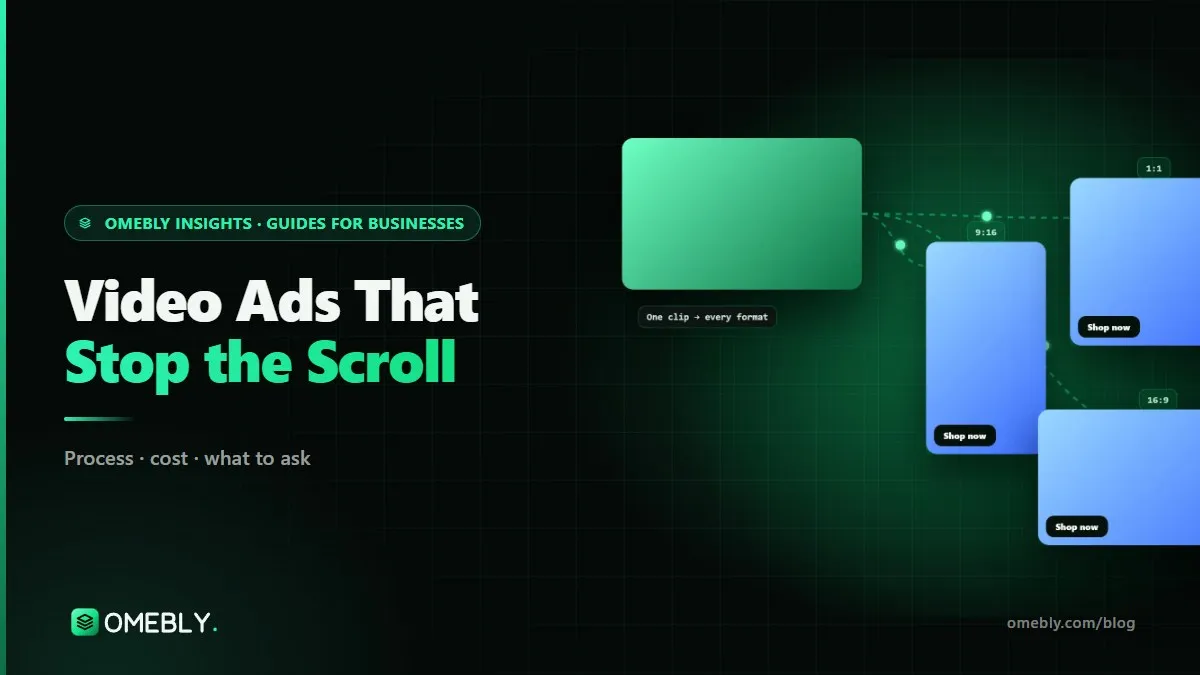
Make 9:16 for Reels, Stories and TikTok, 1:1 or 4:5 for feeds, and 16:9 if you also run on YouTube. Reframe each one by hand so the product stays centred, rather than letting the platform crop a single file. Name files by angle, opening and size so results are easy to read in Ads Manager.
Meta vs TikTok: what to adjust
| Element | Meta (Facebook and Instagram) | TikTok |
|---|---|---|
| Viewing habit | Many viewers muted, mixed feed and Reels placements | Sound-on culture, full-screen vertical |
| Best-feeling style | Clean product footage or UGC, strong text | Creator-style, talking to camera, trend formats |
| Text | Captions and headlines carry the message | Captions plus native-style text overlays |
| Sizes | 9:16, 4:5 or 1:1, sometimes 16:9 | 9:16 |
| Sound | Licensed music or the Meta Sound Collection | Commercial music library or licensed tracks |
The core idea can be shared. The packaging should change.
Mistakes that make video ads easy to skip
- Opening with the brand, not the viewer. Put the logo on the product or end card.
- Saying everything. One benefit per ad; make another ad for the next one.
- Message lost on mute. If the captions do not tell the story, the ad does not work for half its audience.
- Text in the danger zones. Headlines hidden behind buttons are wasted.
- Unlicensed music. An ad muted after launch has lost its rhythm.
- Claims you cannot support. Exaggerated before-and-after claims can lead to rejection. Approval is always the platform’s decision.
- Running one version for months. Even a strong ad tires as the same people see it repeatedly. Plan fresh openings before results slip.
Video ad checklist
- One angle and one benefit per ad
- First frame works as a still image
- No logo sting or slow intro
- Captions tell the story with sound off
- Text and faces inside each platform’s safe zone
- Proof shown, not just claimed
- Offer and call to action on screen
- Music licensed for advertising
- 9:16, 4:5 or 1:1 and 16:9 exports, reframed by hand
- Two or three openings to test, clearly named
How Omebly can help
Omebly’s video ad editing service builds each ad around a hook, a clear benefit and one call to action, with burned-in captions, licensed music and 9:16, 1:1 and 16:9 versions reframed by hand. We usually deliver three openings per ad, as listed in your proposal, so you can test angles against each other. We do not film, but we send a shot list for your own shoot, edit UGC from creators you work with, or source stock footage. Organic winners from our Reels and short-form editing can be recut as ads, and footage that needs it can go through our colour grading team. Video editing starts from $150 per video, and you receive a fixed written quote after a free consultation. See everything we do on our video editing page.
We cannot promise a particular return on ad spend; that depends on your offer, audience and landing page as much as the creative. What we can do is remove the editing reasons people scroll past. Send your product link and two ads you admire through our contact page or WhatsApp on +91 70444 33991.
Look at your current best ad with the sound off and ask whether the first second would stop you; that is where to start.
Frequently asked questions
How long should a video ad be on Meta and TikTok?
Short is the safe default. Many brands start with 15 to 30 second edits for feed and Reels placements, and test a shorter cut alongside. The right length is the shortest one that still shows the problem, the product and the action clearly.
Do I need professional footage to make a good video ad?
No. Phone footage that is well lit, steady and close to the product often feels more native in a feed than a polished commercial. What matters more is a clear opening, readable captions and one message.
Can I use the same ad on Meta and TikTok?
Often the same core edit works, but adjust it. TikTok viewers expect sound and a creator-style feel, while many people watch Meta feeds muted. Check each platform's safe zones and export a clean file for each, without another app's watermark.
Should the logo appear at the start of an ad?
Usually not as a full logo animation. Show the brand naturally, on the product, packaging or a small corner mark, and save the clear logo and offer for the end card.
What is UGC-style video and does it work for ads?
UGC-style means footage that looks like a real customer or creator filmed it on a phone, such as an unboxing or a quick review. It can blend into a feed well, but it still needs a tight edit, captions and a clear call to action.
How do I know if my video ad is working?
Look beyond likes. In Ads Manager, compare how many people watch past the first few seconds, the click-through rate and the cost per result across versions. A weak start shows up as poor early view rates; a weak offer shows up later, at the click.

Written by
Nazmul Hussain, Managing Director & Technical Head, Omebly. 10+ years building websites and apps for clients in India, the Gulf, the UK and the US, and mentoring at Omebly Academy. LinkedIn · GitHub
Follow Omebly
New guides, work and launches on every channel.