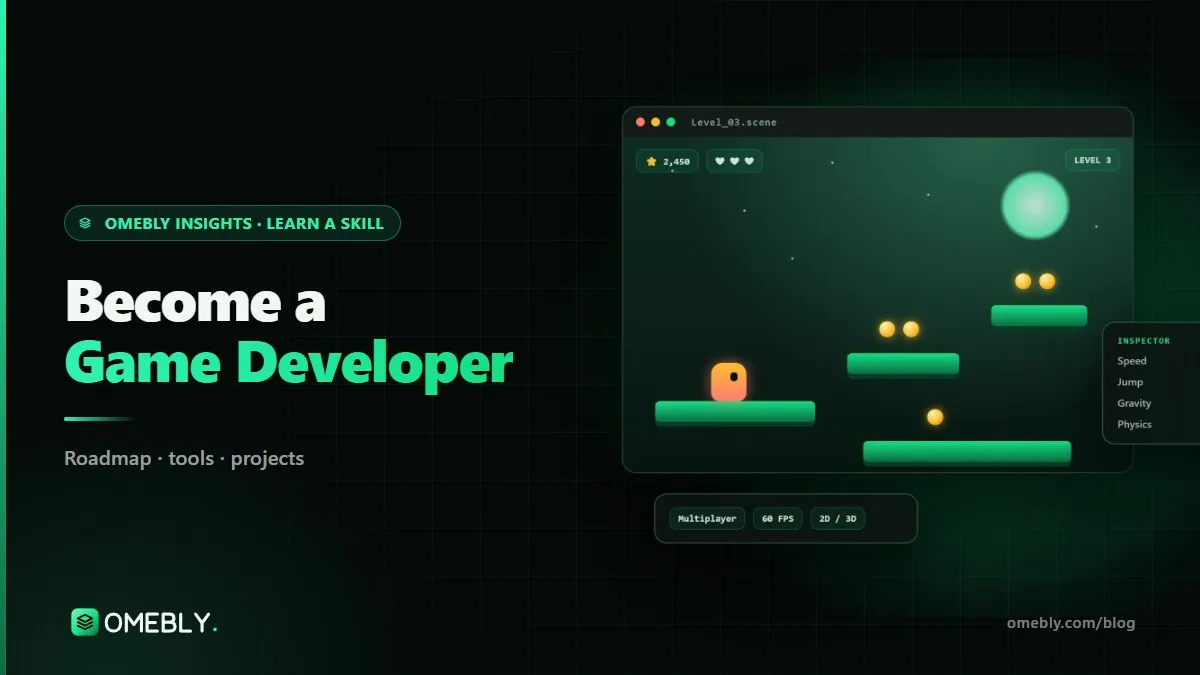
How to Become a Game Developer in 2026: A Unity Roadmap for Beginners
Want to make games, not just play them? A practical Unity and C# roadmap from your first moving sprite to a polished, published game.
Most game developers started the same way: they loved playing games and one day wondered how they were made. The jump from player to maker is more achievable than ever. Free engines, free assets and huge online communities mean you can build a playable game in your first month. If you are searching for a game development course online or planning to teach yourself, this roadmap shows how to go from zero to a polished, published game with Unity and C#.
Quick answer: To become a game developer with Unity, learn C# and Unity basics first (scenes, prefabs, input, 2D movement). Then add physics, collisions, UI, scoring, audio and simple enemy AI. Next, learn level design, game feel, animation and building for Android and PC. After that, move to 3D, cameras, lighting, save systems and optimisation. Finish small games at every stage and publish them; the core takes about three months.
What a game developer actually does
“Game developer” covers many jobs. In a small team or as a solo developer you will do several of them at once:
- Gameplay programming: making characters move, jump, shoot and interact.
- Level design: building spaces and challenges that are fun to play through.
- Game feel: the small touches, such as screen shake, sound and timing, that make actions satisfying.
- UI and menus: health bars, scores, settings and pause screens.
- Building and publishing: getting the game onto phones, PCs or the web.
Why Unity is a strong place to start
Unity is one of the most widely used game engines, especially for mobile, indie and 2D games. It uses C#, a clean and well-documented language that is also used outside games. Unity builds to Android, iOS, Windows, macOS and the web, so you can share your work easily. The free Unity Learn platform and the Unity Manual are excellent official resources.
Game development skills by stage
Stage 1: Unity and C# foundations
- The Unity editor: scenes, GameObjects, components and the inspector.
- Prefabs for reusable objects.
- C# basics: variables, conditions, loops, methods and classes.
- Unity’s script lifecycle (Start, Update, FixedUpdate).
- Reading player input and 2D movement.
Stage 2: Making it a game
- Physics, rigidbodies and colliders.
- Collisions and triggers for pickups, damage and checkpoints.
- UI: score, health, menus and game over screens.
- Audio for music and sound effects.
- Simple enemies and AI: patrolling, chasing and shooting.
Stage 3: Polish and shipping
- Level design: pacing, difficulty curves and teaching the player without text.
- Game feel: juice, feedback and tight controls.
- Sprite animation and Unity’s animator.
- Building for Android and PC.
Stage 4: 3D and systems
- 3D games, cameras and lighting.
- Save systems so players keep their progress.
- Ethical monetisation basics, such as fair ads or a one-time purchase, without manipulative design.
- Optimisation for smooth frame rates on modest phones.
Stage 5: Advanced and professional
- Multiplayer basics.
- A publishing pipeline: builds, store pages, testing and updates.
- One full, polished game you are proud to show.
Tools game developers use
| Tool | Purpose |
|---|---|
| Unity | Game engine and editor |
| C# | Programming language for Unity scripts |
| Visual Studio | Code editor and debugger for C# |
| Blender (basics) | Simple 3D models and edits |
| Aseprite or Photoshop | Pixel art, sprites and UI graphics |
| Git | Version control, essential for any project |
| itch.io | Publishing and sharing your games |
You do not need to be an artist. Free and paid asset packs let you focus on gameplay first and replace art later.
A month-by-month game development plan
Aim for six to eight hours a week. The golden rule is: finish small games. A finished tiny game teaches more than an unfinished big one.
Month 1: Unity basics and C#
- Install Unity and Visual Studio; learn the editor.
- C# fundamentals through small scripts: move a square, make it jump, collect a coin.
- Scenes, prefabs and input.
Milestone: a single-screen 2D game with movement, a goal and a restart button.
Month 2: Physics, UI, audio and enemies
- Rigidbodies, colliders and triggers.
- A score and health UI, a main menu and a pause screen.
- Sound effects and music.
- Simple enemy behaviour.
Milestone: a 2D platformer with three short levels and enemies.
Month 3: Level design, game feel and builds
- Design levels that teach mechanics step by step.
- Add game feel: particles, camera shake, sound timing.
- Sprite animation.
- Build for Android and PC; get five friends to play and watch them silently.
Milestone: an endless runner for mobile, installed on a real phone.
Months 4 to 6: 3D and systems
- 3D movement, cameras and lighting.
- Save systems and settings.
- Optimisation and ethical monetisation basics.
- A top-down shooter or a small 3D adventure level.
Months 7 to 12: Multiplayer and a polished game
- Multiplayer basics.
- A publishing pipeline and store page.
- Plan, build and release one polished game on itch.io or the Play Store.
Animation skills make a big difference to how a game feels; our animation roadmap is a useful companion.
Beginner game projects for your portfolio
- 2D platformer. Running, jumping, enemies, collectables and three or more levels.
- Endless runner for mobile. Touch controls, increasing speed, obstacles and a high-score screen saved on the device.
- Top-down shooter. Aiming, enemy waves, power-ups and simple AI.
- Small 3D adventure level. A third-person character, a camera that behaves, a puzzle and an ending.
- A game jam entry. Making a game in 48 to 72 hours teaches scope control like nothing else.
Publish each game on itch.io with screenshots, a short gameplay video and a devlog explaining what you learned.
Common mistakes new game developers make
Starting with a dream project
Your first game should not be an open-world RPG. Start tiny, finish it, then grow.
Watching tutorials without changing anything
Follow a tutorial, then change it: new mechanic, new level, new enemy. That is where learning happens.
No version control
One broken scene can undo weeks of work. Use Git from your first project.
Ignoring game feel
A game can be mechanically correct but feel lifeless. Sound, feedback and responsive controls matter enormously.
Never letting others play
You know where every secret is. Watch new players without helping; their confusion shows you what to fix.
Careers in game development
Game development skills lead to several roles:
- Unity developer or gameplay programmer at a studio.
- Mobile game developer building casual and hyper-casual games.
- Level designer or technical designer.
- Indie developer making and publishing your own games.
- Interactive and AR/VR developer, since Unity is also used for training, simulation and product visualisation.
The games industry is competitive, and openings and pay vary widely by country and studio. A portfolio of finished, playable games matters far more than certificates. C# and Unity skills also transfer well to app development; see our Flutter roadmap if you want to build apps too.
Readiness checklist
- I can write clean C# scripts for movement, collisions and UI.
- I have finished and published at least two small games.
- I can build for Android and PC.
- I use Git for every project.
- I can explain my design choices and what I changed after playtesting.
How to choose a game development course online
You can learn Unity from free tutorials, and many great developers did. A structured game development course online is worth it if it helps you finish games, which is where most self-taught beginners struggle.
What to look for
- C# taught properly. Copying scripts from videos works until something breaks. A good course teaches the programming behind the gameplay.
- Finished, playable projects. Each stage should end with a game you can build, install and share, not a half-done prototype.
- Game feel and design, not just code. Level design, feedback and playtesting are what separate a game from a tech demo.
- Building and publishing. You should learn to build for Android and PC and publish to a platform such as itch.io.
- Feedback on your games. A mentor who plays your builds and reviews your scripts will spot both bugs and design problems.
- Responsible design. If monetisation is covered, it should be ethical: fair ads or upfront purchases, not manipulative tricks.
Questions to ask before you enrol
What hardware do I need for 2D and 3D? Are classes live with recordings? How many games will I finish, and which ones are 3D? Will I learn Git and a publishing pipeline?
Red flags
Be wary of courses that promise a studio job or claim you will make a hit game. Game development is competitive and creative, and success depends on practice, persistence and the market. Good courses focus on skills and a portfolio of finished games.
Join a community
Game jams, local meet-ups and online developer communities are where you get playtesters, feedback and motivation. Sharing a devlog every week or two also keeps you accountable.
Learn it with Omebly
Omebly Academy’s Unity Game Development course teaches gameplay, physics, levels and polish in Unity with a live mentor, through real playable projects. It suits gamers who want to create, coders curious about game development and artists who want to bring their designs to life. No prior experience is needed, and a mid-range laptop is enough for 2D. Classes are live with recordings and weekly one-to-one reviews, and you are guided to publish on itch.io or the Play Store.
- Core (3 months, $699): Unity basics, C#, scenes, prefabs, input and 2D movement; physics, collisions, UI, scoring, audio and simple AI; level design, game feel, animation and building for Android and PC, with two capstone projects.
- Professional (6 months, $1,199): adds 3D games, cameras, lighting, save systems, ethical monetisation basics and optimisation, four capstone projects, mock interviews and portfolio review.
- Career (12 months, $1,999): adds multiplayer basics, a publishing pipeline and a full polished game, a live client-style project with the Omebly team, unlimited mentor reviews and placement assistance.
You receive an Omebly certificate of completion with your projects listed. Placement assistance covers CV and portfolio reviews, mock interviews and referrals where possible; it is not a job guarantee. You can see every programme on the Omebly Academy page.
Ready to make your first game? Contact us or message us on WhatsApp to book a free call.
Frequently asked questions
Is Unity good for beginners?
Yes. Unity has a visual editor, a huge community, excellent free learning material and support for both 2D and 3D. It also builds to Android, iOS, PC and web, so your first games can run on devices people already own.
Do I need to know programming before learning game development?
No. You can learn C# alongside Unity from the start. Having some coding experience helps, but many game developers begin with no programming background at all.
Do I need a powerful PC for Unity?
Not for 2D games. A mid-range laptop is enough to learn Unity and build 2D projects. 3D work benefits from a stronger graphics card and more memory.
Should I learn Unity or Unreal Engine?
For beginners and mobile or 2D games, Unity with C# is usually easier to start with. Unreal is popular for high-end 3D and uses C++ and Blueprints. The core game design skills transfer between both.
Can I publish my own games?
Yes. itch.io is a simple place to share PC and web games, and you can publish Android games on the Play Store once you set up a developer account and meet its policies.
Does a game development course guarantee a job in the games industry?
No. The games industry is competitive and no course can promise a job. Omebly offers placement assistance, such as portfolio reviews, CV help and interview practice, not a job guarantee.

Written by
Nazmul Hussain, Managing Director & Technical Head, Omebly. 10+ years building websites and apps for clients in India, the Gulf, the UK and the US, and mentoring at Omebly Academy. LinkedIn · GitHub
Follow Omebly
New guides, work and launches on every channel.