What Should a SaaS MVP Include Before You Charge Your First Customer?
A SaaS MVP isn't a demo; it's the smallest product someone will pay for. Here's what it must include before you charge, what can wait, and how to draw the line.
Founders tend to get the MVP wrong in one of two ways. Some build too much, spending months on features nobody has asked for. Others build too little: a demo that looks great but can’t take a payment, keep one customer’s data away from another’s, or survive a forgotten password. Knowing what to include in a SaaS MVP is about finding the line between the two: the smallest product a real customer will pay for and keep using.
This guide sets out the parts every paid SaaS MVP needs, the features that can safely wait, a simple method for drawing the line, and a checklist before you switch billing to live. If you’d like help scoping and building one, our SaaS development company page explains how we run the product workshop that sets that line.
Quick answer: Before you charge anyone, your SaaS MVP needs one core workflow that does the job customers pay for, reliable sign-up and login, separate accounts so each customer’s data stays private, basic roles, subscription billing with trials and failed-payment handling, an admin view for your team, backups, basic analytics and the legal pages. Integrations, advanced reports, extra roles, a mobile app and a public API can usually wait.
An MVP is not a demo
A demo shows what the product could do. A paid MVP has to actually work, every day, for people who aren’t you. That changes the priorities. Customers will forgive a plain design and a short feature list. They won’t forgive being charged twice, losing their data or seeing someone else’s records.
So the useful question isn’t “what features should we build?” but “what must be true before a stranger pays us and relies on this?”
What to include in a SaaS MVP: the must-haves
| Area | Must have before charging | Can wait |
|---|---|---|
| Core workflow | One job done start to finish without your help | Secondary workflows, automation, bulk actions |
| Accounts and login | Sign-up, login, email verification, password reset | Social logins beyond one, SSO |
| Multi-tenancy | Every record tied to a customer account and checked | Dedicated databases per customer |
| Roles | Owner and member (perhaps admin) | Custom roles, fine-grained permissions |
| Billing | Plans, trial, card payment, invoices, failed payments, cancellation | Usage-based pricing, coupons, multiple currencies |
| Admin panel | View customers, plans, status; help with support | Rich internal dashboards |
| Onboarding | A clear first step and a welcome email | Interactive product tours |
| Analytics | Sign-ups, activation and which features get used | Cohort dashboards |
| Reliability | Backups (tested), error alerts, basic monitoring | Multi-region failover |
| Legal | Terms, privacy policy, cookie notice where needed | Enterprise contracts and security questionnaires |
1. One core workflow, done properly
Pick the single job your first customers will pay for, such as “send a branded quote and get it approved” or “track every job from booking to invoice”, and make that flow complete. A half-finished workflow with five side features is worth less than one finished workflow.
2. Sign-up and login that just work
Sign-up, email verification, login and password reset are boring, and they are the first thing every customer touches. Use a well-tested authentication approach rather than inventing your own. Sessions should expire, and passwords must be properly hashed.
3. Tenancy from day one
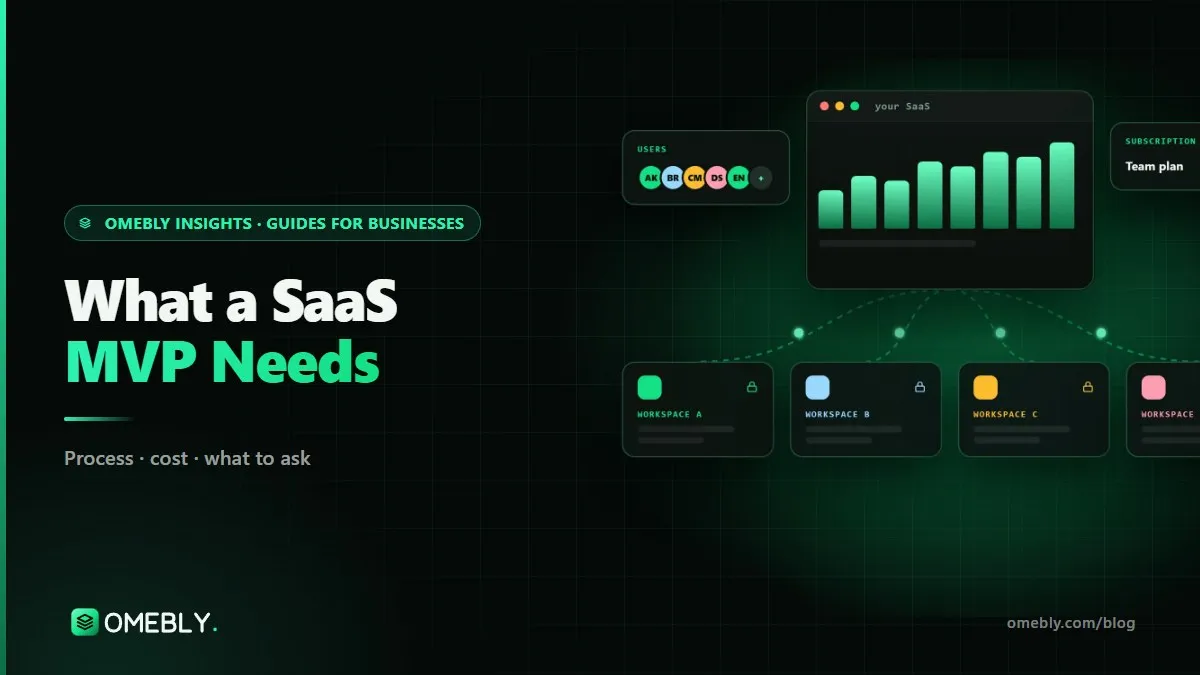
In SaaS, each customer (a “tenant”) must only ever see its own data. The usual approach is one shared database where every record belongs to an account and every request is checked against it. This is very hard to bolt on later, so it belongs in the first version even if you only have three customers.
4. Billing you can trust
Billing is where many MVPs cut corners and pay for it later. At minimum, plan for:
- Monthly and/or yearly plans
- A free trial with a clear end
- Card payments through a provider such as Stripe, Razorpay or PayPal (never store card details yourself)
- Invoices or receipts
- What happens when a payment fails: retries, emails, and when access is limited
- Upgrades, downgrades and cancellation
Payment providers handle much of this lifecycle for you. Stripe’s guide to how subscriptions work shows how many states a subscription passes through, from trialling to past due to cancelled, and your product needs a decision for each one. Tax such as GST or VAT depends on where you sell, so confirm it with your accountant.
5. An admin view for your team
You’ll need to look up a customer, see their plan and status, and help when something goes wrong, without asking a developer to query the database. It doesn’t have to be pretty.
6. Backups, alerts and basic security
Automated backups that you’ve restored at least once, error alerts that reach a real person, and HTTPS everywhere. Before launch, test that one customer cannot reach another’s data, by trying.
7. Just enough analytics and onboarding
Track sign-ups, how many reach the “first useful result” and which features are used. Pair it with a welcome email and a clear first step. This is how you’ll learn what to build next.
What can wait
Be ruthless here. Each of these is valuable later and expensive now:
- Integrations, unless the core job is impossible without one. A CSV import often covers the early months.
- Advanced reporting and exports
- Custom roles and complex permissions
- Single sign-on, unless your first customers require it (plan the account model so it can be added)
- A mobile app; a responsive web app works on phones
- A public API, though building your own front end on a clean API makes this easier later
- Usage-based or multi-currency pricing
- AI features, unless they are the core job
Our guide to what an API contract should include explains why a well-defined internal API now makes integrations and apps cheaper later.
How to draw the MVP line: a simple method
- Name one customer type. “Small accounting firms with 3 to 15 staff”, not “businesses”.
- Write the job they’re paying for in one sentence.
- List every step of that job, from sign-up to the result.
- Mark each step: must work, can be manual for now, or can wait.
- Add the non-negotiables: tenancy, billing, backups, security, legal.
- Write the “later” list down and share it. Agreeing what waits is what keeps an MVP on schedule.
Some steps can be done by you behind the scenes at first, such as setting up a customer’s account or importing their data. That’s fine for the first customers, as long as the product itself is reliable.
Mistakes to avoid
- Adding billing at the end. Plans, limits and trials affect the data model; design them together.
- Skipping tenancy because “we’ll only have a few customers”.
- Building for every customer type at once.
- Gold-plating the design before anyone has paid.
- No admin panel, so every support request becomes a developer task.
- Not testing a backup restore.
- Hosting and accounts in the developer’s name instead of yours.
Before you switch billing to live: checklist
- One customer type and one core job clearly defined
- Core workflow complete, tested by someone outside the team
- Sign-up, verification, login and password reset working
- Every record tied to an account; cross-account access tested and blocked
- Owner and member roles working
- Plans, trial, payment, invoices, failed payments and cancellation tested in test mode
- Admin panel to look up customers and plans
- Backups running and a restore tested
- Error alerts going to a real person
- Sign-up, activation and feature-use tracking in place
- Terms of service and privacy policy reviewed
- “Later” list written and agreed
If you’re still deciding whether you’re building a product to sell or a tool for your own business, settle that first; a single-company tool doesn’t need tenancy or subscriptions.
How Omebly can help
Omebly builds SaaS products from idea to paying users, working remotely from Kolkata and Downtown Dubai with calls in your time zone. Every project starts with a product workshop that agrees users, plans and the MVP line, then moves to Figma designs, the data model and billing flow, and a build with a demo every week. Our SaaS development work covers multi-tenant architecture, role-based access, Stripe, Razorpay or PayPal billing, a customer dashboard, an admin panel, hosting in your name and launch support. SaaS projects start from $12,000, with a fixed written quote within 48 hours of a free consultation.
If your product is really a tool for your own team, our web app development service may fit better, and if you mainly need a backend for an existing front end, see our API and backend development work. All sit within our wider web development service.
Have an idea and a rough feature list? Share it with us and we’ll help you find the MVP line.
Frequently asked questions
Should my SaaS MVP have a free plan?
Usually not at first. A free trial with a clear end date tells you far more, because it asks the real question: will people pay? A permanent free plan adds support load and can hide the fact that nobody is converting. You can add one later if it helps growth.
Can I launch without automated billing and invoice customers manually?
For your first handful of business customers, yes, and some founders do. It lets you test pricing before building billing. But once you have more than a few customers, manual invoicing becomes error-prone and slow, so plan the billing build for soon after.
How many features should a SaaS MVP have?
As few as it takes for one type of customer to complete the one job they're paying for, from start to finish, without your help. That is usually a single core workflow plus the essentials around it: sign-up, accounts, billing and an admin view.
Do I need a mobile app for my SaaS MVP?
Rarely. A responsive web app works on phones and keeps you to one codebase while you learn what customers need. Add a mobile app later if customers need offline use, the camera or push notifications, using the same backend.
When should I add integrations?
Add an integration in the MVP only if customers can't do the core job without it, for example if your product is useless without importing data from their accounting tool. Otherwise, a simple CSV import or export often covers the first months.
What legal pages does a SaaS MVP need?
At least terms of service and a privacy policy, and often a data processing agreement for business customers. The requirements depend on where you and your customers are, so have a legal adviser review them before you take payment.

Written by
Nazmul Hussain, Managing Director & Technical Head, Omebly. 10+ years building websites and apps for clients in India, the Gulf, the UK and the US, and mentoring at Omebly Academy. LinkedIn · GitHub
Follow Omebly
New guides, work and launches on every channel.