Power BI Roadmap 2026: Learn Power BI From Beginner to Pro
Power BI is easy to start and hard to master. This roadmap takes you from your first report to star schemas, DAX and published, secure dashboards.
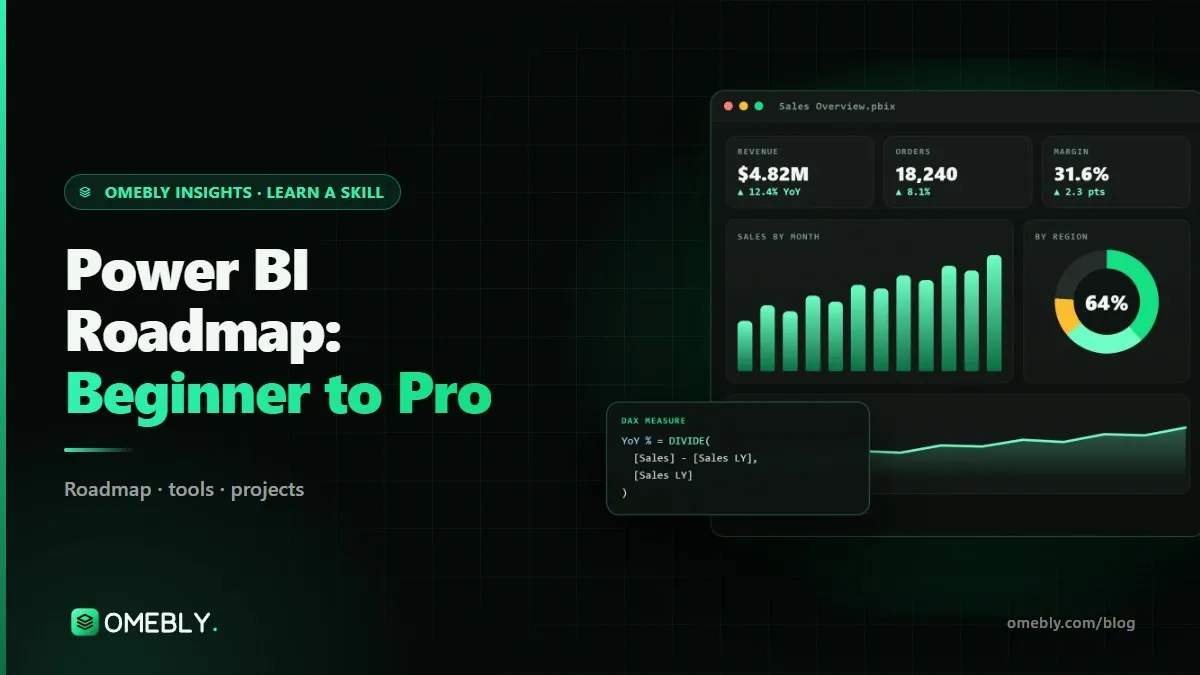
Power BI is one of those tools you can open on Monday and have a chart by lunch. The trouble starts a few weeks later, when numbers do not add up, visuals are slow and every new question needs another messy workaround. If you are comparing options for a Power BI course online, it helps to know the full path first: what to learn, in what order and how to prove you can do it.
This roadmap takes you from your first report to building models and dashboards that a business can trust.
Quick answer: Learn Power BI in this order: Power BI Desktop and Power Query (cleaning data), then data modelling with a star schema, then DAX (CALCULATE, filter context, time intelligence), then report design and publishing to the Power BI Service with row-level security. With regular practice, the core takes about three months; advanced DAX, performance and governance take longer.
What Power BI is and why it matters
Power BI is Microsoft’s business intelligence platform. You connect to data (Excel files, databases, cloud services), shape it, model it and build interactive reports that others can view in a browser or on their phone.
The parts of Power BI
- Power BI Desktop: the free Windows app where you build reports.
- Power Query: the data preparation engine inside Desktop.
- The data model and DAX: where tables are related and measures are calculated.
- Power BI Service: the cloud platform where reports are published, shared, refreshed and secured.
Why companies use it
Most teams already have data spread across spreadsheets, sales systems and accounting tools. Power BI pulls it together into one version of the truth, refreshes on a schedule and lets people filter for their own region or team. It also fits naturally with Excel and the rest of Microsoft 365, which many businesses already use.
The Power BI skills you need, by stage
Stage 1: Getting and cleaning data
- Connecting to Excel, CSV, folders and SQL databases.
- Power Query transformations: filtering, splitting, merging, appending, unpivoting.
- Setting correct data types (the cause of many silent errors).
- Basic refresh and understanding where your data comes from.
Stage 2: Data modelling
This is where most self-taught users struggle. The goal is a star schema: one or more fact tables (sales, transactions) surrounded by dimension tables (date, product, customer, region).
- Relationships, cardinality and filter direction.
- A proper date table.
- Why one big flat table causes problems as data grows.
Stage 3: DAX essentials
- Measures versus calculated columns.
- SUM, COUNTROWS, DIVIDE and the iterator functions (SUMX).
- CALCULATE and filter context: the heart of DAX.
- Time intelligence: year to date, previous year, month-on-month growth.
Microsoft’s Power BI documentation and the DAX reference are worth bookmarking from day one.
Stage 4: Report design and storytelling
- Choosing the right visual for the question.
- Layout, alignment, consistent colours and clear titles.
- Bookmarks, drill-through and tooltips for deeper exploration.
- Designing for the person reading, not for the person building.
Stage 5: Publishing, sharing and security
- Publishing to the Power BI Service, workspaces and apps.
- Scheduled refresh and gateways for on-premises data.
- Row-level security (RLS) so each manager sees only their data.
Stage 6: Advanced and professional skills
- Advanced DAX patterns and performance tuning.
- Dataflows and working with SQL sources.
- Deployment pipelines for development, test and production.
- An introduction to Microsoft Fabric and lakehouses, Python visuals and governance.
Tools in the Power BI ecosystem
| Tool | Purpose |
|---|---|
| Power BI Desktop | Building reports and models |
| Power BI Service | Publishing, sharing, refresh and security |
| Power Query | Data cleaning and shaping |
| DAX Studio | Testing and tuning DAX queries |
| Tabular Editor | Managing large models and measures efficiently |
| Excel | Source data and quick checks |
| SQL Server | A common database source for business data |
DAX Studio and Tabular Editor are free community tools that professionals use daily; you do not need them in week one, but they become important once your models grow.
A month-by-month Power BI learning plan
Plan for four to six hours a week. Use one dataset you understand well (sales, HR or inventory) and keep improving the same report as you learn.
Month 1: Desktop and Power Query
- Install Power BI Desktop and learn the three views: report, data and model.
- Import data from Excel and CSV; clean it in Power Query.
- Fix data types, remove errors and understand refresh.
- Build a simple one-page report with cards, bar charts and slicers.
Milestone: a clean, refreshable report from a messy source file.
Month 2: Modelling and DAX
- Split a flat table into a star schema with a date table.
- Create relationships and test that filters flow correctly.
- Write your first 15 to 20 measures, then learn CALCULATE and time intelligence.
Milestone: a model where every number on the report comes from a measure, not an implicit sum.
Month 3: Design, publishing and security
- Redesign the report with a clear layout and a headline KPI row.
- Add bookmarks and drill-through pages.
- Publish to the Power BI Service and set up row-level security.
Milestone: a published, secure dashboard you can demo in an interview.
Months 4 to 12: From capable to professional
Spend the next stage on advanced DAX, performance tuning, dataflows, SQL sources and deployment pipelines. Then look at Fabric, governance and a full end-to-end BI project. Learning SQL alongside Power BI is one of the best investments you can make; our SQL for data analysis guide explains where to start.
Beginner Power BI projects for your portfolio
- Sales performance dashboard. Revenue, margin and growth by month, region and product, with year-on-year comparison.
- HR attrition analysis. Who leaves, when and from which teams, with drill-through to department detail.
- Inventory and supply dashboard. Stock levels, reorder alerts and supplier lead times.
- Finance P&L report with RLS. A profit and loss view where each business unit sees only its own numbers.
For each one, write a one-page summary: the business question, the data, the model design and three insights. Recruiters and hiring managers often care more about how you explain a report than how it looks.
Common Power BI mistakes to avoid
One giant flat table
Merging everything into one wide table feels easy but breaks as soon as you add a second fact table. Learn the star schema early.
Calculated columns everywhere
Calculated columns are stored in the model and make it bigger. Most business logic belongs in measures.
No proper date table
Time intelligence functions need a continuous, marked date table. Relying on auto date/time causes confusing results.
Too many visuals
A page with 15 visuals is slow and hard to read. Aim for one main question per page.
Ignoring security and refresh
A report that only works on your laptop is not finished. Plan refresh, gateways and RLS from the start.
Careers that use Power BI
Power BI skills appear in many job descriptions, including:
- Power BI developer or BI developer: builds models, reports and data pipelines.
- Data analyst: answers business questions with SQL, Excel and Power BI. See how to become a data analyst.
- Reporting or MIS analyst: automates regular management reports.
- Business analyst: uses dashboards to support process and product decisions.
- Finance analyst: builds P&L, budget and variance reporting.
Openings and pay vary widely by location and experience, so focus on building a portfolio that shows real modelling and DAX skills. Microsoft’s PL-300 Power BI Data Analyst certification is a recognised way to validate your knowledge; you book it directly with Microsoft.
Self-check before you call yourself job-ready
- I can clean messy data in Power Query without manual edits.
- I can design a star schema with a date table.
- I understand filter context and use CALCULATE confidently.
- I can publish, schedule refresh and apply RLS.
- I have three or four projects I can explain end to end.
How to choose a Power BI course online
Free tutorials are great for single features, but many learners stall at modelling and DAX because nobody checks their work. When you compare paid options, look past the module list and ask how the course will get you through those harder stages.
What a good course should include
- Modelling before visuals. A strong course spends real time on star schemas and relationships, not just on making charts look nice.
- DAX with understanding. You should learn why CALCULATE and filter context behave as they do, not just copy formulas.
- The Power BI Service. Publishing, refresh, workspaces and row-level security are part of real work and are often skipped.
- Realistic datasets. Sales, HR, inventory and finance data with genuine quirks, not tidy demo files.
- Reviews of your reports. Feedback on layout, measures and model design speeds up learning more than any video.
- Alignment with PL-300. If you plan to sit Microsoft’s exam, check that the syllabus covers its skills.
Questions to ask
How many projects will I finish? Are classes live, and are recordings available? Who reviews my work and how often? Will I learn SQL sources and performance tuning, or only the basics?
Red flags
Be cautious of courses that promise a job, a fixed outcome or “mastery in a weekend”. Power BI is quick to start but takes months of practice to use well, and no honest provider can guarantee hiring decisions made by other companies.
Learn it with Omebly
Omebly Academy’s Advanced Power BI course follows this roadmap with a live mentor. Despite the name, the 3-month track starts from the basics, and your level is checked in a free first call. Classes are live with recordings for revision and weekly one-to-one reviews. The syllabus maps to the PL-300 exam skills.
- Core (3 months, $699): Power BI Desktop and Power Query; star schema and DAX essentials; report design, drill-through, publishing to the Service and row-level security, with two capstone projects.
- Professional (6 months, $1,199): adds advanced DAX patterns, performance tuning, dataflows, SQL sources and deployment pipelines, four capstone projects, mock interviews and portfolio review.
- Career (12 months, $1,999): adds a Fabric and lakehouse introduction, Python visuals, governance and a full client-style BI project with the Omebly team, unlimited mentor reviews and placement assistance.
You receive an Omebly certificate of completion with your projects listed. Placement assistance covers CV and LinkedIn help, mock interviews, portfolio review and referrals where possible; there is no job guarantee. If your Excel needs work first, the Advanced Excel course is a good starting point.
Want a second opinion on where to begin? Contact us or message us on WhatsApp to book a free call.
Frequently asked questions
Is Power BI hard to learn?
The basics are quick: most people build a simple report in their first week. The harder parts are data modelling and DAX, which take steady practice over a few months to understand properly.
Do I need to know Excel before learning Power BI?
It helps but is not essential. Power Query works the same way in Excel and Power BI, so Excel users have a head start. Complete beginners can start directly with Power BI Desktop.
Is Power BI free?
Power BI Desktop is a free download for Windows. Sharing reports through the Power BI Service needs an account, and many features need a paid licence, though a free or trial account is enough for learning.
What is DAX in Power BI?
DAX (Data Analysis Expressions) is the formula language used to create measures and calculated columns in Power BI. Understanding filter context and the CALCULATE function is the key to using it well.
Does this roadmap help with the PL-300 exam?
Yes. The skills here map to Microsoft's PL-300 Power BI Data Analyst exam. The exam itself is booked and taken directly with Microsoft, not through a training provider.
Can a Power BI course guarantee a job?
No. A good course gives you skills, portfolio projects and placement assistance such as CV help and mock interviews, but no honest provider can guarantee a job.

Written by
Nazmul Hussain, Managing Director & Technical Head, Omebly. 10+ years building websites and apps for clients in India, the Gulf, the UK and the US, and mentoring at Omebly Academy. LinkedIn · GitHub
Follow Omebly
New guides, work and launches on every channel.