What Is the Difference Between Colour Correction and Colour Grading?
Colour correction makes footage accurate and consistent; colour grading gives it a mood. Here is what each step involves, the order they happen in and what to ask for.
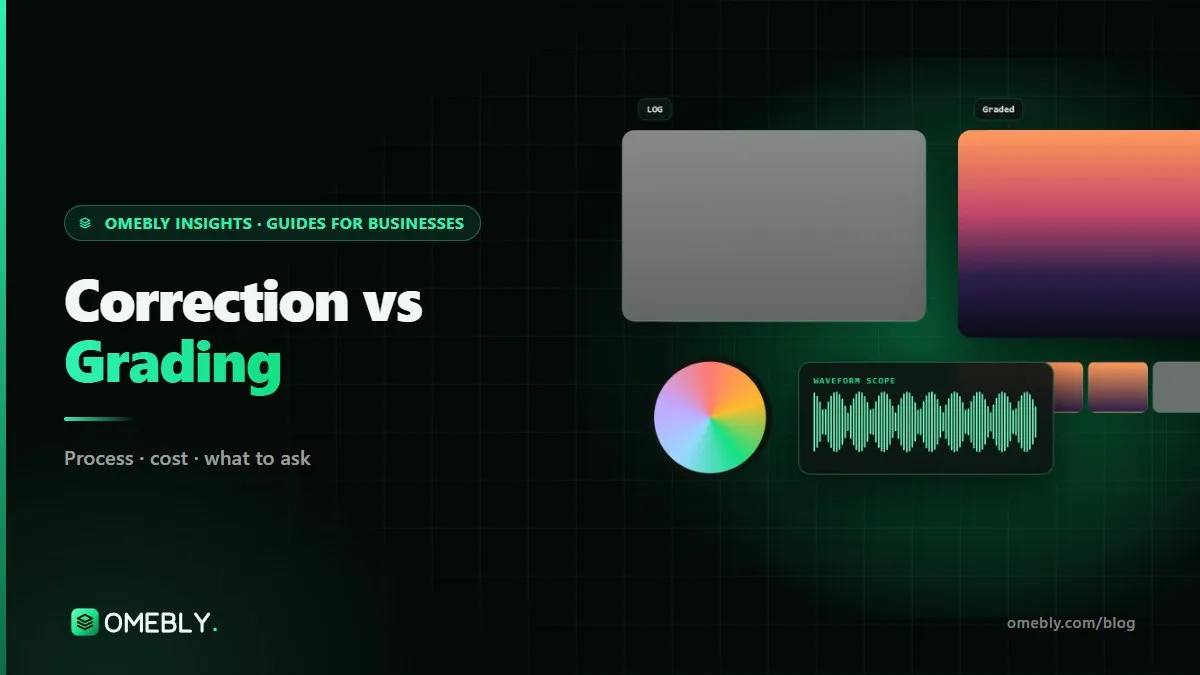
If you have ever asked an editor for “a bit of colour” and got a puzzled look, you are not alone. Two different jobs sit behind that request, and mixing them up leads to confusing quotes and footage that never quite looks right. This guide explains colour correction vs colour grading in plain terms: what each one fixes, why the order matters, and how to brief it. It is the same process behind our colour grading services.
Quick answer: Colour correction is technical. It fixes exposure, white balance, contrast and differences between shots so footage looks natural and consistent. Colour grading is creative. It comes after correction and gives the film a mood or brand look, such as warm and filmic or cool and clean. Every video needs some correction; how far you take the grade depends on the story and where it will be shown.
Colour correction vs colour grading at a glance
| Colour correction | Colour grading | |
|---|---|---|
| Purpose | Make footage accurate and consistent | Give footage a mood, style or brand look |
| Question it answers | “Does this look right?” | “How should this feel?” |
| Typical tasks | Exposure, white balance, contrast, LOG conversion, shot matching | Custom looks, film emulation, stylised skin and sky, vignettes |
| When it happens | First | After correction, once the edit is locked |
| Judged by | Scopes and reference accuracy | Taste, story and brand fit |
| Needed on | Almost every project | Projects where look and mood matter |
Think of it like a house. Correction is levelling the floor and fixing the walls. Grading is choosing the paint and lighting. Paint on crooked walls never looks good.
What colour correction actually fixes
Exposure and contrast
A shot that is too dark or too bright is brought back to a sensible range so detail is visible in faces, shadows and highlights. Colourists use the waveform scope to see brightness objectively, because our eyes adjust to whatever is on screen.
White balance
Light has colour. Indoor bulbs lean orange, shade leans blue, and fluorescent tubes can go green. Correction neutralises these casts so whites look white and skin looks like skin.
LOG and RAW conversion
Many cameras, and now some phones, can record in a flat LOG profile. It looks grey and washed out on purpose, because it stores more highlight and shadow detail. Correction converts it to a standard display space, usually Rec.709, the HD standard defined by the ITU’s BT.709 recommendation. Doing this with the right transform for your camera is what stops colours shifting.
Shot-to-shot matching
A two-camera interview, a drone shot and a phone clip will never match out of the box. Matching makes each cut feel like the same moment in the same place. This is often the biggest single improvement on business videos with mixed cameras.
What colour grading adds
Once footage is balanced, grading shapes how it feels. It might be:
- A brand look: consistent warmth or coolness across every video, so your content is recognisable
- A mood: warmer and softer for a heartfelt story, crisper and cooler for a tech product
- Film emulation: the colour and contrast character of film stock
- Guided attention: brightening a subject, darkening edges, or making a product colour pop against a muted background
- HDR versions: for content watched on HDR screens, alongside a standard version
Secondary corrections sit in the middle
Some tasks blur the line. Isolating skin tones to keep them healthy, or correcting a single product colour so it matches the real item, are called secondary corrections. They are technical in method but often done during the grade, because they protect accuracy while the look is pushed elsewhere.
Why the order matters
Grading on uncorrected footage is the most common mistake we see. If shot A is too warm and shot B is too dark, the same look will appear orange on one and muddy on the other. The editor then tweaks each shot separately, and the “look” quietly becomes twelve different looks.
The professional order is:
- Conform and organise the locked edit with original camera files.
- Convert LOG or RAW footage with the correct colour management.
- Correct exposure, white balance and contrast shot by shot.
- Match shots across cameras and scenes.
- Secondaries for skin, products and problem areas.
- Grade the creative look, first on a few hero shots for approval.
- Export and check on a second screen and a phone.
Tools such as DaVinci Resolve are built around this node-by-node order, which is why most colourists work in it.
Where LUTs fit in
LUTs cause a lot of confusion. A LUT (look-up table) is a fixed recipe that maps one set of colours to another. There are two kinds:
- Technical LUTs convert a camera’s LOG profile to Rec.709. They belong to correction.
- Creative LUTs apply a look. They belong to grading.
The trouble with downloaded creative LUTs is that they were built for someone else’s camera and exposure. Dropped onto unbalanced footage, they push skin orange or green and look different on every shot. Used as a finishing layer on corrected footage, they can work well. That is the key difference between “applying a LUT” and a real grade.
Do you need correction, grading or both?
| Project | Correction | Grading |
|---|---|---|
| Talking-head Reels on a phone | Light balance and matching | Simple consistent brand look, if any |
| Product ad or e-commerce video | Yes, with accurate product colour | Restrained look that keeps the product true |
| Interview or event film with several cameras | Yes, matching is essential | Moderate look for warmth and polish |
| Brand film or commercial | Yes | Full creative grade, often with HDR |
| Documentary with archive footage | Yes, plus restoration | Look that unifies old and new footage |
For e-commerce in particular, push the mood in backgrounds and shadows, not on the product, or returns can follow from “it looked different online”.
How to tell which one your footage needs
Not sure whether a video needs correction, grading or both? Watch it on a good screen and ask a few simple questions.
- Do faces look like real skin? If people look orange, green, grey or magenta, that is a correction problem, usually white balance.
- Do cuts between cameras jump? If the same person looks warmer on one angle and cooler on the other, the footage needs matching, which is correction.
- Is detail missing in bright skies or dark corners? That is exposure. Some can be recovered, especially from LOG or RAW, but clipped highlights cannot be brought back.
- Does it look flat and grey? It was probably shot in LOG and has not been converted yet. That is the first step of correction.
- Does it look correct but bland? Now you are in grading territory. The footage is accurate; it just lacks a mood or brand feel.
When you ask for a quote, describe what you see in these terms. “The two cameras don’t match and the faces look orange” gives a colourist far more to work with than “it needs some colour”.
Mistakes to avoid
- Auto white balance on set. It shifts mid-shot and makes matching harder. Lock it.
- Underexposing LOG footage. Shadows get noisy when lifted. Expose correctly for the profile.
- Baking in effects during the edit. Keep LUTs and filters removable until the grade.
- Judging on a single phone screen. Use scopes, then check on several devices.
- Over-grading. Strong teal-and-orange looks date quickly and can make skin unnatural.
- Sending compressed copies. Grading needs the original camera files.
Checklist before you brief a colourist
- Edit locked, with an XML, EDL or AAF from your editor
- Original camera files, not transcodes or downloads
- Camera models and profiles listed (for example S-Log3 or a phone LOG mode)
- Two or three reference images or films for the look
- Any product colours that must stay exact
- Platforms and formats, including whether you need HDR
- Shots you are unhappy with, noted by timecode
How Omebly can help
Omebly’s colour grading service in DaVinci Resolve covers both halves of the job: correct colour management for LOG and RAW, primary correction on scopes, shot matching, skin-tone isolation, then a custom look or film emulation, with HDR on request. We grade a few hero shots first for your approval before the full timeline, and deliver ProRes or DNxHR masters plus web exports. Grading pairs naturally with our documentary and event film editing, where footage often comes from many cameras, and with video ads where product colour must stay true. It is all part of our wider video editing services. For the editing side of short-form, see our guide on how to make video ads.
Send a short sample clip and a reference look through our contact page or on WhatsApp at +91 70444 33991, and we will tell you what correction and grading can achieve.
Correct first, grade second, and your footage will finally look like one film.
Frequently asked questions
Can I skip colour correction and just grade?
You can, but the look will be built on an unstable base. If exposure and white balance differ between shots, the same grade will look different on each one. Correcting first makes the grade predictable and consistent.
Is applying a LUT the same as colour grading?
Not quite. A LUT is a fixed colour transformation. A conversion LUT can be one part of correction, and a creative LUT can be one part of a grade, but neither adjusts for each shot's exposure, skin tones or mismatches on its own.
Does phone footage need colour correction?
Usually less than LOG footage, because phones apply their own processing. But phone clips still vary shot to shot, especially indoors under mixed light, so matching and a quick balance help them cut together cleanly.
Why does my video look different on my phone and laptop?
Screens differ in brightness, colour settings and even night-mode filters. That is why colourists judge on calibrated monitors and scopes, then check the export on a phone and a laptop before delivery.
Which software is used for colour correction and grading?
DaVinci Resolve is widely used by professional colourists, and Premiere Pro and Final Cut Pro also include colour tools. The software matters less than working on scopes and correcting before grading.
How much of a video's budget should go on colour?
It depends on the project. A social clip may need only a quick correction, while a commercial or documentary with several cameras benefits from a full correction, match and creative grade. Ask for the two to be priced separately so you can choose.

Written by
Nazmul Hussain, Managing Director & Technical Head, Omebly. 10+ years building websites and apps for clients in India, the Gulf, the UK and the US, and mentoring at Omebly Academy. LinkedIn · GitHub
Follow Omebly
New guides, work and launches on every channel.